We remain fully operational. Our teams are working around the clock to ensure your deliveries continue safely.

DOWNLOAD THE APP


Customer Services
Copyright © 2025 Desertcart Holdings Limited
DOWNLOAD THE APP
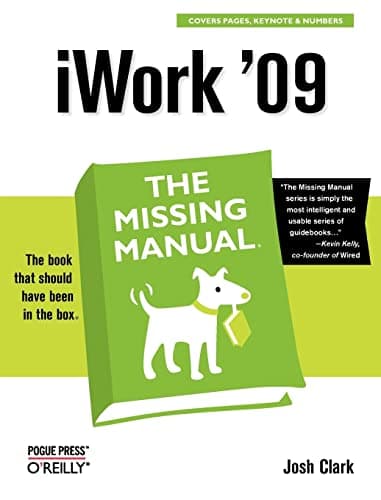
Full description not available
G**N
Look what the dog brought in
In a recent interview, Doug Van Pelt, editor of indie music mag HM, noted that the audience for the print magazine, their podcast, and the e-letter were all different people. Apple has noted the same thing, so that you can watch a tutorial video, or go to a session at the Apple store for hands-on help. What you can't do is what you can do with HM-- kick back in your chair, aim your halogen reading lamp just right, flip the pages and enjoy a leisurely reading experience as much as you enjoy your Mac.Until now. Enter David Pogue and the Missing Manual. "Now" is a long time ago, when I got the MMs for AppleWorks 6 and Garage Band. A friend, messing around with my microphone on his new Mac has already mastered Garage Band, and anyone opening AW for the first time immediately found it a zillion times easier and more intuitive than Word. But I want to flip to the index on the spot, having already read the salient sections many times, and if you're still reading this review, you're probably the book type who, like me, wants and needs the missing manual.Look what the dog dragged in. Not by the inimitable David Pogue, but new penman par excellence Josh Clark "gets it" about iWork '09. You say it's already '11, but Macs don't go obsolete like PCs, because when you get one the software is so advanced (and intuitive) it's like it's borrowed from the Jetsons. I can still use my eMac (I am now) and my G4 iBook, but they're both upgraded to run OSX Leopard, iLife '09 and iWork '09. Although what they won't run is iMovie, made to mesh with the new Intel processor, as is Snow Leopard. Which is why it's a great time to get a new Mac.So why is this Missing Manual one and three quarters of an inch thick? That, in itself, seems daunting. However, the iWork book at the Mac Store I looked at was mostly about making presentations with Keynote (the Mac lots better than PowerPoint presentation software), and using Pages (which replaces AppleWorks in iWork '09) to make dazzling documents, when I wanted more on Pages as a word processor. Which this MM has--200 pages on Pages before Clark even starts the segue into the "Numbers" spreadsheet, etc. and other bits in the Office-y software suite.Pages, like AppleWorks, is refreshingly free of the annoying Word tricks that make it so hard to write what you want instead of what Word thinks you should. AppleWorks doesn't fight you. It's friendly, like the dog on the MM cover. It wags its tail. You give the commands, and you don't have to wrestle it, as you do Word, for Alpha Dog status. Pages seems to be the same way, but it's not like I just opened it and messed around. I'm a book guy. I'm first reading this MM and testing the waters. On the back inside cover of the MMs, however, is a picture of the "missing CD" that didn't come with the MM: "There's no CD with this book: You just saved 5 dollars!". But the MM is also all online, with the links in the book. and a code to try the online version of the book for 45 days. An obvious appeal to the non-book audience (who would have had to buy the book to get it). No podcast so far, as far as I know.I learned the trick from the MMs and dummies books that when editing, to turn all the Word files into Appleworks, since AW can both open Word and save in it without your having to put it or office on your Mac (a little known trick the dog brought in), and it's blissful to write and edit in AW, and only have to turn it back to W at the end to send off the article or book to publishers who still don't have Macs (W would have said this sentence is too long--ha ha--take that W!). Probably the same with Pages, which, at least in the '09 version, will do everything W can except make a book index (although it will do the Contents page). I hope it will in future. However, the dummies book I have on Word, when I looked up how to make an index in W, said don't even try it--it's far too complicated, so that's something I leave to ye olde book publisher.If I have another question (and I do--ask the friendly folks at the Mac store) it's what is supposed to work with the web page? Pages? iLife? I still make my web pages in Netscape, even though it doesn't exist, simply because back in the day I bought it with a book and CD. How do you do the html on a Mac if you don't subscribe to .Mac (since you're already paying for server space through DreamHost)? Still on Netscape until I find the relevant MM. Of course I also have to run Firefox since so many businesses won't make their sites run with the superior Safari, and are not Mac-friendly. In closing, I consider the most-asked question about Macs. Since they come with iLife, do you need iWork? iWork '09 iWork '09 Family Pack Well, for about 100 bones (dog for "dollars") you can add the iWork productivity suite, and be amazed as it kicks tail on the 5,000 pound gorilla in the room. You can just go down and mess around with it at the Apple Store or, for us reading types, peruse this book the dog dragged in.
T**T
A MUST FOR THE MAC USER
FOR MANY YEARS, (SINCE OS9) ... I'VE BOUGHT ALL OF THE MISSING MANUAL SERIES FOR SOFTWARE USED ON MY MACINTOSHES. MOST COMPUTER GEEKS HAVE A PROBLEM WITH COMMUNICATING WITH NORMAL PERSONS ... AND THEY WERE THE ONES WRITING THE INSTRUCTIONS FOR THE USER. CAN YOU SPELL OBFUSCATE ? :-)
F**E
iWork 08 - a useful manual
Since 2004, Apple no longer supports AppleWorks -- a serious misstep: it was in its days a most efficient, powerful and elegant piece of software, and well documented, at that.So, being a writer and with AppleWorks now wilting, I had to either use MS Word (not a tempting option) or order the AppleWork's successor, the iWork. So I did, but what did I receive in the mail? -- just a lonely CD rattling in the cardboard box. Not one single printed page of "Getting started" or even " Basic Introduction". What an insult to a paying customer. (True, there was an "online userguide" but you can't really read such a manual and use the app at the same time.) When trying out the CD, the iWork (and I was mainly interested in the word processor, "Pages") turned out to be a highly complex program, largely meaningless to this aging user. I just wasn't able to use it it "as is" out of the box; I finally had to give up. To save my sanity I decided to order Josh Clark's "iWork 09" (O'Reilly, Pogue Press) via Amazon. That turned out to be just the right thing to do. This 800+ page book covers absolutely every aspect of iWorks, using a clear, useful -- and sometimes funny -- prose, explaining absolutely everything that needs to be clarified.To me, the book transformed an incomprehensible jumble of cryptic wordprocessing/page-layout options, into a powerful, versatile, quite elegant application that I now use for my daily writing efforts.I do recommend this book to users of Macintosh iWork (and I still consider Apple's neglect of documentation as inexcusabily shameful - I do recall the thorough, neatly printed Apple user-guides of yore).FB in San Diego
A**R
This book shows you step by step how to get the most out of iWork 09 in a fast and fun way!
After using PCs for 20 years I recently got a Mac Mini. I didn't want to spend a lot to do word processing and stuff on the Mac, as I still have Office on my PC so when I saw iWork on the App Store I checked out the reviews and got it anyway (most of the bad reviews seem to come from people who are used to Office). After using it for a while I realized it was a very powerful set of programs but I knew I would need some help to get the most out of them. Having read the OS X Missing Manual and loving it, I got the one for iWork 9. I am still in the process of reading this manual. (It's about 900 pages.) I am almost finished with the Pages section. If the other sections for Numbers and Keynote are even half as good I will consider this a great investment! The writing is concise but not dry like most other manuals are. It shows you every option, feature and secret that hide within the programs menus and drop downs. It takes you from using the built in templates to creating your own. I totally recommend the Missing Manual series for learning. They are so comprehensive you learn to do just about everything the programs can possibly do and even things you didn't think they could!
J**T
Too complicated
I am already an iWork '08 user, and I found this manual incredibly complicated - borderline impossible to use. It seems to have fallen into the same trap as iWork itself. It's easy to do complicated things. Far less easy to do simple things.What I really wanted were some clear photos of what the different windows show WHEN YOU FIRST START with them, what each icon or menu item means, etc. Instead, we plunge into the wordprocessing system, by writing a letter for a firm, making templates (without defining 'template - for those of you old Claris users, that's 'Stationery') how to integrate with your address book, bla de bla.What you really want to know is: what do the icons across the top of the wordprocessing menu mean? What are the options for each. How to set your margins, choose your font, etc.I'm sure all the information you could ever possibly want is hidden somewhere in this large book, but as a quick reference to get you started ...no, it doesn't work for me. This is a good effort, but I think the authors need to focus on (even ASK?) new users what they really need from a manual like this. Instead, they just dive in and start trying to explain everything an expert can do with the programme. As I said, I'm already a user (have been since 2008) and I found this no help at all in understanding the newer version. Heaven knows what somebody new to the entire iWorks suite would do with this.I have the old manual which came with iWorks '08, and it's much much better. I just wish Apple would update it for iWorks 'O9 - in paperback format.
F**D
I was optimistic when this big fat book arrived but I feel that I've wasted my money on it.
I bought this book at the same time as I switched to Mac and bought the iWork suite. I love the software and found the transition to Mac fairly trouble-free and intuitive. I would define myself as a skilled but not expert in computing in general, fairly autonomous and self taught, and that is the context of my review.I never use this book. I found it useless. I wanted a book that would serve as a reference to enable me to do things I couldn't figure out for myself and after many attempts at doing that with this book I gave up. I could never find the help I needed. Not sure if this is due to poor organisation, I found the indexing particularly weak, or simple the absence of the desired info. In practice, I simply google for the help I need, or use the very useful help within the software itself.I was optimistic when this big fat book arrived but I feel that I've wasted my money on it.
S**E
Missing Manual iWork '09
I've bought others in the Missing Manual series in the past. I bought it because I was intending to do a presentation and thought that I would use Keynote as it came free with my free upgrade to Mac OS Mavericks. However the version of iWork I got was newer that '09 and whilst I could make a presentation in Keynote I wasn't able to insert a music track in it. Keynote '09 has a different toolbar completely from '09 so the book was no help at all. I suspect that the same applies to the other component parts of '09.AlI I can hope is that Apple will bring out an update that will get the recent apps to work like the '09 ones.Don't buy this book if you have Keynote 6, Pages 6 or Numbers 6 because it probably won't be of much assistance.
D**W
iWork The Missing Manual
I don't know why Apple don't supply a manual for iWork, but they don't. The Help files are pretty good, but they are not exhaustive. For example, I could not find how to jump to a specific page in Pages. This can be a bit irksome for someone like me because I am a novelist and my documents are likely to be hundreds of pages long. I bought the Missing Manual in the hope that it would fill in the gaps for me - and it did! Within five minutes of opening it, I had discovered two new ways of getting round the document, including the one that I was hoping for. All was explained clearly and succinctly and the writer managed to adopt a friendly tone without treating the reader like a moron. Thoroughly recommended for anyone who is considering switching to a Mac and iWork instead of a PC with MS Office.
J**N
Invaluable help book.
As a newbie to the Mac environment and Iworks, having been more familiar with office, I realised that I wasn't getting very far and needed help. After looking up the reviews in Amazon I elected for Iwork 09, over the more well known rival, and what a good choice its been.I find that the book is nicely presented and perhaps more importantly an easy readable style. The information in it is relevant and feel as I'm actually getting somewhere with my spreadsheets. I haven't got Keynote, but do use pages and the help for this is just as good.The only thing I would like to have seen in the book are more details on the spreadsheet functions, as not all the functions are covered.
Trustpilot
2 months ago
2 months ago