Desertcart purchases this item on your behalf and handles shipping, customs, and support to OMAN.
🖼️ Elevate your prints—because your memories deserve nothing less!
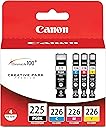
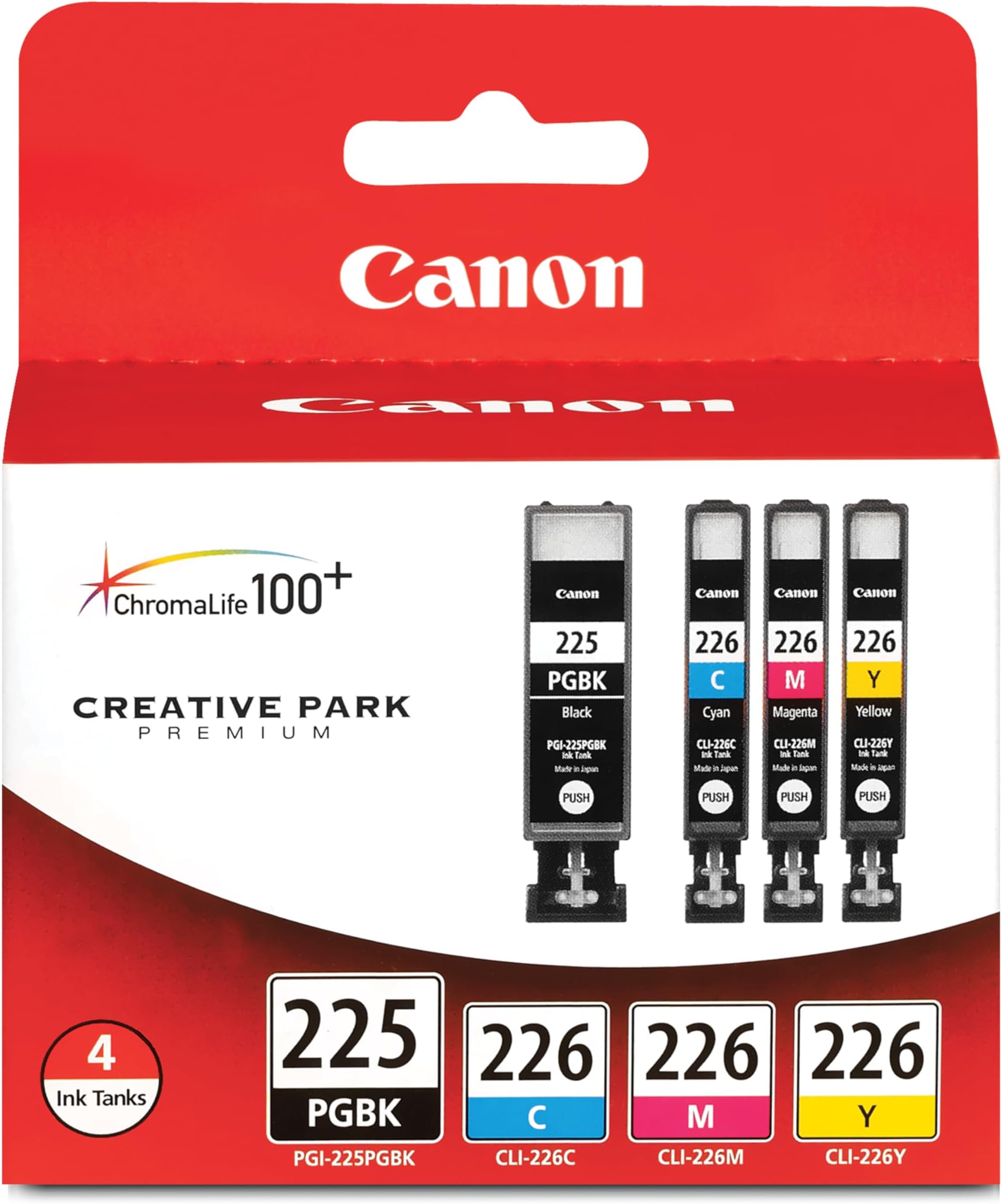
The Canon PGI225/CLI226 Genuine Color Multi Pack offers high-yield, smudge-resistant ink cartridges designed for over 15 Canon PIXMA printers. Featuring advanced ChromaLife100+ dye inks and nano-treated pigment black ink, it delivers long-lasting vibrant photos and crisp text. Smart LED indicators alert you before ink runs low, ensuring seamless printing with authentic Canon quality you can trust.


| ASIN | B003QR87I6 |
| Additional Printer Functions | Scan |
| Best Sellers Rank | #35,864 in Office Products ( See Top 100 in Office Products ) #1,172 in Inkjet Printer Ink Cartridges |
| Brand | Canon |
| Built-In Media | Ink cartridges (Black, Magenta, Yellow, Cyan) |
| Cartridge Type | Genuine |
| Color | Black, Cyan, Yellow, Magenta |
| Compatibility Options | Genuine |
| Compatible Devices | Compatible to iP4820, MG5220, MG5120, MG6120, MG8120, MX882, iX6520, iP4920, MG5320, MG6220, MG8220, MX892 Compatible Devices Compatible to iP4820, MG5220, MG5120, MG6120, MG8120, MX882, iX6520, iP4920, MG5320, MG6220, MG8220, MX892 See more |
| Compatible Printer Models | Canon PIXMA MG5320, Canon PIXMA MG6220, Canon PIXMA MG8220, Canon PIXMA MX882, Canon PIXMA MX892, Canon PIXMA iP4920, Canon PIXMA iX6520 |
| Customer Reviews | 4.7 out of 5 stars 2,920 Reviews |
| Global Trade Identification Number | 00660685023147 |
| Ink Base | Water |
| Ink Color | Black, Magenta, Yellow, Cyan |
| Ink Colour | Black, Magenta, Yellow, Cyan |
| Item Dimensions D x W x H | 2.5"D x 4.2"W x 3"H |
| Item Type Name | Inkjet Printer |
| Item Weight | 4 ounces |
| Manufacturer | Canon USA Inc. |
| Mfr Part Number | 4530B008 |
| Model Name | Canon PGI225/CLI226 Color Multi Pack |
| Model Number | 4530B008 |
| Model Series | PGI |
| Number of Items | 1 |
| Other Special Features of the Product | Smudge Resistant |
| Page Yield | 510 |
| Print media | Unknown |
| Printer Model Compatibility | Canon PIXMA MG5120, Canon PIXMA MG5220, Canon PIXMA MG5320, Canon PIXMA MG6120, Canon PIXMA MG6220, Canon PIXMA MG8120, Canon PIXMA MG8220, Canon PIXMA MX882, Canon PIXMA MX892, Canon PIXMA iP4820, Canon PIXMA iP4920, Canon PIXMA iX6520 |
| Printer Output Type | Color |
| Printer Type | Inkjet |
| Special Feature | Smudge Resistant |
| Specific Uses For Product | personal |
| UPC | 809301905553 778887901122 636123910928 172304330623 854432504410 800011165374 809099116919 172302780154 168141593345 801593122281 757388037769 999996772124 637122251777 132017943411 132018318478 044112728247 808113025046 641438197735 823019536151 521227621897 700580264143 804993385287 660685023147 115971615884 804067409673 012300858359 507948533855 |
| Unit Count | 4 Count |
| Warranty Description | Limited Warranty |
D**N
Canon.excellence.
Excellent ink in excellent ink cartridges for an excellent printer (that’s ssssstill going strong after about 10 years). Canon is a comprehensive, quality, reliable brand from cameras to printers to ink cartridges. Never had an issue or problem.
S**L
Nice and works well
They are as good a value as I have found outside of Costco but at the time they were not in stock at Costco.
E**H
A great value price-wise as compared to office superstores
I usually need to purchase an ink refill for my Canon MG8220 once a year, and often on short notice due to my not monitoring ink levels. After reviewing costs, found this to be the best value for what I needed, and certainly cheaper than my closest office superstore.
A**E
High quality, low quantity
I was reluctant to switch from my Dell color laser to my second inkjet printer (I was unhappy with a much older HP inkjet). I've been very happy with the Dell, but my new iMac doesn't agree...they're not compatible. I wasn't able to find another compatible laser that met my needs, and Canon inkjet printers have a great reputation. So, I purchased a Canon Pixma despite several reviews critical of its high ink consumption. Most inkjets suffer from the same criticism. It's not the quantity of ink consumed that is the problem, it's the small capacity and relatively high cost of these ink cartridges. Fortunately, you only have to replace the individual cartridges (C,M,Y, or BK) as needed. Though the cost of replacing all 4 inkjet cartridges is less than half the cost of one laser toner cartridge, in my 8 years of experience with the laser I needed to replace only one toner cartridge. I've had the Pixma only 4 months, and all 4 cartridges already are low or out of ink. So, in the long run, this printer is going to be much more costly to operate than the laser. One reviewer commented on the bizarre combination of cartridges offered by Canon. Though I was struck by the same question, there is some logic to bundling C,M, and Y dye inks with pigment BK (PGI-225). The printer appears to consume these 4 cartridges at the same rate, while using the dye BK (CLI-226) more sparingly. So, you might need to replace the dye BK cartridge only half as often as the pigment BK. If they bundled all 5 cartridges, you'd wind up with a surplus of the dye BK cartridges. The individual cartridges are easy to replace, and you can use them right up until they are "empty". Whether or not there is any usable ink left is irrelevant, because the printer will not print if it detects an empty cartridge. You must replace it. There are cheaper, non-OEM replacement inks out there. But they're not highly regarded, and in this case you get what you pay for. I shopped around and found the best deal at Amazon.
P**D
Hi ho, hi ho, to Costco I go.
I used to always purchase my ink from Costco. I would take an empty ink cartridge to the store, find the matching one and purchase it. I kept the cartridge in a ziploc bag hoping that it would not leak ink. Then there was the fateful day that I went to Costco and they didn't have the correct type of ink. I have a printer that won't print and no ink. I returned to Costco some time later without the ink cartridge, because let's get real are you really going to save an empty ink cartridge that has the potential for leaking? I wrote down the model number on a piece of paper, but when I got to the store I couldn't find the paper. I bought what I thought looked like the correct cartridge. Horrors, when I got home it was more than obvious it was not the correct size. I am embarrassed to say that I was so desperate for ink I actually put it in my printer hoping it would work. Of course it didn't. I had to return it to Costco. I love their return policies. Let's get something straight a trip to Costco from my house is a half hour trip one way. Three trips is three hours and I still don't have ink! I really didn't want to give the overpriced office supply stores in the area my business. I decided to try purchasing ink online. I had my trepidations, what with some of the reviews saying they did not recieve Canon ink. I gave it a try. This is the way I purchase my ink now. It is easy to get the correct size, just look up on your orders what you purchased in the past. I have always revieved Canon brand ink. The only down side is that you have to plan for when you are going to run out of ink and have it available, or do without for a few days. I absolutely love the convience and accuracy of purchasing ink this way. I highly recommend it.
P**A
What I needed.
Just what I needed.
J**L
Good ink
Worked fine until I couldn’t use my printer anymore as Canon no longer has updates for it.
P**R
Brand name product
Excellent quality. Relatively expensive.
C**R
Looks used packaging
the product arrived in an open box, crushed and it looks so OLD. I have not used the ink yet but do not feel comfortable using in the condition it was delivered. be aware as this product is not new.
M**L
Three Stars
package itself seems a bit old. hope cartiages are ok
Trustpilot
1 month ago
2 weeks ago