Buy anything from 5,000+ international stores. One checkout price. No surprise fees. Join 2M+ shoppers on Desertcart.
Desertcart purchases this item on your behalf and handles shipping, customs, and support to OMAN.
🚀 Elevate your home network with speed, security, and seamless connectivity!
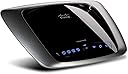
The Cisco-Linksys E2000 Advanced Wireless-N Router delivers dual-band Wi-Fi (2.4/5 GHz) with Wireless-N technology for extended range and faster speeds. Featuring four gigabit LAN ports with Auto-Crossover, WPA2 security, and guest network access, it’s designed for large households and multi-device environments. Easy to set up and backed by Cisco’s reliable support, this router ensures a robust, secure, and high-performance wireless experience.
| ASIN | B003B20F54 |
| Antenna Location | Home |
| Antenna Type | Fixed |
| Best Sellers Rank | #149,456 in Electronics ( See Top 100 in Electronics ) #993 in Computer Routers |
| Brand | Linksys |
| Compatible Devices | Personal Computer |
| Connectivity Protocol | Wi-Fi |
| Connectivity Technology | Wireless |
| Control Method | Voice |
| Controller Type | Switch |
| Coverage | Large Household |
| Customer Reviews | 4.2 out of 5 stars 472 Reviews |
| Data Transfer Rate | 300 Megabits Per Second |
| Frequency | 5 GHz |
| Frequency Band Class | Dual-Band |
| Global Trade Identification Number | 00745883589449 |
| Has Internet Connectivity | Yes |
| Has Security Updates | Yes |
| Is Modem Compatible | No |
| Item Weight | 1 Pounds |
| LAN Port Bandwidth | 10/100/1000 (Gigabit) |
| Manufacturer | Linksys |
| Maximum Upstream Data Transfer Rate | 1625 Megabits Per Second |
| Mfr Part Number | E2000 |
| Model Name | E2000 |
| Model Number | E2000 |
| Number of Antennas | 6 |
| Number of Ports | 4 |
| Operating System | Cisco IOS |
| Other Special Features of the Product | WPS |
| Router Firewall Security Level | High |
| Router Network Type | Wireless-N |
| Security Protocol | WPA2 |
| Special Feature | WPS |
| UPC | 745883589449 731840148712 745883590988 |
| Unit Count | 1.0 Count |
| Voltage | 110 Volts |
| Warranty Description | 1 year |
| Wireless Communication Standard | 802.11n |
| Wireless Compability | 802.11n |
J**R
Very Reliable Router - Glad I decided on this one.
This is my first experience with wireless anything. I did a ton of research online before finally deciding on this particular model. I did a lot of fretting and worrying about my decision and a lot of it was not necessary. I have a hard-wired desk top HP Media Computer, a Vonage phone, and use DSL from the local phone company. I purchased a Toshiba Satellite A665 laptop and thus needed to network on a small scale. Also, looking to purchase a Roku box for Netflix soon. I have used this router about 4+ months now. For someone completely ignorant about wireless it took me about 20 minutes to actually set it up from box to working. I admit to calling the Cisco-Linskys support line during setup with one dumb question. They were very helpful, didn't make me feel stupid, and even helped me finish my installation. I should have been able to do it alone. I was one connection from completion in the setup when I had a brain [...], uh, freeze, but it was probably brought on by fear and stupidity. I have contacted their support once since then, via online chat, with another very elemental question about wireless technology; again they were more than helpful. Their support certainly outshines (and out-communicates, if you get my drift) oh, I don't know, lets say...Hewlett Packard, Vonage, or Toshiba. In the time I have had the router I have had to reset it twice - this is a HUGE improvement over my experience with just my cable modum and Vonage box. Resetting it is easy, just unplug three cords, replug three cords, and your back in business in about three minutes tops. I believe most, if not all, of that problem is my DSL company since it happened a lot more before I went wireless. I have seldom lost my internet connection at the laptop computer level, tho it has happened a few times. I just clicked on the 'connect' link on the computer, reconnected with the router, and the internet was back up and working. I routinely use both computers fairly close to the router itself, but have tried my laptop in all other rooms of my house, which is a one-story and not too big (about 1200 sq, ft.) Nothing in speed or connection suffered. Have not taken the laptop outside my home into the yard yet. If there is a down-side to this router, it is that every once in awhile the video on an online video will freeze up while the audio continues on; the video portion will catch up later. I blame this on the router, but, I could be wrong, it could be my computer or actually any one of the other elements involved. I have used a Linksys hard-wired router in the past for Vonage router and I was not happy with the company or the device at all. But, having no wireless comparison experiences, and keeping in mind this is from a wireless newbie and a technical dunce, I can say the setup with this router was a piece a cake, much easier than what I had been reading, and the router itself has worked great and performed better than I hoped for so far. For ease of use and performance I would highly recommend the Cisco-Linksys E2000 Advanced Wireless-N Router.
C**N
Solid, reliable, smart design, great value
Bought this 4 months back, worked right out the box, no hassles, glitches, rebooting, overheating or need for calling customer service. ((whew)) Has since worked smooth with my Apple Mac laptop & with friends Windows pc, very fast upload & download transmission speeds with normal hi-speed Comcast internet service. Cisco makes a excellent product and I recommend this router highly, for home or small business use. One thing to watch for as others mentioned previously, when you are doing the initial set up watch out for the "Guest access" prefs- stupidly, it will default to allowing others in (no wep password required) , rather than the other way around. This is a poor choice in the code writing and needs to be corrected asap for obvious safety reasons. A tech pro pal of mine said with routers any problems are nearly always due to improper set up from the user and/or externally related- ie, router placed in a closed off/isolated area such as in an all wood or synthetic entertainment system (with or without doors the signal is still slightly blocked), in room with solid walls or apt/s built from concrete construction, even heavy furniture and drapery, etc- all of which slow and block wireless signal transmission) Just as your cell phone has 'dead zones' so will your wireless signal. Can't blame the router! (unless it's a rare mechanical bonafide dud, in which case return it for an exchange)
T**B
A Good Router, if a little irritating
I bought this router for my father-in-law after his neighbor decided to start password-protecting the router he was hooking up to. I was skeptical, as I read some reviews that indicated flaws (easy enough to find, if you're looking for those reviews). My experiences with this router were reasonable. I decided to skip the installation disk; when I bought my own Cisco router, I felt that the disc was grossly unhelpful. I'm reasonably experienced with routers, so it was easy enough for me to punch in the IP address and configure it through a browser. The router came online very quickly. I will say that some of the menus in the browser system aren't very intuitive. It took about 5 minutes for me to figure out how to password the router, and another five minutes for me to figure out how to change the name of the router. Since the router has been set up, all has gone well. Speeds are great throughout the multi-level home, and the router doesn't balk at having five to six computers drawing from its connection at the same time. There have been no connection drops, and I haven't had to reset my connection (something common with past Netgear routers). I would have given this router five stars, but Cisco-Linksys loses a star for having a needlessly complicated configuration system. It would be easy enough to make that a little more user-friendly. Still, a fine product.
Z**S
average home router but not for advanced users
This router is sort of an enigma. In terms of functionality (for a home router), it's Cisco's number two to the E3000 (which allows simultaneous broadcast of wifi on both 2.4 and 5 ghz frequencies -- this one does not; also, the E3000 has 6 internal antennae for greater range / signal strength where the E2000 has 3). But it's impossible to use all of the features. There's one distinct feature set for users who use the setup-for-dummies software and another completely different (and not necessarily overlapping) set of features for advanced users. For the typical home user, this router may offer everything you need. The signal strength is good. Setup of the router is easy and the included software provides fairly helpful instructions for setting up your wireless computers. The guest network feature is a nice way to allow visitors to use your wifi without going through all the usual setup hassle and without sharing access to your private stuff (like, maybe your itunes fileshare, networked printer, DVR, or NAS drive if you happen to have one). "Parental controls" can be established for the entire router or just for specified computers. That's about all you can do with the easy setup software. If you want to enable any advanced features, like using WEP instead of WPA or opening up ports to the outside world to operate a file or game server, you cannot use the setup software. Instead you have to use the more traditional web-based setup utility. You also cannot set up a guest network or use the simplified parental controls because those features don't exist in the web-based setup utility. (You can still set up some content filters/restrictions in the web software, but it's a bit more complicated.) If Cisco updated the firmware on this router to allow setup of all features via the web-based utility, I'd give it five stars. But since not all features can be used at once, it's really only an average router. (BTW, the E3000, which costs about twice as much, also has the same limitation.) [this has been edited to correct the number of antennae in the second sentence. hat tip to "l cd." thanks!]
M**D
Great Router
I needed a new router since my old D-link basically stopped working. I was looking for something with a decent range, fast throughput speeds and ease of use. I definitely found a winner with this router. You really can't go wrong with Linksys/Cisco they make the best in my opinion. This router is no different. Easy to setup out of the box, easy to install and change settings such as password and log in. The best part is you can create a guest log in username and password so that you don't have to give out your routers information to anyone who wants to use it. This makes it great if you sometimes share your router with friends but don't want to have to give out your personal password. Been using this router for a couple months now and it's great. Still fast, hasn't crashed or needed to be reset. Speeds are always high both wired and wireless and the range is pretty decent. It's definitely shorter than some of the long range routers but I knew that going in. Not that this matters to me but some people might like how sleek it looks. With the antennas being internal the router itself really is sweet looking with the silver and black. Anyway if you are looking for a great easy to use router for the right price definitely go with this one!
R**B
Nice Upgrade from WRT54GS with SpeedBooster
I had a WRT54GS with SpeedBooster for several years (I think about 5 years) and it functioned well. A couple of months ago I started having issues with my internet connection. I suspected it was AT&T's DSL speed, but could not be sure because sometimes I would get a great connection other times near nothing. So I started checking things out and came across a firmware upgrade for my router. Firmware upgrades can be dangerous because they can leave your hardware inoperable if not downloaded properly or if you download the wrong version, etc. So, I generally stay away from these upgrades if I can. But, I figured if I gave my router an upgrade and I bricked it (made it inoperable) then I had an excuse to buy a new router. Well, my internet connection slowed to near nothing as I downloaded the firmware upgrade and guess what - I had a brick. So, I purchased this product and it works great. I got extended range and a guest internet connection. The guest connection is broadcast (can't hide it), but I turned on mac filtering so only the computers I listed can access the guest connection. Oh by the way, the CD that comes with the product did not work for the DSL connection so I just opened the interface and entered everything manually, no problem - took about an hour start to finish with all my computers. Great price at Amazon as well. Update in December - Said goodbye to AT&T and switched to Comcast, now getting great speed usually 10Mbps up to 20Mbps, great for Netflix (just remember that internet is generally not unlimited like most carriers advertise, small print in Comcast agreement says 250Gb per month max usage, which is much more than most people use). My router works great!
A**Z
A truly excellent wireless router
I went ahead and got this router since I needed to upgrade. The reviews on both Amazon and CNET about this router were really good and decided to check it out for myself. This router even though is a generation behind in the Linksys series and even without the latest bells and whistles, is a very strong competitor. CNET's speed tests showed this router faster than even the newer dual band routers which was pretty good in my book. The only negatives that CNET indicated was the lack of a usb port (for network sharing) and true dual band output (you have to select it if you want 2.4gHz or 5gHz). Options which unless you are a way advanced user, you wont miss. Set up was a breeze, the router was set to a good channel (I highly recommend downloading inSSIDer to give you a better picture of what network is broadcasting in what channel), allowing it to play nice with the neighbor's networks. With my previous wireless router, which was a wireless g router, the speed and connectivity would suffer if there were more than one device using it. That's were this puppy shines: I was able to connect to netflix faster than the old router and not only that, I was able to connect to netflix in my laptop and on my blu-ray at the same time without any problems! Still streaming netflix on my laptop I was able to sign on to Xbox Live and even downloaded an update in no time. The internet client is a nice feature but I left it off just in case. I can always turn it on from the Cisco Connect program if I need it. So if you need a no frills router that will get the job done, this is for you.
G**G
Whatever happened to customer service?
The device works well; it has increased my wireless internet speed and has not dropped the connection at all. The only problem I had was the installation of the router. My laptop is over a year old and the network drivers would not work with this device. Tech support was horrible, as you cannot call them; it has to be over internet chat, which doesn't work if your router is not working so I had to do it over my phone which was not efficient or user friendly at all. The person on the chat asked the same questions a few times, then sent me a link to go to once the router was connected to the computer by Ethernet, once I typed in the address they gave me, the chat timed out and I lost the conversation. The site I was given to download the new driver didn't work and also downloaded a virus. Not a good experience... Come to find out later that all I had to do was right click on the driver I wanted updated and Windows did the rest with no viruses or troubles. Whatever happened to customer service? This may be the last Linksys product I ever buy.
M**L
Brilliant router
I have purchased that router to replace my Netgear WGR614v9 which has been provided by Virgin. I have had so many problems with my previous router. I am using VPN connections a lot and three times out of ten I was not able to connect using wireless (only LAN connection worked flawlessly) and even when I got connected I could not use other devices in parallel or I would get kicked out from VPN. I have been using a Three dongle alongside my Virgin broadband just so I could VPN and browse internet at the same time (2 separate laptops). I have tried many times to change config on my old router so it will work fine but I have finally gave up and took a punt with Linksys E2000. What a joy it has been so far. I have been using it for a month now without a single problem or restart. I am able to VPN and browse internet without any problems whatsoever and the best part is that it did not require any changes to the config (which is great cause setting up routers is not my strongest suit).
D**O
Very fast but not without problems
I bought this as a replacement for a Netgear wirless router which was reliable but rather slow. The e2000 is fast in comparison and is one of the fastest routers available for home / small office use. When I got it up and running there was at least a 50% increase in speed with the e2000. However, the e2000 is not as easy to set up as the Netgear. I recommend that you do not install the software that comes it with, but configure the router via the web interface. That said, I found this interface unintuitive to use and missing certain expected features such as the ability to show what devices are currently connected. The basic set up was simple enough, but I found that I had and still have problems with this unit that I did not have with the Netgear. These are the problems on the e2000 that I encountered: 1) Sometimes a client cannot obtain an ip address from the router after connecting wirelessly, and thus is not able to get access to the Internet. 2) Sometimes the wireless speed drops to less than 0,5 Mbits/second. 3) I could not, and still cannot, connect to my PC from outside my home via remote desktop via the e2000. The first problem can sometimes be solved by re-installing an updated driver on the client's onboard wireless network device - if you can find one. if you using a Vista client expect trouble, and if it's an old machine then you'll be hard pressed to find a compatible driver. Even after updating the drivers, the firmware and everything, and the problem is apparently fixed, the problem will still mysteriously come back sometimes of its own accord, hang around for a while, then disappear again! I haven't yet discovered the logic behind this frustrating problem. Rebooting and restarting the router sometimes helps, and I have found that I have to restart this router quite often. The second problem is caused by interference with other wireless routers in the neighbourhood which using the same channel, and means you have to experiment with the other channels until you find one that works. I expect this has something to do with the long range of the receiver. The third problem was never resolved which is annoying because RDP was a service I used regularly. Despite following the instructions to open the RDP service ports on the e2000, and asking technical support, the service is still being blocked. I have read that other users have had this problem also. In conclusion, I would not recommend this router unless you are good with computers. It's fast, but not as reliable or stable as it should be. I think it's very bad that wireless connectivity is so sensitive to the network driver version used on a connecting computer, and also bad that it's not possible to connect to RDP through it like it says you can.
F**N
High expectations, big disappointment.
I expected a lot more from Cisco, the so called industry leader, but had to return the Linksys E2000 as it was not suitable for my needs. The router was easy enough to setup and configure and it was running in just a few minutes. The main problem was it was completely useless for any devices that need to connect at 802.11g. Initially these would connect at 54Mbps but usually within a minute, this would drop to 1Mbps and then disconnect completely, even with the device sat next to the router. I reset the router to factory defaults several times and experimented with different wireless settings (2.4GHz or 5GHz, auto and fixed channels) but this had no effect on my 802.11g devices. This rendered most of my wireless devices useless - these consisted of Toshiba and HP laptops and an HTC phone. Wireless-N 802.11n devices didn't suffer these problems and connected without any issues. Other features I didn't like were that the guest access feature can only be managed via the Cisco Connect software. This software only works if you have the router running a basic configuration. If you wish to customise the router config e.g. change IP address, the Cisco Connect software will not work and can only be administered using the browser based utility. The guest settings simply do not exist in the browser based utility which is my preferred method to access the router settings. The router also does not feature its own internal DNS server for the local LAN. This is something I wrongly assumed all home routers would have. Instead, it relies on your ISP's DNS or an external DNS server (incl. DDNS). Therefore, unless you have a seperate DNS server on your local LAN, if you lose your ISP's connection, DNS for LAN devices is also lost. The router does have some other nice features, (QoS, DMZ, VPN, logging, diagnostic and status) but I didn't explore these after discovering the above limitations. I'm thankful that Amazon allowed me to return the E2000 for a full refund.
C**H
Very good product.
Fast delivery. Product is excellent - probably the fastest and easiest hardware and software I have ever installed. Up and running in less than 5 minutes. I have this connected to a Speedtouch modem - ADSL broadbandc connection. Coverage all over the house including in the garage at the bottom of my garden. Has 4 ethernet sockets for connecting to a TV, PC or any other equipment.
J**S
Solid kit, keeps on running.
Been running for years. The interface is a bit dated now, but the hardware just runs and runs. For a while I had it outside, in an old plastic paint pot upside down (don't ask why). Very rarely have to reboot, if I do its the ISP causing the problem, not the router. I now just use it as a gateway with separate Wireless Access Points, and it is just fine for that.
Trustpilot
1 month ago
2 months ago