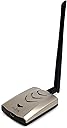
Desertcart purchases this item on your behalf and handles shipping, customs, and support to OMAN.
🚀 Elevate your WiFi game with unstoppable speed and range!
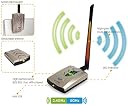
The ALFA Network AWUS036ACHM is a high-performance 802.11ac dual-band USB WiFi adapter featuring up to 433 Mbps speed on 5 GHz, a detachable high-gain antenna, and broad OS compatibility (Windows, Mac up to 10.14, Linux). Designed for professionals seeking reliable, secure, and fast wireless connectivity with easy plug-and-play setup.



| ASIN | B08SJBV1N3 |
| Best Sellers Rank | #44,092 in Computers & Accessories ( See Top 100 in Computers & Accessories ) #164 in Wireless USB Adapters |
| Brand | ALFA Network |
| Brand Name | ALFA Network |
| Color | Black, Silver |
| Colour | Black, Silver |
| Compatible Devices | Desktop |
| Country of Origin | Taiwan |
| Customer Reviews | 4.5 out of 5 stars 258 Reviews |
| Data Link Protocol | IEEE 802.11ac |
| Data Transfer Rate | 150 Megabits Per Second |
| Hardware Interface | USB |
| Item Dimensions L x W x H | 23L x 14W x 4H Centimeters |
| Item Weight Unit of Measure | 0.25 Kilograms |
| Manufacturer | ALFA Network |
| Manufacturer Part Number | AWUS036ACHM |
| Model Number | AWUS036ACHM |
| Number of Items | 1 |
| Product Dimensions | 23L x 14W x 4H Centimeters |
N**E
This is good product, works as expected.
Good for monitoring and Injecting mode
S**R
Works amazing but doesn't work with Kali Linux
The products quality is amazing but doesn't work with Kali Linux, doesn't go into monitor mode and doesn't even have support and drivers on official Alfa's website as of now
B**D
Excelente
Muy bien
R**N
Great value
Great value
D**M
MediaTek chipset and Linux
For people who do not use Linux (correctly GNU/Linux) I can say that this is Alfa's best so far. The rest of this is tech talk you don't care to know. I asked what the chipset and got non sequitur answers from a couple GNU/Linux users that it works real good. Okay, I use Debian myself but that is not what I asked. When I got the adapter I plugged it in and at the commmand line entered: lsusb Part of the answer to that command was "Bus 005 Device 023: ID 0e8d:7610 MediaTek Inc. WiFi". So the chipset is MediaTek. If you have usbutils installed you can do that from the command line as well. I've had the RealTek and Atheros adapters from Alfa, Inc. RealTek was strong and Atheros was more flexible but weaker. MediaTek is better than either of those. BTW, when I got the RealTek model (Alfa's AWUS036NH) I went thru the pain of installing from that CD where the relevant file was buried deep inside a Russian doll of folders. But when I got the Atheros model (Alfa's AWUS036NHA) I installed it "plug'n'play". You see I use the Synaptic Package Manager of Debian and it has a search feature. The CDs were never necessary. The RealTek driver is in the repository as "firmware-realtek" and Atheros drivers are stored "firmware-ath9k-htc" and "firmware-atheros" and "firmware-linux-free" and "firmware-zd1211". MediaTek drivers are stored in "firmware-misc-nonfree" which I already had loaded.
م**د
Original
المنتج اصلي وشغال
M**N
Out of the box compatible with Kali Linux (2022.04).
Bought to use with Kali Linux (tested with 2022.04) which I run virtually in Virtual Box and it has worked without problems and did not need to install any drivers. Monitor mode is supported and works as well.
Trustpilot
5 days ago
1 month ago