Desertcart purchases this item on your behalf and handles shipping, customs, and support to OMAN.
💡 Upgrade your walls, upgrade your vibe.
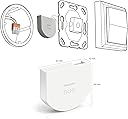
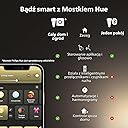
The Philips Hue Smart Wall Switch Module Twin Pack transforms your existing light switches into smart controllers compatible with Alexa, Google Assistant, and Apple HomeKit. Installed discreetly behind your switches, it ensures your Philips Hue lights remain powered and connected, enabling multi-scene control across individual lights, rooms, or zones. Featuring ZigBee connectivity, a 250V rating, and a compact design, this CE-certified module offers a seamless, reliable upgrade to any smart home lighting setup.
| ASIN | B09C62L43D |
| Actuator Type | Switch |
| Best Sellers Rank | 21,415 in DIY & Tools ( See Top 100 in DIY & Tools ) 281 in Switches & Dimmers |
| Brand | Philips Hue |
| Circuit Type | 1-way |
| Colour | White |
| Compatible Devices | Philips Hue, Hue Bridge Smart Lamps |
| Connectivity Protocol | ZigBee |
| Connector Type | Clamp |
| Connector type | Clamp |
| Contact Material | Brass |
| Contact Type | Normally Open |
| Contact type | Normally Open |
| Control Method | App |
| Control Type | Physical |
| Controller Type | Mechanical knob and push button |
| Country Of Origin | China |
| Current Rating | 25 Amps |
| Current rating | 25 Amps |
| Customer Reviews | 4.3 out of 5 stars 2,736 Reviews |
| Global Trade Identification Number | 08719514318021 |
| Included Components | 2 x wall switch module, 4 x cables, 2 x plug-in terminals |
| International Protection Rating | IP20 |
| Item Dimensions | 38 x 10 x 43 millimetres |
| Item Type Name | Wall switch |
| Item Weight | 25 Grams |
| Manufacturer | Signify |
| Manufacturer Part Number | 871951431802100 |
| Material | Plastic |
| Model Number | 929003017102 |
| Mounting Type | mounting_type: 'wall mounted' |
| Number of Items | 2 |
| Number of Positions | 4 |
| Operating Voltage | 250 Volts |
| Operating voltage | 250 Volts |
| Operation Mode | ON-OFF |
| Operation mode | ON-OFF |
| Product Warranty | 2 year manufacturer. |
| Specification Met | CE |
| Switch Type | Toggle |
| Terminal | Screw |
| Unit Count | 1.0 stück |
| Upper Temperature Rating | 100 Degrees Celsius |
L**E
Works as expected and super easy to install
Works great and super easy to install if you're comfortable with wiring. I have a couple of hue bulbs and wanted the standard room switch to control them, this works perfectly and fits in a standard UK 35mm back box. App is very straight forward to setup, depending on the type of Switch and walks you through it. Only downside is it doesn't respect the on/off state of the switch and only detects change. It's fairly easy to get into a state where the switch is off but the light is on (and vice versa) by toggling it quickly. But honestly minor.
M**H
Expensive but useful
Ultimately they are really expensive for what they are but do allow you to use your light switch as you did before you installed smart bulbs. Really helpful for when you have visitors so you don't have to spend ages explaining to them how the lights work. To connect it up you essentially remove the switch from the lighting circuit so the lights are always powered. The switch is then connected up to this box which is just a battery powered Zigbee switch so sends a notification when someone flicks the switch. I use them in Home Assistant to trigger an automation to toggle Ikea bulbs in the appropriate room but I am guessing this is simpler if you are bought into the Hue ecosystem.
A**R
Quite hard to understand what this is for, but, it's really good for it's intended use-case
If you have a hue light, install one of these behind the switch that controls it. This plugs in to the switch and disconnects the lighting ring from it. The light will be permanently on, and, then you can control it with your hue app or by using the switch. The switch module receives the toggle from the switch and then sends the command wirelessly to your dedicated light. This doesn't help you if you don't have a hue light, it won't convert a non-hue light to a smart light.
D**N
Not a perfect solution but as good as we have
A good little device that removes the problem of people switching off a light and removing the ability to remove control a hue bulb. Set up was not straight forward as all of the guidance and videos are based around US or EU set ups. Essentially you need to use the Wymo connector supplied in the box to complete the switched circuit so that it becomes permanently live. The small wires connections supplied in the box then connect to either end of the switch. The hue module has no connection to the houses power supply and works solely off of a battery. The switch is then mounted back on the wall and used as normal.
S**X
It is REALLY smart... but also, just make a wall switch!?
It took me a while to work out how the hell these work. Effectively, you disconnect your wall switch from the mains altogether, and connects the wires straight through so that your light fitting is "always on" effectively. Your wall switch *only* connects to one of these little devices, and vice versa; nothing else... which is to say, you could actually put your wall switch literally anywhere with this device. As long as it's in range of your Hue bridge. And on that note, the things you'll need. As well as a Hue bridge, you'll also need some choc blocks to connect your existing electrical wiring together. I don't recall if they're included with this kit; iirc, they're not, so worth considering that (very small) cost as part of the installation. The problem with that is that these devices need power, which they get from a cell battery (included)... which means, at some point, you'll have to take the switch back off the wall to change the battery in the Hue device. Philips reckon you'll get around 5 years from a battery, which is decent, but still a pain in the backside especially when there's mains power right there behind the switch. With all that considered, that brings me to the price. These are expensive for what they are, but that's typical of the Hue range generally. The upside I suppose is that it has Philips Hue reliability; and it does. They're very responsive, even with my switch being quite far from the Hue Bridge (one floor below, on the other side of the house). It also integrates very easily, using the Hue app which talks you through the bridging process. Another upside is the possibilities to be creative. I have my switch controlling two Hue devices; a Hue E27 colour bulb, and a Hue Essentials light strip, together. I have a two-way retractive switch (switch is centred by default, and can be pushed down or up, but will 'spring' back to the centre when released) which meets the use case I had in mind, and I was delighted to find that this module supports it... I'm able to have the "down" press turn on the light (as you would a normal light switch), and also cycle through different scenes with each push. Alternatively, I can push "up" on the retractive switch, which will turn the light off altogether. The module is able to tell the difference between and 'up' push and 'down' push, which makes for so many possibilities, while also allowing me to keep the familiarity of a regular light switch. On the size, these modules are pretty tiny. I had a bit of an issue placing it inside the switch's backbox, mainly because I had several lights connected behind the switch, as well as the choc block required to connect those electrical wires together. That said, I made it work, and really happy with the final solution. To summarise why it only gets 3 stars: 1. Philips could have just made a series of light switches, instead of this module. It would be easier to maintain, easier to install, and - in most cases - do the job you need it to do. 2. Being battery-operated I guess helps keep the module small, but having to remove the switch from the wall to change a battery is inconvenient. 3. The price, which is set purely for the brand; it doesn't need to cost as much as it does, and racks up if you're planning to change multiple switches in your home. 4. On positive notes, it's very responsive, allows for different switch types and configurations, and ultimately integrates very well with the Hue ecosystem, as well as other ecosystems (I use Alexa, and it works perfectly). The important thing to weigh is up is whether you really need it, and if it's worth the hassle of installation and maintenance. Will a regular Hue Remote do the job you need? How important is it that your existing wall switch has control? Are you trying to control lights (like light strips) not connected to your wall switch? Ultimately, I am really happy with the product, and the resulting functionality. I just think there's better solutions that Philips could have offered, given all that this actually does. Maybe one day...
T**N
Handy but neich option
Can combine with a double gang switch to turn a single wall plate into a double. Ie the switch doesn’t need to connected to power at all.
C**S
Great but expensive solution to a self inflicted problem
For anyone confused this product is a solution to the problem of not being able to use your normal light switches after installing smart bulbs. It installs behind the light switch and requires a basic knowledge of home electrics to be able to install. It comes with a connector block that takes the normal switch out of the circuit, leaving the lights permanently on, and the device itself which then connects to the switch. Once installed you connect it wirelessly to the hue hub and then you can use your switch again, just like the olden days. Typical Hue astronomical pricing but does the job well.
D**M
Instalation
EAsy to fit, I’ve used 3 of these now and whilst not cheap they solve a issue in having a traditional on/off by the door whilst using a hue light switch. I’ve used two units uk cont light bulbs in combo with the hue light switch. One of units can control a double gang light unit containing 2 light switches, also it can control a hue smart plug which I have my outside soft fit eves lights attached too, I put a double gang light switch by the hall to which it a dumby light switch and now I can control the outside lights by the hall way light switch without having to wire in cables and having unsightly cables running up the outside walls all good I guess until the wifi packs in!!
A**O
PERFETTO, HA IL SUO COSTO
Se sei giunto qui è perchè sei un possessore di almeno una lampadina smart dell’ecosistema Philips Hue oppure sei solo incuriosito da cosa sia questo strano oggetto. In entrambi i casi ti racconterò la mia esperienza di utilizzo e ti spiegherò come inserire e collegare, passo dopo passo, questo articolo. Il mio consiglio è di concedersi un attimo di tranquillità per leggerla, sono contenuti diversi consigli e accortezze che potrebbero farvi risparmiare tempo e denaro. Iniziamo, buona lettura! ❓DI COSA SI TRATTA? Sin dalla loro nascita, le lampadine Philips Hue, hanno avuto un gran difetto: nel caso in cui qualcuno spegnesse, tramite il classico interruttore a muro ad esempio, il lampadario a cui sono collegate le lampadine, quest’ultime diventerebbero irraggiungibili dall’app e quindi non più controllabili. Una grande seccatura che ha indotto molti utenti a coprire i vari tasti per la casa o ad urlare ai propri familiari di sfruttare esclusivamente gli assistenti vocali, o ancora a distribuire ovunque i telecomandini e i tasti della Philips. Finalmente, all’inizio di quest’anno, sono stati annunciati questi moduli che altro non fanno che trasformare il vostro caro e vecchio interruttore a parete in un tasto smart. Due punti da sottolineare: la trasformazione può avvenire SOLAMENTE nei punti luce dotati di lampadine smart e ahimè, essendo un accessorio, richiede ESCLUSIVAMENTE di avere il Bridge Philips Hue per essere rilevato. 📦SCATOLA E ACCESSORI La scatola è veramente minimale: al suo interno troviamo il modulo ovviamente, un morsetto Wago ad inserimento ad incastro, due coppie di cavi giallo-nero di diversa lunghezza, un manualetto con le istruzioni di montaggio e uno con le precauzioni di sicurezza. Il primo manuale è veramente essenziale, lascia la parola alle immagini raffiguranti un classico interruttore a parete straniero con uno o due tasti: non vi preoccupate, è perfettamente adattabile agli impianti italiani. Scannerizzando il qr code presente a pagina 4 sarà possibile accedere ad un manuale più completo, purtroppo solo in Inglese. 💡COME FUNZIONA? Il principio di funzionamento è molto semplice: si inserisce questo prodotto all’interno delle scatole a muro (dimensioni del prodotto 4,3x1x3,7 cm), proprio dietro agli interruttori, ai morsetti dei quali, al posto dei vecchi cavi di corrente, si collegano i nuovi fili forniti in dotazione. I cavi di corrente preesistenti verranno giuntati in modo da alimentare continuamente il lampadario mentre il comando del tasto fisico verrà percepito dal nostro modulo Philips che lo convertirà in un comando di azionamento delle lampadine, che sia accensione, spegnimento o cambio scena. 📱CONFIGURAZIONI Ogni modulo è dotato di due ingressi, in modo da poterlo collegare contemporaneamente a due tasti presenti nella stessa scatola a parete. Anzi, ad essere precisi il modulo supporta sia i tasti basculanti, ovvero quelli a due posizioni, sia i pulsanti, ovvero quelli che una volta premuti, tramite una molla, tornano nella posizione di partenza. Dallo schema elettrico scaricabile dal sito, si può notare come sia adattabile a diverse configurazioni di impianti italiani, a partire da quella semplice ad un tasto, quella con due deviatori (due tasti che accendono la stessa luce), quella con due deviatori e invertitori (tre o più tasti che accendono la stessa luce) per finire con quelli a relè, ovvero con più pulsanti che accendono la stessa luce facendo scattare con un clic appunto il relè. ATTENZIONE! Come già detto sopra, il modulo Philips serve a comandare ESCLUSIVAMENTE lampadine smart come le Philips Hue: perciò non gridate allo scandalo se lo inserite in un impianto con lampade normali e lui vi lascia al buio! Se la vostra intenzione è solo quella di “smartizzare” il comando senza avere luci intelligenti, allora è necessario che vi orientate su altri prodotti, di marche più o meno note e più o meno semplici da installare. 🔧COME SI INSTALLA? (Seguire le foto numerate) Siamo arrivati finalmente alla parte più importante secondo me, ma prima di continuare è bene che faccia una precisazione: in questi tipi di interventi, seppur semplici, è necessaria una buona dose di autocritica personale, valutando se effettivamente siamo in grado di mettere mano a parte di un impianto elettrico. Le tensioni in gioco sono pericolose e talvolta mortali. Compresa la criticità, in caso di dubbi, il mio consiglio è sempre quello di rivolgersi ad un professionista per evitare di causare danno all’impianto, a noi e a chi ci sta intorno. Detto ciò procediamo. Le mie istruzioni sono realizzate per il caso più semplice, ovvero un punto luce comandato da un solo interruttore. Nelle immagini troverete anche gli schemi di collegamento per i casi più articolati. Prima di tutto è essenziale staccare la corrente elettrica, o almeno isolare la porzione d’impianto su cui stiamo intervenendo; individuare la scatola contenente l’interruttore che vogliamo rendere smart; stacchiamo la cornice, svitiamo le viti del supporto e apriamo la scatoletta; nel migliore dei casi ci ritroveremo davanti due cavi avvitati ai contatti dell’interruttore: ciò che dobbiamo fare è sfilarli e unirli con il morsetto fornito in dotazione (quello trasparente e arancione). Quasi sicuramente sarà necessario “pettinare” i filetti di rame e avvolgerli su se stessi, in modo tale che non si aggroviglino durante l’inserimento nel morsetto; inserire i cavi così giuntati all’interno della scatola; utilizzare una delle due coppie di fili nero e giallo: inserire il lato con il connettore bianco nell’ingresso 1 del modulo Philips mentre l’altra estremità, costituita dai capi dei due fili, inserirli nei contatti del vecchio interruttore dove prima erano avvitati i cavi di corrente. Serrare per bene le viti dei contatti. fatto ciò, infilare anche il modulo all’interno della scatoletta e richiudere, ripercorrendo al contrario i passi del punto 3. riattivate la corrente. A questo punto siete a metà dell’opera, non rimane che spostarvi nell’app (aggiornatela se non l’avete già fatto) per la configurazione del modulo: Aprite l’app; in basso a destra, cliccate sulle impostazioni, ovvero sul simbolo dell’ingranaggio; cliccate su accessori; aggiungi accessorio; scivolate giù nella lista e cercate la voce “Hue Wall Switch Module”; seguite le indicazioni a schermo: vi farà premere una volta su ogni tasto che intendete “smartizzare” in modo da ricercare e associare i moduli. Più avanti vi chiederà quanti bilancieri, ovvero tasti avete nella scatola a parete: scegliete uno o due in base a ciò che avete installato (ricordo che ad ogni modulo è possibile collegare al massimo due interruttori). Se notate, nei vari passaggi, vi chiederà se il tasto è a bilanciere (classico on-off) oppure a pressione: è possibile infatti sostituire al primo il secondo in modo tale da aggiungere l’opzione di dimmerare la luce tenendo premuto il tasto a pressione. Dato il costo irrisorio, credo che opterò anche io per questa scelta: il collegamento dei due tasti è lo stesso. se la configurazione andrà per il meglio, un messaggio ci avviserà ed entreremo nella finestra di configurazione del comportamento del modulo: la prima voce sarà quella di associazione alle singole luci, alle stanze o alle zone. Per le stanze ho visto che c’è un massimo di due, quindi è possibile con un tasto in un posto comandare i punti luce di un’altra stanza: molto comoda come cosa. Anche l’abbinamento alle zone (che dobbiamo aver creato precedentemente) è una soluzione eccezionale, pensato per tutti coloro che magari con il tocco di un solo tasto riescono così finalmente a settare le luci per la visione di un film, giusto per fare un esempio. La seconda voce sarà quella che ci chiede se intendiamo associare al tasto una semplice funzione on-off oppure la funzione “press”, ovvero tre sequenze di on-off ad ognuna delle quali possiamo far corrispondere una scena a nostro piacimento: l’azionamento dell’interruttore fisico dovrà avvenire rapidamente, altrimenti il modulo lo interpreterà come un normale comando accendi-spegni. alla fine delle impostazioni, mi raccomando di salvare in alto a destra, altrimenti perderete tutte le modifiche! ✔PRO -il modulo è alimentato a batteria della durata stimata di 5 anni: in questo modo, a differenza di altri prodotti, non sarà necessario alimentarlo con la tensione domestica, evitando di dover tirare il cavo di neutro ovunque; -non sono necessarie opere murarie invasive; -possiamo mantenere i nostri cari vecchi interruttori a parete, facendo assumere loro funzioni smart, non solo di accensione e spegnimento, ma anche di selettore scene; -il tempo di risposta dalla pressione del tasto è istantanea; -se la connessione ad internet dovesse cessare per qualche motivo, il sistema Philips Hue è progettato per continuare a funzionare in locale, quindi anche questo modulo continuerebbe a funzionare perfettamente (ricordo che le scene e le varie impostazione sono memorizzate nel Bridge). ❌CONTRO -il modulo è alimentato a batteria: quello che sopra era un punto a favore può anche essere visto negativamente poichè all’esaurimento della batteria dovremo di nuovo aprire le scatole a muro, scollegare il modulo, svitare la piccola vite per aprire lo sportello e rimontare tutto alla fine; -se siamo di fronte a impianti più articolati, come quello a deviatore o a relè le cose si complicano e non poco: nel primo caso sarà necessario prevedere un modulo per ogni scatola a parete mentre nel secondo caso (oltre sempre ad avere un modulo per scatola) bisognerà operare direttamente nella cassetta di derivazione dove è contenuto il relè in modo da dare fase diretta alla lampada. Nelle immagini vi ho inserito gli schemi di collegamento ma se siete in dubbio non rischiate e chiamate un professionista; -giuntando i cavi della corrente con il morsetto, i lampadari saranno sempre sotto tensione: prestate quindi la massima attenzione quando dovrete sostituire la lampadina e se non vi crea disagio, disalimentate momentaneamente quella zona di impianto per operare in tutta sicurezza. ⭐CONSIDERAZIONI FINALI Personalmente questo modulo mi ha colpito parecchio, sia in semplicità di installazione che in termini di configurazione e gestione da app. Era tempo che cercavo una soluzione che mi permettesse di avere continuamente le lampade raggiungibili mantenendo i vecchi tasti tradizionali, nel rispetto delle abitudini di chi condivide con me l’abitazione. Ho voluto inoltre inserire qui la discussione sul prezzo in quanto secondo me è soggettivo vederlo come un pro o un contro; siamo tutti consapevoli dei prezzi che Philips Hue ha dei propri prodotti, la qualità c’è e si paga. Al momento in cui scrivo, il modulo singolo costa 39,90: ho notato diversi cali di prezzo i giorni scorsi intorno ai 33,52€. Facendo due conti, per chi deve sostituire un punto luce ad un tasto il costo è più che accettabile, ma per chi deve ad esempio farsi tutta casa con deviatori e pulsanti a relè i costi sono considerevoli. In vendita esiste anche il pack doppio che al prezzo attuale di 69,90 permette di risparmiare ben 10 euro. Ho fatto un giro online e le alternative potrebbero essere: -Sonoff e placche touch a parete: sicuramente ad un prezzo inferiore ma non integrabili nell’app Philips e comunque richiedono tutte il cavo di neutro che non è sempre facile recuperare dalle diverse cassette di derivazione. -Friends of Hue: Vimar ad esempio ha creato delle placchette con interruttori senza fili da posizionare dove si vuole da abbinare alle lampadine Philips. Riprende le serie più famose presenti nelle case degli italiani ma attualmente ad un prezzo superiore, senza contare il fatto che sono altri interruttori che si aggiungono e non sostituiscono quelli esistenti. -BTicino Living Now e Living Light Smart, due serie “smartizzate” in grado di rimpiazzare i tasti a parete esistenti e di controllare tutti i tipi di sorgenti luminose, non solo quelle smart. E’ evidente che con queste soluzioni si abbandona il sistema Hue, stravolgendo l’impianto elettrico e andando su ben altri livelli di prezzo. Mi piacerebbe magari ci fossero dei multipack di 4 o 6 moduli ad un prezzo conveniente oppure che Amazon provvedesse a realizzare dei set in abbinamento a lampadine o altri accessori. Ma diamo tempo al tempo. In definitiva mi sento di consigliare a tutti gli effetti questo prodotto: so per certo che ad alcuni farà storcere il naso ma attualmente, come detto sopra, per quanto mi riguarda, non ci sono soluzioni migliori. Ben inteso, non è indispensabile, ma allora non lo sarebbero neanche tutte le lampadine smart. Se sei giunto fino a qui a leggere ti ringrazio: ho impiegato un po’ più di tempo perchè ci tenevo ad offrire una recensione e un aiuto al montaggio il più dettagliati possibili. Spero di essere stato utile e di averti aiutato nella scelta, grazie della lettura!
M**U
Simple, efficace et parfaitement intégré
Très bon produit, fidèle à l’esprit Philips Hue. Facile à installer, facile à intégrer, et surtout super pratique pour garder son interrupteur mural classique tout en passant en lumière connectée. L’appairage se fait sans prise de tête, tout comme le reste de l’écosystème Hue. Aucune mauvaise surprise, tout fonctionne comme prévu, pour ma part avec Google Assistant. C’est typiquement le genre d’accessoire qu’on oublie… parce qu’il fait parfaitement le boulot ! Rien à redire, je suis 100 % satisfait 👌
O**R
Caro para la función que desempeña
Está claro que no voy a descubrir el mundo con esto, es para lo que es y es de una marca super solida como es phillips. Cumple su función, veremos a ver la duración de la pila pero en general es un puente a la luz y controlar la bombilla a traves de internet. El mayor problema que es carisimo y hay opciones muuuucho mas baratas que hacen lo mismo pero no con phillips hue (como aplicación)
C**S
Excellente qualité - Facile à installer
Je suis absolument ravi de l'achat de ce pack de 2 modules Philips Hue à placer dans un interrupteur mural. Son installation est un jeu d'enfant. En quelques minutes seulement, j'ai pu les mettre en place et les synchroniser avec mon système Philips Hue existant. Je n'ai rencontré aucun problème technique et l'ensemble du processus s'est déroulé sans accroc. Une fois installés, ils ont transformé mon éclairage traditionnel en un système intelligent et connecté. Je peux désormais contrôler mes lumières à l'aide de commandes vocales grâce à la compatibilité avec Alexa et Google Assistant. Cela rend l'allumage et l'extinction des lumières incroyablement pratiques, que je sois chez moi ou à distance. Une autre fonctionnalité que j'apprécie énormément est la possibilité de programmer des horaires d'éclairage. Je peux définir des plages horaires spécifiques pour allumer ou éteindre les lumières automatiquement, ce qui apporte à la fois commodité et sécurité. De plus, la gradation des lumières est fluide et ajustable, ce qui me permet de créer différentes ambiances selon mes besoins. La compatibilité avec d'autres appareils Philips Hue me permet d'intégrer ces interrupteurs muraux à d'autres produits Hue tels que les ampoules, les bandes lumineuses et les luminaires pour créer un éclairage cohérent et synchronisé dans toute ma maison. Je n'ai rencontré aucun problème de fiabilité depuis que je les ai installés. En conclusion, je recommande cet achat. Il offre une installation facile, une compatibilité avec les assistants vocaux, la programmation des horaires d'éclairage, une gradation fluide et une intégration transparente avec d'autres produits Hue. Si vous souhaitez transformer votre éclairage en un système intelligent et personnalisée, ne cherchez pas plus loin! Tout ceci en gardant bien sûr vos interrupteurs initiaux (du céliane chez moi)
I**N
Mother in law friendly
The product is great, use it behind your normal light switches and you can still control lights line normal or use apps etc. I like the idea of having a normal function while getting the benefits of using it within my smart home environment. Mother in law approved since thing actually work as normal as well, no lengthy instructions for normal use needed.
Trustpilot
1 month ago
1 month ago