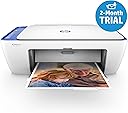
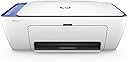
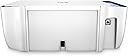
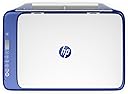
🖨️ Print smart, save space, and stay effortlessly connected!
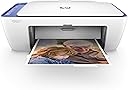
The HP Deskjet 2630 is a compact, wireless all-in-one printer designed for professionals who demand convenience and quality. It supports seamless mobile printing from smartphones and tablets, offers high-resolution print quality up to 7200 dpi, and includes cost-saving HP Instant Ink subscription options. With fast print speeds, quiet operation, and easy setup, it’s the perfect space-saving solution for modern home offices and small businesses.


| ASIN | B075DTHV7H |
| Additional Printer Functions | All In One |
| B&W Pages per Minute | 7.5 ppm |
| Best Sellers Rank | 169,124 in Computers & Accessories ( See Top 100 in Computers & Accessories ) 372 in All-In-One Printers |
| Box Contents | Printer, scanner, copier, wifi adapter |
| Brand | HP |
| Brand Name | HP |
| Color Depth | 24 bpp |
| Color Pages per Minute | 5.5 ppm |
| Colour | White |
| Compatible Devices | Smartphones |
| Connectivity technology | USB |
| Control Method | App |
| Customer Reviews | 4.2 out of 5 stars 9,599 Reviews |
| Dual-sided printing | Yes |
| Duplex | Automatic |
| Global Trade Identification Number | 00190780931806 |
| Hardware Interface | USB 2.0 |
| Ink Colour | Tri-color (cyan, magenta, yellow) |
| Item Dimensions D x W x H | 7D x 19W x 14H millimetres |
| Item Type Name | Inkjet Printer |
| Item Weight | 3.42 Kilograms |
| Manufacturer | HP |
| Maximum Copies Per Run | 100 |
| Maximum Copy Resolution Black and White | 7200 dpi |
| Maximum Copy Resolution Color | 4800x1200 dpi oder niedriger |
| Maximum Copy Speed Black and White | 7.5 ppm |
| Maximum Print Resolution Black and White | 7200 dpi |
| Maximum Sheet Capacity | 60 |
| Maximum Supported Paper Size | A4 |
| Maximum print Resolution Color | 4800x1200 dpi |
| Model Name | 2M3JZ69 |
| Model Number | V1N03B#BEV |
| Model Series | 2600 |
| Model name | 2M3JZ69 |
| Network Connectivity Technology | USB |
| Number of Trays | 1 |
| Other Special Features of the Product | Automatic duplex printing |
| Output sheet capacity | 60 |
| Paper Size | 210 millimeters |
| Print media | Paper (plain) |
| Printer Output Type | Colour |
| Printer Type | Inkjet |
| Printing technology | Inkjet |
| Processor Count | 1 |
| Product Warranty | 1 Year |
| Resolution | 4800 x 1200 |
| Scanner Type | Flatbed |
| Series Number | 2600 |
| Special feature | Automatic duplex printing |
| Specific Uses For Product | Home office, small business, personal printing, document management domestically |
| Total USB 2.0 Ports | 1 |
| Total USB Ports | 1 |
| UPC | 190780931806 |
| Unit Count | 1.0 Count |
| Warranty Type | limited warranty |
M**K
Superb little All in one - Got 5 months free printing with codes
What a great little Printer/scanner/copier for the office and the 3 month free instant ink becomes 5 months when you use the codes gGFLP and FREEINK. For the price this Printer is cheaper than a set of Cartridges on my old Noisy Canon. Its easy to set up, just plug in and set up the printer, install ink cartridges, download the software from HP then initially plug in the USB cable so it recognises the Printer via the PC. Its all seamless and tells you its found the printer and then at the end you can download the software and drivers with ether basic or full options. Once you have the printer recognised on the Network then all other PCs Laptops etc will recognise it without a USB cable as long as you download the software, There is a useful HP App for Apple or Android and that just recognises it as well. The Printer is fairly quiet and very compact, Nice colour accent as well, Its typical plastic but for the price its all reasonable quality and works well. This is the 2nd HP printer we have with the Free Ink and for the initial period its worth maxing out the pages a month as its easy to change anytime to lesser and on our home one I reduced it after the free trial to 100 pages a month. The HP instant ink website gives you all the details right down to daily usage and even produces VAT invoices. Just bear in mind that if you cancel the Instant Ink later on the the cartridges they have sent you will not work and you will need to buy normal ones. The delivery is fast and efficient and they send you a set soon after you register so you have a spare set in the drawer and wont suddenly run out! I am quite an HP fan with their desktops in the office as well and another printer that lasted over 10 year! They are always reliable and well priced. The ink method might not suit everyone if you are a sporadic occasional printer but for most its great and for Photo enthusiasts or students its so cheap to print as you have the ability to print hundreds of A4 Colour Pages or photos every month for nothing for 5 months - The system is purely priced per sheet regardless of ink use so even when paying its only 2.7p per print. Hope that helps in a decision :-) I have has some poor experiences over the years with non brand cartridges and this avoids that risk.
M**J
Excellent printer till now
Received the printer in good condition so kudos to Amazon delivery. The printer comes with 1 black and 1 colour ink cartridge that are easy to setup and gets the printer assembled in no time. There is no usb cable in the package so you will have to setup the printer using wireless connection over your wifi. The setup process is easily explained in the booklet that comes and also quiet easy to follow in their website 123.hp.com. I got one issue where the printer did not setup automatically so followed alternate manual instructions that were given on screen and was able to setup easily. The instant ink program is value for money and I liked the plans offered. The main thing is that the ink gets delivered automatically without having to call or go to an store to find the required ink cartridges. It gives 2 months free trial and you can get additional one month free by using a friend referral code like 326NdM The print quality is also very good and colours come out accurate. Great for school assignments and home learning activities.
R**N
Overall, I was pleasantly surprised by this printer.
I dislike inkjet printers. They're unreliable, take too long to set up, the print quality is often subpar and the ink costs more than the printer itself. I was fully expecting to dislike this printer, but since I had needed one for some time, so I begrudgingly decided to buy this one. As someone who is admittedly harsh against printers, this one's pretty decent, and has without a doubt exceeded my expectations. 1) Setup - This was a little on the annoying side of things. Once I'd installed the ink cartridges, I then powered on the printer to be told the ink cartridges hadn't been installed. I powered the printer back off, checked the ink cartridges hadn't magically uninstalled themselves, then turned the printer back on for it to agree they'd been installed, hurrah! 2) Wi-FI - The printer would not allow me to set it up, at all, via Wi-Fi. I had to end up connecting the printer directly to a computer (via a cable that isn't supplied!), then sharing the Wi-Fi details from the PC to the printer. I wasn't shocked at all that the Wi-Fi wouldn't work properly, but I was surprised that the system to share the details to the printer when directly connected was so easy! It took it a good few minutes, but it worked without further intervention, allowing me to connect to the printer via my computer and phone! 3) Ink - I really like their ink system. Instant Ink is incredibly simple and so much cheaper than buying ink cartridges as otherwise normal. 2 full months of free ink (which can be extended for free with codes found in other Amazon reviews) straight to my door, 'sample size' ink included with the printer (which has so far done 20 black & white prints, and 5 colour prints, still with ink remaining), plus 10 to 15 pages per month completely free if you choose the free printing plan. I personally only need to print things once in a blue moon, so knowing that I will need to be spending very little to nothing on what would normally be very expensive ink for rare usage is nothing short of absolutely perfect for my uses. 4) Print Quality - Considering the price of this printer, yet again, I was happily surprised. The quality is slightly glossy, and the colour black does seem to be blotchy in some places, but it more than surpasses other printers that I've owned that cost twice as much! 5) Scanning - This would not scan anything over Wi-Fi on any device that I tried. It simply would not work. I had to connect it directly (via that cable that isn't supplied!) for it to work. Once it does work, it's exactly what you'd expect, but it'd be nice if it'd work over one of the largest selling points of this printer... the Wi-Fi functionally. As far as inkjet printers go, this one is really decent. I wish it came with a data cable, and I wish scanning was a little more reliable, but I came in expecting the worse but ended up being happily wrong!
W**R
My honest review of the HP Deskjet 2630
After moving house, I was looking for an all-in-one printer/scanner/photocopier that would save on space whilst providing all the functionality within one, plus it had to be wireless for ease of printing. I managed to purchase this printer in the Black Friday Sale and got it at a fraction of the price - it was cheaper than John Lewis' price in their BF Sale, so I was very pleased. After reading through many reviews for this printer, I was sceptical on the installation instructions - however, when the printer arrived, installation took 20 mins, it was quite simple. I use PCs everyday and whilst I am not an IT guru, I can say that if you are comfortable with clicking install and typing in your WiFi password etc, set up will be fine. Setting up the HP App on my phone was easy and as long as the Bluetooth and WiFi is on, I can send anything I want from my phone or PC straight to the printer. It provides good quality printing and is very quick and efficient - I only use this for home office use - i.e. no photographic prints. The printer and App alerts you when the printer ink gets low which is a bonus - so no more waiting for something to print only to find that it hasn't printed! There is a setting where you can have your ink sent to your home when it gets low, but I prefer to buy the ink online as it works out more cost effective. The only con is - when you replace the ink, the printer wants to print a few test pages and you have to scan these in each time so the printer can be calibrated - annoying ! I would recommend this printer to anyone looking to buy an all-in-one printer.
B**E
Great little printer for the price,
Arrived the next day and I Installed it on my macbook pro (OS Mojave 10.14.6) and Galaxy Note 9 (Android) Positives - Cheap as chips - It's a breeze to install (don't be put off by the other reviews.) - Comes with Ink - Prints Wirelessly via computer or phone app. Negatives - Print quality isn't great - Doesn't come with a wire for printing so wont work if you don't have WIFI Overall: i like it. easy set up and its nice to not have to plug it into the computer, just switch it on and i'm able to print from anywhere in the house. the app works great. i'm not blown away by the quality of the prints but it get the job done. If you're in need of a simple printer/scanner for your home or office (basic text documents etc) that's able to print wirelessly from pretty much anywhere in your house direct from your phone or computer then this is the one. i think it would struggle with heavier tasks though
P**T
Works easily with chromebooks, watch for wi fi snag.
If you have wi fi connection issues with this model, check that there are no other signals nearby. This model has no means of selecting which router to connect to so will take up the strongest signal and try to connect to it. if possible turn these others off until it pairs with yours and it should stay locked on. If it takes more than a couple of minutes to connect this is the most probable reason. Using a chromebook is simple,there is no need for any software or drivers. Connect the wi fi and follow the printer instructions on your chromebook. This saves connecting to the HP website and allows you to avoid the instant ink deal which they push hard to sell. It is not made clear that the instant ink cartridges are not the same as standard 304's so if you don't use the instant service you can use ordinary 304 's . Do some research on whether this will suit you, it is not snag free. I would rather keep control of my stuff but the instant ink may suit others well. Other wise it appears so far, to work well, allow for small delays in some functions as this can appear to be a snag. Ideal printer for low or occasional use ,and at the beer money price it has to be a good buy. UPDATE after one year, printer has failed to work again. cheap but not worth the time wasted getting it to work , random failures ,ie sometimes it will not print black , yet will print status report in black, will not print from emails , ok for about 6 months then trouble. WORST is NO ink available in UK june 2020. !! unbelievable !! Ink is way too expensive anyhow . Cheap inkless printer, in the bin now so no great loss and a proper printer from Cannon on it's way. HP just cannot do printers well and should give up and buy them in from elsewhere or design a good machine and charge a realistic price. This price race to the bottom is hopeless and just increasing landfill.
D**D
Check before
Good printer however you have to pay after a year for someone i did know about
S**E
Instant ink code is unique to each printer and given during setup process
Compact printer primarily purchased for my daughters schoolwork and regular photographic printing. Comes with starter inks and was relatively straightforward to set up using my iPhone by following the supplied link and downloading the Hp Print app via the App Store. For anyone struggling to find the 3 months free instant ink trial code like I did, the code is not found on the packaging or the literature, it is actually supplied during the printer setup process. Since there are plenty of reviews for the actual item already and pretty sparse info regarding the instant ink side of things, I'll concentrate more on that for anyone else struggling to understand it as I did. Once you use the Hp print app to run through the initial wireless setup and click on the "Start you free instant ink trial" banner it will lead you to the hpconnected page. There you create an hp account and it guides you through the instant ink setup process whereby at a certain point it asks you to press the wireless button on the printer and this automatically prints out an information sheet which includes an individual promotional code which is unique to your individual printer. The code comes in the form of an email address i.e... [email protected] It is this code that makes up the first part of the email address (everything before the @ sign) that you input into the promo code bar when registering for the instant ink programme. I have inserted an image that displays this for anyone still unsure. I also used two additional promo codes while registering which gave me an additional 3 months free instant ink, so 6 months in total. For anyone who'd like to do the same and take advantage of the extra months, the codes I used are nWLq9 and 2MONTHSDJUK. The only other important thing to note with regard to the instant ink trial is that it has to be completed within 7 days of the initial printer setup. I honestly questioned wether or not to do this however when looking at prices for the XL ink cartridges which print approx 300 pages and the £7.99 comparable monthly cost for 300 pages it seemed good value. Having the additional 3 months free use was a major factor also because I can now sample the instant ink service for 6 months for free before deciding wether to continue with a subscription service or not. Having just set up my printer I am awaiting delivery of my first set of inks so obviously can't comment on the service itself but once I have used it for a period of time I may update this review just to write more on that specifically as it was one of the biggest selling points for me to have the free ink trial and I couldn't find many helpful reviews regarding the pros and cons surrounding that specifically. Overall, I'm happy with the printer so far and eager to see how the instant ink programme rates when being used regularly.
Trustpilot
1 month ago
1 month ago