Buy anything from 5,000+ international stores. One checkout price. No surprise fees. Join 2M+ shoppers on Desertcart.
Desertcart purchases this item on your behalf and handles shipping, customs, and support to OMAN.
🚪 Unlock effortless access with CAME’s sleek remote control!
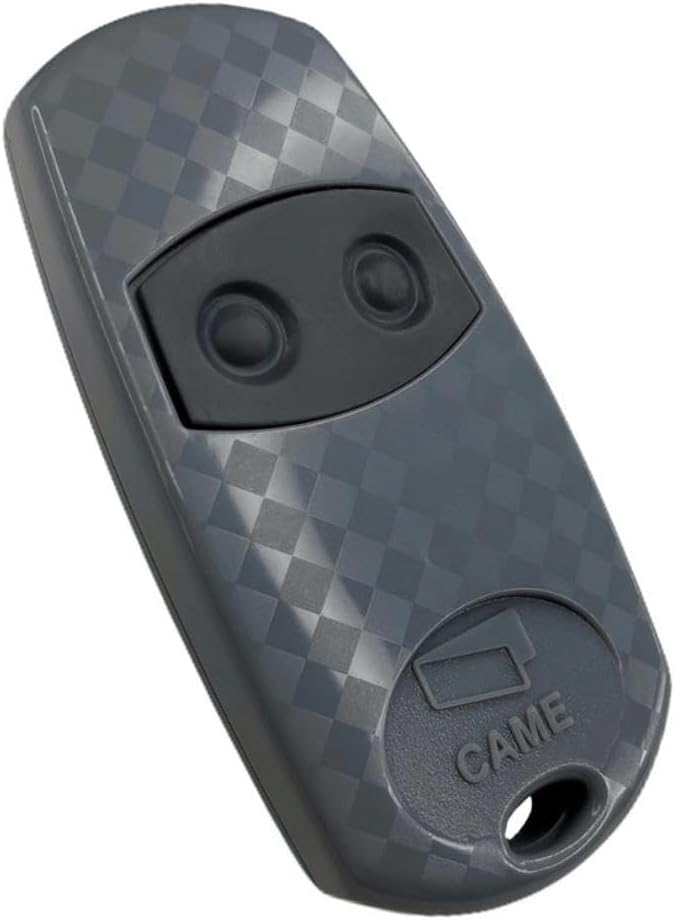
The CAME TOP432EE is a compact, ergonomic 2-button remote control operating at 433.920 MHz frequency. It includes 2 CR2016 lithium batteries and supports easy teach-in programming for quick setup. Designed for automatic gates and garage doors, this genuine CAME product offers reliable performance and a maximum range of 12 meters, making it a trusted choice for seamless access control.
| ASIN | B00L38DPL4 |
| Battery Types | Lithium |
| Best Sellers Rank | 96,340 in DIY & Tools ( See Top 100 in DIY & Tools ) 79 in Garage Door Hardware |
| Brand | CAME |
| Brand Name | CAME |
| Button Quantity | 2 |
| Colour | Couleur Gris Clair Avec Des Boutons Gris Foncé |
| Compatible Devices | Automatic gate, garage door |
| Compatible devices | Automatic gate, garage door |
| Connectivity technology | Frequency |
| Controller Type | Button Control |
| Customer Reviews | 4.3 out of 5 stars 2,133 Reviews |
| Global Trade Identification Number | 03663558444831, 03700831711652, 03760001981230 |
| Item Weight | 20 Grams |
| Manufacturer | CAME |
| Manufacturer Part Number | TOP-432EE |
| Max number of supported devices | 1 |
| Maximum Number of Supported Devices | 1 |
| Maximum Range | 12 Metres |
| Model Name | Came TOP 432 EE |
| Model Number | TOP-432EE |
| Network Connectivity Technology | Frequency |
| Number of Batteries | 1 C batteries required. |
| Product Features | Ergonomic |
| Special feature | Ergonomic |
| Unit Count | 1.0 count |
P**Y
Great value
Great genuine product at a good price. Very easy to pair up, lots of videos on YouTube if you’re unsure how to do this.
A**R
Bought the proper Came one ☝️
Bought this one to replace the cheap ‘copy’ that wouldn’t work! This programs first time and works straight away 😆, just returning the other rubbish, save time and pay the little bit extra 👍🏻
A**Y
How to sync
Easy steps to sync with existing remotes: 1. On new remote, push both button down until the light pulsates rapidly. Then release. 2. On new remote, push button you want to program once. Light should go solid. 3. On existing remote, push and hold the corresponding button. Hold for about 10 seconds. Done! Only 4 stars as the light could be brighter and these feel cheaper than my original ones.
X**X
great find
Brilliant, the same product for 1/5 the price my gate installer was quoting. Easy to programme and works just fine.
P**N
They don’t work!
I recently have tried x3 of these and none of them worked. I’ve bought before and have had no problem. I currently have x 4 all working at the moment and no problem setting these up - need others for family to use for main gates now. Printed off clear instructions this time too. Still won’t work???
A**S
Great remote
Never coded a remote before but after checking out the you tube video, it was really easy to do and took me 2 minutes.
H**A
Didn’t word
Couldn’t get it to work, following instructions.
S**N
Decent gate remote
Decent remote but can operate in your pocket, when not required, because buttons are not protected.
Trustpilot
2 weeks ago
2 months ago