🚀 Clone smarter, not harder — the ultimate SSD upgrade sidekick!
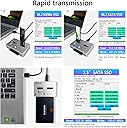
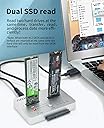
The AOKO M.2 Duplicator is a versatile, bidirectional offline cloner supporting NVMe and SATA SSDs/HDDs in multiple form factors. Featuring USB 3.1 Gen2 speed, tool-free operation, and an aluminum heat-dissipating design, it enables fast, reliable cloning and data recovery without a PC. Ideal for professionals upgrading or backing up drives with ease and confidence.


| ASIN | B0B41NDY3H |
| Best Sellers Rank | #39 in Hard Drive Docking Stations |
| Brand | AOKO |
| Color | NVMe to SATA SSD/HDD Mutual Clone |
| Compatible Devices | Desktop, Gaming Console, Laptop |
| Customer Reviews | 4.0 out of 5 stars 92 Reviews |
| Hardware Interface | USB Type C |
| Input Voltage | 12 Volts (DC) |
| Item Weight | 0.32 Kilograms |
| Manufacturer | AOKO |
| Number of Ports | 1 |
| Total USB Ports | 1 |
| Total Usb Ports | 1 |
| UPC | 752844230609 |
J**N
Good price.
What can I say, it's great to add this to my computer systems that I clone or repair.
A**E
Buena inversión
Excelente, ha sido de bastante ayuda últimamente
S**X
25 & 50% alternate blinking with 75 & 100% means TARGET device smaller than SOURCE device
One customer stated theirs did not work - "left and right blink pattern. 25% and 50% would blink. Then 75% and 100% would blink" - this indicates the TARGET device is smaller than the SOURCE. This just happened to me so I attached a larger drive and clone worked, (slow NVMe to Sata SSD but worked.
B**D
Excellent
Works great and is very fast -- less than an hour to clone a 256GB SATA SSD (with very little space left) to a 512GB NVMe. A couple of tips you might find helpful: - If you're cloning to a larger drive, be sure to turn Bitlocker off first. Unless the drive is completely decrypted, you won't be able to extend your old volume to include the extra space now available in your new drive. [Note: Your target drive must be the same size or larger than your source drive. You cannot clone to a smaller size drive.] - To extend your existing volume to include the extra space of your larger drive, use a freeware product like Partition Mini-tool. - To clone NVMe to NVMe, you must first clone to a SATA drive (no larger than your target NVMe), then clone that SATA drive to your target NVMe.
A**R
Useless JUNK!
BUYER BEWARE! I held on to this too long, past the return date, and now i'm stuck with a worthless piece of junk! :/ I take full responsibility for trusting that this product will actually work, and not trying it in the 1st 30 days, like i should have. I attempted to clone one M.2 to another (from 2TB to 4TB), and it says it was completed, however nothing was actually cloned. Also the Device Claims to have a PC USB-C interface that should connect a drive to the PC. However, upon plugging a SSD or M.2 drive into the device, nothing is read on the PC! I've done as these poorly written (obviously by NON-English speakers with a really crappy auto-translate). I've tried plugging the drives into both Source and Target, yet nothing happens.
P**N
10-hour backup time.
I use 4tb NVME and SATA 4tb SSD HDD. Back up drive time are 10 to 12 hours. Everyone worked purchase 4 will order 2 more. I use it to data backup my laptops.
J**Z
Muy útil y muy rapido
Rapidísimo, muy fácil de usar y muy preciso
M**N
What i order is what i got
It works and you will buy it because you doing it all on your own
Trustpilot
1 week ago
2 months ago