Desertcart purchases this item on your behalf and handles shipping, customs, and support to OMAN.
✍️ Capture ideas, sync moments, and share brilliance—your future-ready notebook awaits!
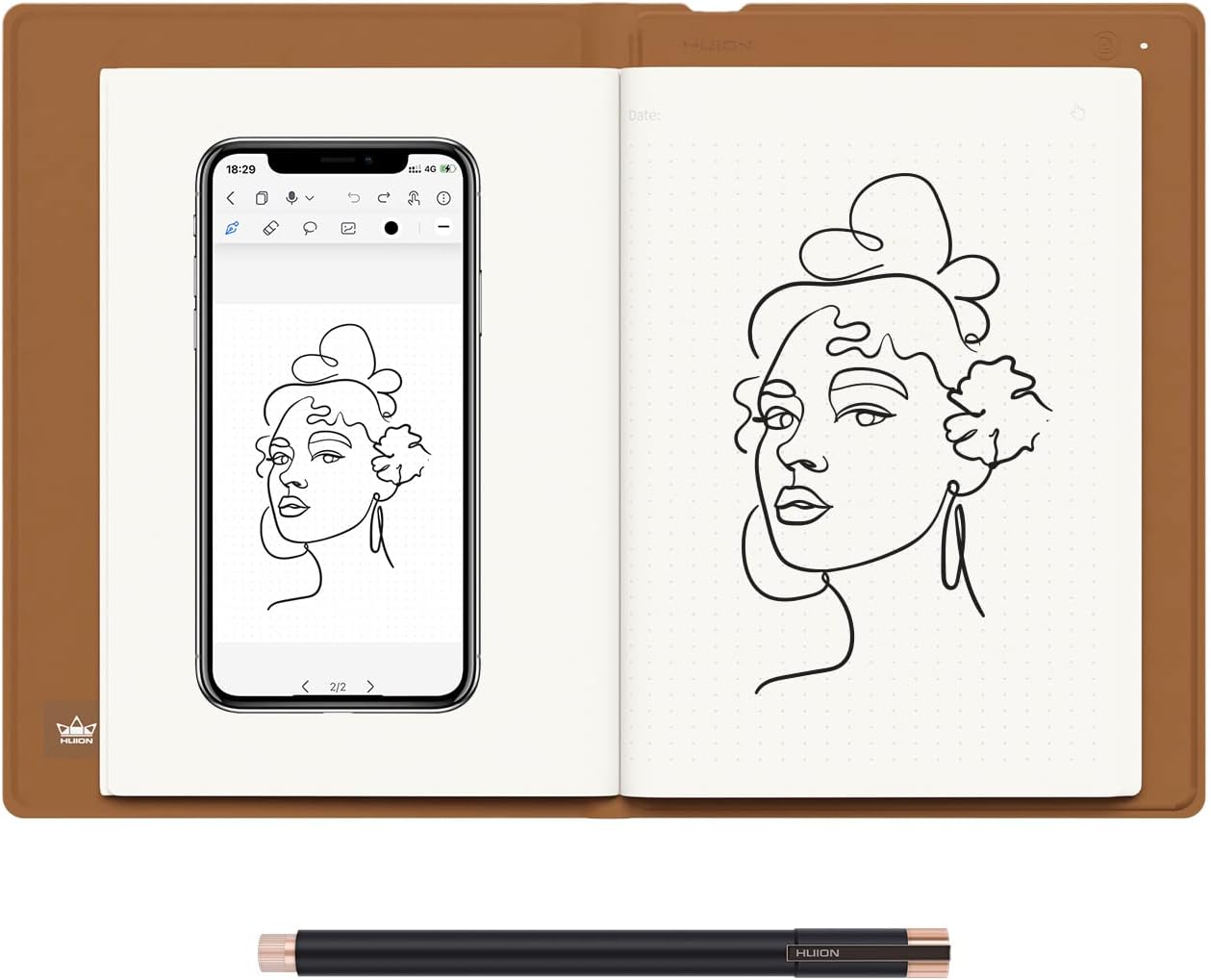
The HUION Note 2-in-1 Digital Notebook is a cutting-edge A5-sized device combining traditional handwriting with digital innovation. Featuring Bluetooth 5.0 for instant app pairing, an 18-hour battery life, and 8192 levels of pen pressure sensitivity, it supports note-taking, audio-synced recordings, and seamless sharing. Its refillable paper system and dual functionality as a graphics tablet make it perfect for professionals, students, and creatives seeking a versatile, eco-conscious productivity tool.


| ASIN | B0BG2T9SGV |
| Active Surface Area | 49 square inches |
| Additional Features | Audio Recording, One-click Sharing, Graphics Tablet Mode |
| Best Sellers Rank | #3,711 in Computers ( See Top 100 in Computers ) #16 in Graphic Tablets |
| Brand | HUION |
| Built-In Media | Battery-Free Pen |
| Color | Black |
| Compatible Devices | Smartphone |
| Connectivity Technology | Bluetooth |
| Connectivity technology | Bluetooth |
| Country of Origin | China |
| Customer Reviews | 4.2 out of 5 stars 631 Reviews |
| Display Type | LCD |
| External Testing Certification | Não aplicável |
| Importer Contact Information | TIGER PUG COMMERCE PRIVATE LIMITED Address:A-302, DIPTI CLASSIC, 32/34 SUREN ROAD, ANDHERI EAST, Mumbai Suburban, MAHARASHTRA, 400093 telephone: 022-6879 5151 or Email us at [email protected] |
| Item Dimensions L x W | 24.1L x 17.8W centimeters |
| Item Type Name | Digital Notebook |
| Item Weight | 433 Grams |
| Manufacturer | Shenzhen Huion Animation Technology LTD. |
| Model Name | RM |
| Model Number | X10 |
| Model name | RM |
| Native Resolution | 1024 Tier |
| Operating System | iOS 11 ou posterior, Android 6.0 ou posterior |
| Operating system | iOS 11 ou posterior, Android 6.0 ou posterior |
| Pressure Sensitivity | 8192 Levels |
| Pressure sensitivity | 8192 Levels |
| Screen Size | 7 Inches |
| Special features | Audio Recording, One-click Sharing, Graphics Tablet Mode |
| Specific Uses For Product | Notemaking, Drawing, Notetaking |
| Target Audience | Teacher |
| Unit Count | 1.0 Count |
| Warranty Description | 1 Year Manufacturer |
T**A
Too good to be true
Now I want to go to China)))))) this one makes me thinking I live in the future! And it has the price like for two people lunch. Quality is outstanding 100%. Will get as gifts also for my best friends.
M**M
Value for money
Always wanted something like this but for other brands it's too expensive And finally now got for perfect price Everything is perfect starting from packing and ending with quality Easy to connect to mac and easy to use Truly happy with purchase. Hope will use for long time
A**N
It provides what it is advertised for... well suited for my needs.
I like its portability and ease of use; I especially like that I can jot down notes and transfer the handwritten notes to the smartphone app for long time storage and further editing later. So far I have not found any issues with the device.
H**A
Perfect for drawing or taking notes
The HUION Note 2-in-1 Tablet is a nifty blend of a notepad and digital canvas. It's perfect for drawing or taking notes, easy to use, and feels really smooth with its pen. If you want something that works well for creativity and everyday tasks, this tablet's a great pick!
R**A
Perfect and fast to link
It connected cery fast recommended to buy it ✍️
A**Q
Amazing
Service was great and the Product very good
م**ن
Very Disappointed
Ordered Huion Notebook two times, both of them were open and used !! Very disappointed
Z**R
Nice concept, availability concerns led to return.
I bought a tablet with native stylus support for double the price. Gives me a lot more versatility. I returned mostly due to the lack of local refills, and the high cost of purchasing them from abroad.
A**R
Very happy! I use it daily for research notes...great for people who like paper
I have been very happy with this product. I use it daily for research work and the quality is excellent. I've used the android app for uploads, but I also use the Windows and Linux drivers with OneNote as a sort of "live copy", which I find works best. The android app took a short time to understand but I have not had it crash or lose data. I would suggest you get an elastic band to keep it tightly closed in your backpack, as if you have a thick notebook, the sensor may not indicate closed, and the battery runs down. I keep a cellphone battery bank just in case. Android app has a nifty "playback" feature that re-animates your pen strokes. Great for deriving equations when teaching a class!
A**.
Limited drawbacks, if any...
The Huion Note x10 is really cool. I first started looking to digitize my notes years ago and went with the Rocketbook brand. It was ok. Being stuck to specific pens that only do decent with left-handed writing, the re-useable notebook was neat but cumbersome to use. The Note x10 is also stuck with a single specific pen, however it seems there are replacements readily available, and the quality of the ink standard/nice enough. The Huion Note x10 does everything that I was looking for. First and foremost, ease of use. It is instantaneous when using it. The longest part of setting up the device was when creating the account I had to wait a couple of minutes for the verification code to come through in an e-mail. I'm not even sure if creating an account is necessary. Once you scan the QR code from the Huion Note App, it's paired and re-pairs itself fairly quickly as you open and close the pad. Similarly for tablet mode, I installed the driver first and then plugged it into the computer. Right away it was connected and usable. It should be noted that I found it most reliable to unplug and replug the device in when you put it into sleep mode. The Huion App is very good, which is great. Often these are the shortcomings for such a device. In this case, the app has a multitude of notebook selections, pen styles, and a few tools for note-taking. Honestly, just in itself it is a very good note app (though not ideal without the Note x10!), and given that it is how you will likely primarily be interfacing with the Note x10, this is a very important aspect and they did a good job. A couple of outstanding points -- you are able to create notebooks in the app, so I create a "Daily Tasks To-Do" list and each page is a separate part of the house. I also created a "Blueprints" and standard "Notes" notebook. This alone sets the app apart from others I've come across. Another nifty trick is to use the pens Tablet Rubber Nib on a blank page. You get the feel of writing, but of course there is no ink. It takes a second to get used to, as you'll be looking at the phone screen for where you've written on the page, but it's nice for when you want to take notes but without using up one of the 50 pages. So far I have used it the most this way, as I wanted to digitize existing notes, but without using up pages. Tablet mode is also very serviceable, while it may not have gestures or buttons like a fully fledged Wacom tablet would, that's not really an issue since that's not it's main purpose. So far I've tried it out with photoshop and with storyboarder and it works exactly as you'd expect. Possible negatives to look out for: First on this short list is the notepad paper itself just happens to be semi-easily affected by humidity. I have found that some papers tend to fold with use and perspiration. The default A5 paper that comes with this notebook seems to have this happen. However, the paper quality itself is very good and feels pleasant to write on. Next is the possible longevity of the pen tips -- each tip is about 1/4th to 1/3rd the length of a normal pen. They advertise 400m, which I'm sure is plenty. I'm more thinking long term, say 8 years from now if everything will still be available. Finally, it sounds like only their brand of pen works -- to be expected. Don't lose it! The pen does come with a leather carrying case that can magnetically attach to a specific spot of the front of the Huion Note x10, however I wouldn't rely on it alone were I to carry mine out and about. That is about it. In terms of positives: The A5 Paper can be any replacement pads. This is really great for longevity. The device itself feels fairly high quality and has few moving parts, nothing that seems like it would break. The app is very, very good for note taking and it looks and feels really cool taking notes with it. And being able to use it in tablet mode means that even at the very end of its life it can still have a purpose. In short: The Huion Note x10 is very well advertised, delivering on everything it promises. Connecting to the App via Bluetooth on your phone is very easy, using it is very fluid, and interfacing between the two of them has next to no downsides that I came across. In addition to all of this, it can very easily connect to the computer to be used as a drawing tablet. The downsides that I tried to list are honestly not even about the device or the app itself, but just possible concerns about long term supply of pen tips and being extremely nitpicky. This is a great device. If you want to digitize your notes, I highly recommend it for that alone and you get the added bonus of having a drawing tablet.
H**M
Suprisingly great at bridging traditional and digital art
I work as a full time digital artist and draw on a screen tablet everyday. My eyes get fatigued often and I miss drawing on the sketchbook. Of course I could get a sketchbook and scan it in, but that's a long and tedius process. I found that this tablet/sketchbook fulfills my both my needs perfectly. I'm able to carry this tablet anywhere and turn my drawings to digital art on the go. I think something that needs to be emphasized more is pressure sensitivity, I thought that since the ball point pen is pretty uniform in width that it would not register pressure sensitivity, but it does! And I really like that I can lightly draw on the paper and having that reflected on the app. I also like that I can carry around a sketchbook that can also act as a tablet when I need it for making quick sketches or more refined work through the mobile/laptop version of clip studio for example. Everything considered, this is a great tablet/sketchbook and I hope more products like these are made to bridge traditional and digital art.
A**U
Amazing
My daughter loves this product, she has linked it to her laptop and very easy to draw and learn. Amazing purchase
H**D
Creative
Nice product
Trustpilot
2 weeks ago
2 weeks ago