🚀 Elevate your control game—type, point, and play like a pro!
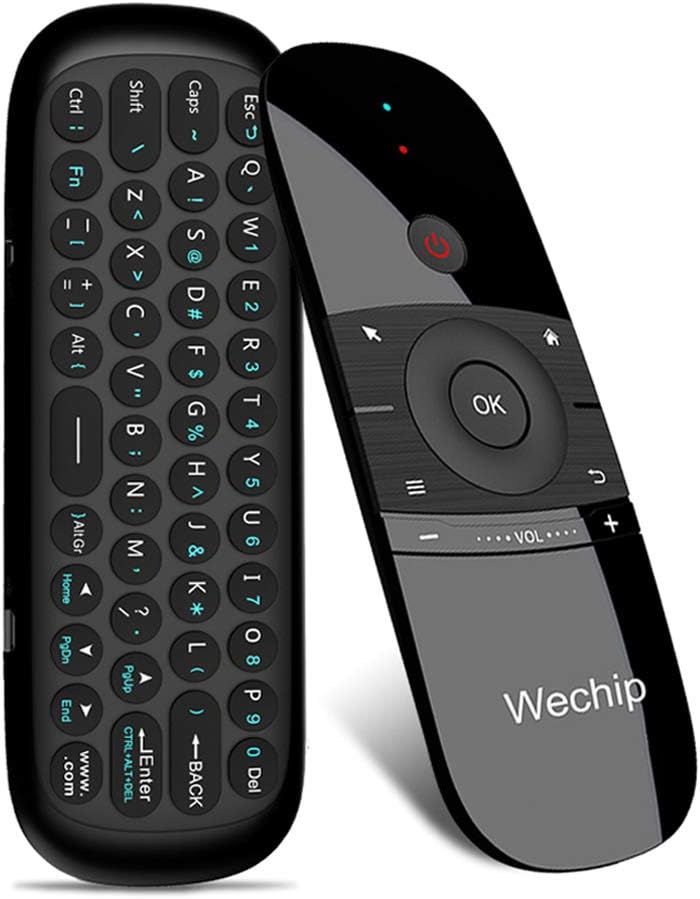
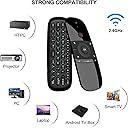
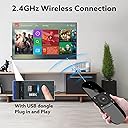
The WeChip W1 Air Mouse is a versatile 2-in-1 remote featuring a 45-key mini wireless keyboard and a 4-axis motion sensor for precise cursor control. Utilizing stable 2.4GHz RF technology, it offers a reliable 10-meter wireless range with plug-and-play USB connectivity. Compatible across major OS platforms (Windows, Android, Mac OS, Linux) and devices like Android TV boxes and PCs, it includes smart auto sleep/wake functionality to conserve power. Ideal for professionals seeking streamlined control and multi-device convenience, it replaces multiple remotes with one sleek, rechargeable device.


| ASIN | B0787Z1C2G |
| Batteries | 1 Lithium Polymer batteries required. |
| Best Sellers Rank | #22,742 in Electronics ( See Top 100 in Electronics ) #1,058 in Remote Controls (Electronics) |
| Customer Reviews | 3.8 3.8 out of 5 stars (6,191) |
| Date First Available | December 13, 2017 |
| Is Discontinued By Manufacturer | No |
| Item Weight | 3.06 ounces |
| Item model number | WeChip W1 |
| Manufacturer | WeChip |
| Product Dimensions | 6.22 x 2.17 x 0.65 inches |
L**.
🎮 Surprisingly Handy for My Living Room Setup! 🖥️⌨️
I bought this WeChip W1 air mouse remote mainly to control my Android TV box, but I quickly found out it does so much more! My elderly father always struggles with typing on smart TVs or navigating small on-screen buttons. One weekend, I set this up for him — literally just plugged in the USB dongle, and it worked instantly. No drivers, no Bluetooth pairing nightmares. He was shocked when he started typing “YouTube” using the full keyboard on the back! The air mouse feature is intuitive — just a flick of the wrist moves the cursor. It’s great for controlling the TV from the sofa without pointing it directly at the screen. And when I want to search or enter passwords, I flip it over and type like a mini wireless keyboard. Super convenient. 💡 A few notes: • The keyboard is not backlit, but the layout is very readable. • It’s rechargeable, which saves me money on batteries. • Not compatible with Samsung or LG TVs directly, but works perfectly through Android TV boxes or PCs. This little device replaced three remotes on our coffee table. A great purchase! ✅ Easy setup ✅ Full keyboard ✅ Accurate air mouse ✅ Rechargeable
J**A
Easy point and click on my pc.
It works pretty well. The cursor is a little slow compared to my movements but it's still accurate. It could use a few more shortcut buttons but the cursor lock button is very helpful. I also wish it was Bluetooth because I'm sure it would've helped with accuracy and it wouldn't take up any usb inputs on my pc because of the receiver. It also would've been nice if the buttons were backlit. It may seem like I'm complaining a bit it's definitely worth it for the price. It's extremely light to carry and comfortable in the hands. I especially love the point and click feature.
C**N
Very Surprised, quality!
I purchased this looking for a 'remote' for my pc, as I use it like a tv with an ultrawide monitor. I can'y actually belive the quality of this for the price. While the mouse is not super accurate it certainly gets the job done especially if you are simply pausing and playing videos along with adjusting volume. My cat certainly appreciates the fact that I do not need to get up to use the keyboard. Keep in mind it is like a remote and is not for practical use like typing a paper. Have had no problems and the usb charging is a nice plus. Easy to use and really a great bang for your buck. Would recommend if you plan on using it like a remote or something to change slides in a presentation. Also the range seems solid but I only use it from about 10 feet away from the receiver.
M**A
Good concept, mediocre execution.
After scouring reviews of air mouse remotes for my Intel NUC HTPC, I settled on testing two different remotes: the W1 and the Pepper Jobs. The W1 has a simple, clean design that meets the needs of most of my inputs which looked appealing. Unfortunately my brief time testing it was disappointing. The wireless mouse is poorly calibrated and unexpectedly combines movement axes. The rechargeable battery is convenient but the port should be updated to USB-C. I couldn’t get the IR function to turn on my NUC out the box. It could work with more tinkering but I didn’t give it more effort after my frustrations with the air mouse. The other mouse I tested from Pepper Jobs is a much more busy design, but the air mouse function and IR blaster also worked great off the bat. I recommend you try a couple products side by side and decide for yourself.
J**B
Not so good. Problem with air mouse, no Play/Pause button.
Purchased for my Nvidia box. There are 3 problems with this remote that I found out after 1 day of using it. 1. The air mouse it has a very slow long movement. So going from one side screen to another it takes a big movement of the hand. 2. There is no Play/ Pause button so it takes extra step to do that process. 3. The function characters on this remote are so dark that you need a lot of light to see the character that you want to press. Other then that I don't have to say too much at this time. The other remote that I have is good but it kills my AAA 2 batteries in less then two weeks, that's why I need it to replace the remote. Will do update.
B**.
Excellent value for money and functionality!
I bought the Wechip because I like connecting my laptop to the TV to watch videos, and I didn't like typing on the laptop. The Wechip is easy to install, has a great design, and comes with a keyboard that makes life easier. Excellent value for money and functionality!
H**R
Great product
I read a lot of reviews on here! The one negative thing that stuck out was a few people said the only thing they didn't like about the remote was they didn't have a pause button! And they absolutely do!! It is the space bar on the keyboard! The whole remote is a good quality it works fantastic and where it said it does not connect to fire stick or fire TVs it does connect to my fire TV!
J**N
Issues with description/product
When I received this I was shocked to find out it's a mouse and keyboard but yet it HAS NO RIGHT CLICK BUTTON, it's a mouse with no functionality. I figured I would just map it out and messed around and didn't get to it until after the warranty. You cant even map a right click button to it, even with a whole keyboard full of buttons. About a month after that half the keys stopped working, sometimes you can point it like a remote and smash the button and it might work but doubtful. So I got half a mouse and half of a keyboard so its not good for anything but to point and select things, that's about it. I think there are definitely higher quality of these from other sellers on here for less money and better warranty. Update, after reading my review the company sent me a message offering me a full refund at least 5 months outside of the window. That's was a stand up thing to do and something that you don't see to often. While I can say if they have fixed the no right click problem on the newer model, it definitely looks like they've used a higher quality keyboard. I passed on the refund offer, but told them I would be happy to try the updated model if it has full functionality or even if they could offer a driver or firmware update enabling the use of an alternative button I would be happy.
A**D
Works well as a media remote with a player that has remappable keybinds such as mpv You could use Microsoft's Powertoys to remap one of the buttons to a modifier like the Control key or the Shift key, but you can't use shortcuts as the remote side can only register one key at a time The keyboard side can only register two keys at once, so you can't use some of the more complex shortcuts such as Ctrl+Shift+T The mouse is not accurate and sometimes goes in the wrong direction, turning the mouse control off and on again on the remote fixes it for a bit then it goes back after some moving The keyboard is decent but it could take a while to get used to, especially since you need to trigger the Fn key to type numbers
B**1
Working well with my toshiba android tv and it's easy to use.
C**N
Lo utilizo con la MiBox 3 y funciona de maravilla. Solo tuve que conectar el receptor USB que se incluye y funcionó sin más al 100%. La opción de puntero es muy práctica y escribir con el teclado facilita muchísimo utilizar el navegador.
ع**ي
سئ جدا باظ بعد شهر
J**N
***update: 3, mths use it finally died. I recharged it and now my arrow doesnt work at all and i cannot go back from the window im currently on, im not happy at all. Im stuck again with a box snd a crappy remote*** I have to say, using the keyboard is great it picks up the letters you touch easily, the charge seems good thus far, the arrow is pretty key on when trying to navigate the screen. I have had this temote for a month now. Bad thing about the remote is that you cannot see anything in the dark watching tv bc theres no lights on the remote. The volume button is tiny good luck trying not to touch the back button while lifting the volume. The remote is so sensitive im trying to figure out how its possible to have my blanket able to manage to hit the home button even if the remote rolls from the blanket or sofa, its so sensitive that it changes your channel and boots you out, I cannot understand how this is manageable. I had a return in progress but canceled bc i cant seem to find another remote that works with my android, on amazon! Now i canceled my return and decided to settle with this remote. After doing so, not long afterwards my back button does not work unless I hit the arrow button on, itll work. You dont know which way the remote faces so most of the time its facing yourself while trying to change activate the options.. so exhausting! But the renote works!
Trustpilot
1 month ago
3 days ago