Desertcart purchases this item on your behalf and handles shipping, customs, and support to OMAN.
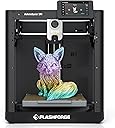
🚀 Print smarter, faster, and cooler—join the 3D printing revolution with Adventurer 5M!
The FLASHFORGE Adventurer 5M is a high-precision, multi-material 3D printer featuring a robust CoreXY all-metal structure that achieves speeds up to 600mm/s. It boasts rapid heating, automatic bed leveling, versatile nozzle sizes, and dual cooling fans to deliver smooth, detailed prints. With remote app control and broad filament compatibility, it’s designed for professionals and enthusiasts seeking efficiency and quality in one sleek package.


| Best Sellers Rank | #18,933 in Industrial & Scientific ( See Top 100 in Industrial & Scientific ) #29 in 3D Printers |
| Brand | FLASHFORGE |
| Color | Adventurer 5M |
| Compatible Devices | Personal Computer |
| Customer Reviews | 4.3 out of 5 stars 272 Reviews |
| Item Weight | 10 kg |
| Material | PLA/ABS/PETG/TPU/PLA-CF/PETG-CF/ASA(enclosed enclosure needed)/PC(enclosed enclosure needed) |
| Product Dimensions | 14.2"D x 14.8"W x 16.2"H |
O**E
100% would recommend, likely to buy another
Great printer for the price, very happy with this purchase. I got this to replace an older printer I had. The auto bet leveling is an awesome feature, I wish I had it years ago. I've printed several things on it now and they are a nice quality. Setup was easy. I think I had the test print started within 10 minutes of opening the box. The removable bed plate makes getting the prints off really easy but there has been a bit of a learning curve for me to get good adhesion, just need to use quite a bit of the included adhesive. The wireless printing is also a big improvement over the sd card I used on my old printer. The app is pretty intuitive and I'm getting used to it quickly. The standard settings have been working well for the PLA I've been printing except I've had to turn the movement speed down until I can get better adhesion. I would definitely recommend this printer. I may even buy another for my retired parents to try.
B**Y
User friendly, reliable and fast.
Best printers I have used. I have four of these, and make toys from single color PLA filament. I have used most of this machine's competitors and returned many. These printers still have their issues, but they are user friendly, reliable and fast.
B**D
Excellent Beginner 3D Printer With Great Customer Support
I have wanted a 3D printer since the craze really took off, and a friend of mine recommended this machine as a good starter printer. He was absolutely right. This machine is extremely easy to use. Even my 8-year-old son was able to grasp the basics pretty quickly. I’m an avid tinkerer, and I have already printed so many things with it that have made life around the house easier. I did have a warranty issue right off the bat with the LCD screen and ribbon cable, but customer support was excellent. I sent a quick email, and they had the replacement parts in the mail the same day. I received a brand-new screen and cable in just under three days. That kind of support and after-sale service is impressive. Would I recommend this to a beginner? Absolutely. The one thing I have found a little challenging is multi-color printing, but that is not really a fault of the machine. I knew what I was buying, and this is clearly designed as a single-color printer. That said, it does make it very easy to schedule pauses during a print so you can swap filament colors when needed. The software is pretty straightforward overall. I have noticed that sometimes, after back-to-back prints, it may require a reset before the software reconnects to the printer. For example, if I am printing four objects, it may print the first two just fine and then need a quick power cycle before continuing. Once reset, it works fine again. I do wish it allowed both Wi-Fi and Ethernet to be active at the same time. I have multiple networks in my house, and it would be nice to have the printer available on both, mostly for redundancy. All in all, this is a 5-star machine for me. It is beginner-friendly, reliable, easy to use, and backed by great customer support.
W**R
Not READY for Prime Time
I’ve had the Aeventurer 5M for a month and on the 31st day the extruder failed. Flashforge pushed and update and the unit rebooted and the extruder would no longer heats up. Also, I’ve have had other issue with filaments not adhering to the printer board. I tried the blue printer tape and hairspray methods and still had the same issues. The printer pad would not maintain a constant heat and the print would pop up and the printer would continue to print leaving filament strings all over the printer bed. I tried PLA, TPU, PCTG and Flashforge Flexable PLA and they all had issues printing. The printer slices are easy to send to the 5M using the ORCA. You can either send the g-code over WiFi or use a USN stick. Larger files require using the USB stick. The over all 5M printer looks nice on my table but it is very hard to manage installing the filament to be printed. The spool holder is located in the back so you need to pull the 5M away from the wall while turning sideways to expose the back of the 5M of the unit. It is rather cumbersome to feed the filament into the tube. Most people say to 3D print a side spoolholdef which was on my list for accessories to print for the 5M. Probably the best part of owning a 5M is there is not a steep learning curve. There are lots of videos the give helpful hints BUT those videos are from professional 3D printer users. Using ORCA slicer is fairly straight forward if your used to any CAD or photoshop software. I give the Adventurer 5M an over all score of 2 since there are so many small issues that add up to major issues when rolled up into one.
S**.
Great beginner 3D printer—easy setup and fast results
This is a really solid option if you’re new to 3D printing or just want something that’s easy to get up and running quickly. The setup was straightforward, and I was able to get it going almost immediately without having to troubleshoot or adjust a bunch of settings. It comes with a small amount of filament, which is helpful for getting started right away and testing your first prints. Once it’s up and running, it prints quickly and consistently, and the overall process feels very user-friendly compared to other printers I’ve tried. Pros: Very beginner-friendly and easy to set up Quick start—able to begin printing almost immediately Includes starter filament to get going Fast printing speeds and smooth operation Cons: Only includes a small amount of filament, so you’ll likely want more on hand Overall, this is a great choice if you want a reliable, easy-to-use 3D printer without a steep learning curve. I’d definitely recommend it for beginners or anyone looking for a more plug-and-play experience. Hope this helps if you’re deciding!
J**N
Reasonable price, decent quality, easy to use.
TL;DR: A good printer, but be aware it is from China and some of the parts may not be of great quality. It is overall a fairly precise 3d printer at a decent price. Some components may wear faster than expected as a result. But decent overall. If you are looking for your first 3d printer, this has good potential but be aware you may have to repair and/or tinker with it every so often. Alright, picked up the AD5M in June of 2025. As of this review August of 2025, it is still going well. Overall, I am satisfied with the overall capability of the printer out of the box. It was dead simple to get going, get it on the network and start sending print jobs to it. If you are new to 3-D printing, this could be a great first printer. As of this review, it is fairly easy to mod / run a custom firmware. After getting the printer going and printed off the enclosure, I started running into issues during assembly. The filament tube does not line up with the sensor well. Additionally, the sensor if using the manufacture 3mf/stl files; needs to be reversed/installed upside down. There is a tiny > on the top showing the filament direction. There are many options available on thangs or printables to install it 'correctly' I also picked up the LED light strip for this, installation straightforward. Worked no surprises. However, the factory firmware cannot control the LED light strip on an AD5M. So you can't dim or otherwise turn the LED off. Installing / Using the forge-x firmware mod lets you control the LED light strip. The rear plate carriage broke within the first 100 hours of use. I was able to print off a centering part to re-center the carrier on the lift screw. Have not had an issue since the fix. You can detect this if you gently attempt to lift up on the carrier while watching the lift screws; if it lifts without turning the lift screw or attempting to turn it; inspect on why. The bed springs were over tightened from the factory. I did not catch this until ~450 hours on the machine. I ended up replacing the springs with "Prime-Line SP 9700 Compression Spring, Spring Steel Construction, Nickel-Plated Finish, 0.035 GA x 1/4 In. x 1/2 In. (6 Pack)". I have not had an issue with this after replacing the springs. I noticed this when the bed would not keep a consistent z-height. Outside of the issues above, I've not really had any other issues with the machine. My machine is connected via hardware network line. Wireless seemed to work okay, your milage may vary. The stock firmware does work okay, I wanted more control over the printer remotely so I loaded up the Forge-X mod -> https://github.com/DrA1ex/ff5m by DrA1ex. Follow the guides and try not to skip ahead to printing without updating the configuration in Orca-Slicer. For the 'Interface' I run the 'feather' variant to free up additional resources on the machine. Additionally, after I switched to the Forge-X firmware mod, I also switched my slicer to Orca-Slicer instead of Orca-Forge. With Forge-X it gives me additional control over the machine remotely.
R**Y
I’m pleased with this being my intro into 3D Printing
EDIT 2 days in: Still trying to dial in settings with the Forge-Orca slicer software that is recommended. I have had a couple prints where there is a noticeable seam, more so than what is projected on the slicer software. It may be due to excess vibration, so I put the printer on the ground just to eliminate any shaking or level variables. Still having trouble with prints failing or support not detaching from projects. Could be user error, I will continue to diagnose. First ever 3D printer. I went with this one because of the good review to purchase ratio. Wasn’t hard to set up. Calibration was easy and auto leveled. Only complaint is the included test PLA is a small bundle and for some reason got tangled instantly, but I can’t really complain because it wasn’t even mentioned so it’s cool to get to test it right out of the box! I bought this and a 1kg black pla spool and I’m already printing cool projects for my partner and family. I enjoy this. I will update if I have any further issues.
F**S
Perfect for a first time 3d printer
I was very unsure of this 3d printer but after getting it, I highly recommend it. This is my first purchase of a 3d printer. It took me about 15 minutes to set up (I have long nails). Once I got all the software needed for my laptop I was off to printing. Of course my teen grandson demanded a dragon and of course this maw maw provided. I printed it with ease and over night. It was easy to connect, printed amazingly and now I’m obsessed with making stuff. I highly recommend this one.
Trustpilot
3 weeks ago
1 day ago