Desertcart purchases this item on your behalf and handles shipping, customs, and support to OMAN.
🚀 Elevate your 3D printing game with speed, precision, and future-proof innovation!
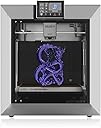
The QIDI PLUS4 3D Printer combines a large 305x305x280mm build volume with a blazing 600mm/s Core XY motion system and a 370°C high-temp nozzle, supported by a powerful 400W heated chamber. Designed for professionals and enthusiasts alike, it offers smart remote control, filament monitoring, and is ready for multi-color printing with upcoming modular upgrades—making it a top-tier choice for high-quality, efficient, and versatile 3D printing.


| Best Sellers Rank | #61,289 in Industrial & Scientific ( See Top 100 in Industrial & Scientific ) #82 in 3D Printers |
| Brand | R QIDI TECHNOLOGY |
| Color | silver |
| Compatible Devices | Laptop, Personal Computer, Smartphone, Tablet |
| Customer Reviews | 4.0 out of 5 stars 354 Reviews |
| Item Weight | 27 kg |
| Material | ABS and metal |
| Product Dimensions | 19.29"D x 20.07"W x 22.24"H |
S**R
Quality machine that came packaged amazingly well.
I do not have a lot of 3D printing experience, but that lack of experience is part of the reason I believe this printer is so great. Going from an Anycubic Mega Pro that I endlessly tried to dial in and could not get to ever print anything at all, the Qidi Plus 4 is a breeze in comparison. I followed the instructions and put it together which includes attaching the door handle, putting on the glass top, removing the bed retaining blocks, cutting a few zip ties, attaching the screen and loading the filament spool. Overall, it is a 10–20 minute assembly with another 10–20 minute setup to dial it in. It goes through an input shaping procedure for calibration, then a bed leveling setup, and it was ready to go. I ran the little test boat print that comes pre-installed in the docs menu and it printed flawlessly in 22 minutes. I did notice it would not let me dial in the nozzle or bed temp specifically for the filament I was using for this print because it goes by the temps that are baked into the model file. This is not an issue, just something to be aware of because you need to make sure you set the temps for the filament you are going to be using when compiling your print file. Every issue I have had with printers in the past, the Qidi Plus 4 does automatically. Before printing it automatically cuts the filament, cleans the nozzle and sets itself up for a perfect print. Everything about this unit feels well made and high quality. The housing, frame, bed and internal parts all seem to be quality even down to the way the machine was packaged. It comes in a thick corrugated box packed with high quality foam and thick rubber corner covers on all edges. Most things you buy that require assembly come with the crappiest tools money can buy. This on the other hand actually comes with really nice tools. It includes a polished chrome vanadium wrench, a quality soft grip screwdriver with a hardened tip and heat treated ball-end Allen wrenches made of S2 steel. The whole package is impressive and I expect great things from it in the future. I can tell it is a printer for more experienced users because it does require more manual tuning as far as settings, but if you know what you are doing I am sure that is a plus and allows for higher quality prints. If you know nothing about 3D printing like I do, just do your research, spend some time learning the machine and it will work well. For the $600–$650 price tag, I think this is an extraordinary value and I am very happy with the quality of the machine. ****2 Month Update**** After using this printer for 2 months, these are my stats: Total Print Jobs - 168 Longest job - 12h 35m 6s Total time - 127h 47m 14s Avg per print - 45m 38s After 127 hours of printing on this machine i have had zero mechanical failures and i have not had to repair or adjust the machine in any way. Every 50 hours i wipe down the rails, z-axis lead screws and apply new oil and grease. So far everything has been smooth sailing with the exception of a few failed prints. I started off running Polymaker PETG filament and every print was flawless, no failed prints. I switched to Polymaker ASA and that is where i experienced my first failed prints. I cooked the spool at the recommended temperature and time in my Sunlu S4 prior to printing and used the stock preset for ASA. At first i was getting first layer adhesion issues which required me to make slight changes to the settings. I found setting a 0.02 negative z-offset provided better first layer adhesion along with pre-heating the bed and chamber for 10-20 minutes before printing. No big deal, after making the needed changes i saved my own preset and now anytime i print ASA it works perfectly every time. Besides first layer adhesion problems i have never had a failed print after the first few layers. Its either right away from the start or its perfect for the entire run. Overall i'm very happy with the machine, although im a bit sad i bought this machine 35 days before the Plus 5 was announced and released. When i seen the Plus 5 drop on Qidi's website it was 5 days past the return period so i was not able to swap it out, which i definitely would of if i could. The Plus 5 is only 100 dollars more at the time of writing this and unless its just out of your budget i would definitely recommend getting the newest model. This printer is still great and i have had nothing but a good experience, but since its no longer the latest model i think the price should be a bit lower. All-in-all i have no complaints, and i was happy enough with the experience that i just ordered the Max 4.
A**R
I Like The Plus 4 So Much, I Bought A Second One
I have previous experience with QIDI printers (X-CF Pro) and their tech support is very good. I started my 3D printing journey with a Taz Lulzbot Mini. So, I have a little knowledge and expectations for my 3d printers at this point. Looking to have the capability to print the newest hottest printing filament, have a heated chamber and gain speed and 3D print size/volume, the QIDI Plus 4 caught my eye. After hours of watching review videos and weighing the pros and cons, I ordered my first QIDI Plus 4. Fully aware that this is a newly released printer, a couple of issues had already been found by early reviewers and QIDI had either updated firmware or provided instructions to make corrections/fixes. My first Plus 4 arrived in about 10 days and I immediately setup the printer and one of the first things that you really must do is download the newest firmware onto the included USB drive, from the QIDITech website, and update the printer's firmware through the touch screen menu, selecting 'Set', 'Check for updates', 'Offline Update'. I have many successful prints and well over 100 hours on the first printer, with various filaments (ASA, ABS-GF, PA12-CF, PLA+). The only filament issue I had, was when unloading/loading between filaments, I selected the incorrect, too low of a temp, for the filament that the printer cut off and was about to extrude out of the drive gears. The lower temp caused the filament stub to hang in the nozzle and drive gears. Two small hex bolts hold the hot-end on the printer head. With the bolts and hot-end removed, it was easy to pull the stub of 'cold' filament down and out of the way and back to loading new filament and printing. Lesson learned ... be sure you select the correct temperature for the nozzle to be plenty hot enough to extrude out the remainder of the old filament stub. One of the first print jobs was the 'Poop Chute', to catch the purge filament that ejects out the back of the printer. Close to a 8 hour print job and I printed in Polymaker PLA Pro. Flawless print quality for this large-ish print. The longest print job so far was 24 and 1/2 hours of some large cable organizing trays. I printed them in PA12-CF, for strengh. Probably overkill, but might hang heavier items in the trays in the future? Again, impeccable print quality. So, with over 100 hours of pretty much trouble-free printing, I continued to watch for more experiences of other new owners. Mostly positive, with a few early adopter issues, as we can expect. I was having so much fun with the Plus 4, that I decided to buy a second one. The second printer came in only about a week. I already knew the new Plus 4 setup routine and took much less time getting up and going the second time around. After updating the firmware to the newest, I attempted to heat the print bed, before running auto bed leveling and input shaping. As soon I select the temp to heat the bead, the printer shut down. Powered the printer back on and repeated the process, with same shut down results. I had already seen some reviews and new owners, with this issue. Some printers are shipped with the power supply switched for 230V-240V operation, even with a sticker beside the power switch, that says, 'The input power of the machine is 100V-130V'. You cannot always believe what you read. Tipping the printer up on the side with the power switch, you can see the red slide switch on the power supply to switch it to 100V-130V operation. No shut downs after make the change. NOTE: My first Plus 4 never had to be switched, so you milage may vary. Just be aware that you might have to toggle the little switch. Just finished the 'Poop Chute' on the second Plus 4, again in just under 8 hours. This time I printed in ABS-GF and same amazing quality of print, just like the first Plus 4. I had looked closely at the Bambu Lab printers, especially with the multi color filament option (AMU). QIDI has announced their own AMU, for the Plus 4 and possibly other recent QIDI models, that should be out in first quarter 2025. I figured I could wait and get familiar with the Plus 4's capabilities and any quirks in the mean time. The speed, heated chamber, print size/volume and ability to print the most extreme heat filaments and already being familiar with QIDI, eased my decision making. Oh, and did I forget to mention price? Seems to be a very good value for the price. Of course time will tell. So, I am very happy, so far, with both printers. My previous interactions with QIDI tech support has always been positive. They have always been easy to work with, for me.
B**R
I bought 2 and both are defective
First off, I have thousands of hours of 3d printing under my belt. I run a professional electrical automation fabrication shop. These were purchased through my business account. I bought two machines. Both are defective. That is a 100% defective rate. Machine 1: Kept digging itself into the plate. There is no way to manually adjust z offset. The machine chooses what it wants. It was bending its own x and y axis rails during its own bed leveling process. I think I spent 4 hours running all of the calibrations on the machine multiple times. No dice, finally got a message from QIDI support who showed me some crazy procedure to do to fix it. I bought another with plans to just replace this one. That crazy procedure did fix the z offset. Then the machine just starts shutting itself off. It still does that but I need to try to get prints made for the shop. Now it keeps throwing a bed heater error. Machine 2: This one didn't have any z offset issues. Perfect first layer. It has horrible z banding though. This is so bad that the prints are unusable. Its literally a rough surface finish. I have probably printed 150 rolls of this PC filament without issue. My old XMAX 3 printed perfectly fine out of the box. This thing can't get one good print between two machines. So thats 0 for 2. I don't believe they are doing any sort of QC process when they are making these. When doing the tightening procedure QIDI support recomended I noted that all of the screw, accross the entire machine, have different levels of tightness. At our shop, we torque down every bolt and nut. None of these are torqued to spec. They are just assembled. There is also no way they are running a test print on the machine. If they did, they would find out about these issues straight off. I do not recommend you buy this machine. You can roll the dice and hope whoever assembled yours did a good job but I doubt you'll get lucky. Go on the forums and you'll see reports of screws just falling out of the machine randomly. With a decent QC program I'll bet it could be a good machine. The way it is now though, I'd stay far away from this printer.
T**K
FINAL Update: ...
Given the generally very positive reviews, I was expecting minor difficulties. As it is, I can't even make it to the input shaping and calibration step, since loading filament is impossible. It appears the hotend came factory-jammed, which is super. I'm getting ready to disassemble it, but it's sad that that's the first impression this device is giving. I'm sure it's all up from here, and I'll update this review when I have more information. At the moment, the printer is a paperweight, and an excellent one at that! FWIW, it's very pretty, well-lit, and quiet (especially in the "off" position, since it can't print). Update: I took the extruder apart, and there was something partially blocking the area above the gears. Weird, but no big deal. I learned a bit taking it apart, and while irritating, I feel like I can do more of my own maintenance at this point. Next problem: after running calibration and bed leveling, I tried updating the software. No dice. It recognizes the new software update, downloads some of it, then either fails or hangs. My Wifi is dicey, but still - it should work, and my other printers never had any problems. I guess I'll order an ethernet cable (they give one, but given where I have my printer, it's much, much too short). Third problem: even though the printer shows it's online, I can't detect it with Qidi Studio. Whereas prior printers would populate nicely and quickly, no luck here either. Again, my Wifi is terrible, but it still works well enough for cell phones and other devices to pull HD streams, etc. In any case, I think the physical cable will solve the problem. I'll report back for another update when I can! Next update: OK, turns out the Wifi had nothing to do with it. Even wired, the printer doesn't get past 33% installing the update and just hangs. I'll try an offline update, but yeesh. Even wired, the printer is undetectable in Qidi Studio. The link the printer provides via QR code doesn't do anything in the Qidi android app, just bounces back to the "add a device" screen. So apart from a passable and very quick bench, the experience so far has been pretty bad. I'll try plugging a gcode file in via usb and we'll see what happens. One problem at a time, right? Third (and final?) update: The "automatic" connection never really worked, but manually connecting to the machine's IP worked perfectly. Now that I know it's not just plug-and-play like other premium printers, we're good. I'm printing wirelessly, monitoring the print, etc. Print quality is near-Bambu so far. So for ease-of-use, I'm NOT going to recommend this to a new printing enthusiast - just get an A1 mini or A1 IMO. For someone willing and able to take bits apart just to get up and running, yeah, so far so good! In terms of value for the size and speed, it's pretty impressive. 4th Update: Almost a month in, and this printer has been a pain in my butt. I've had it jam and had to disassemble the hotend (good practice, but it NEVER happened on my Bambu). That's forgivable, but the firmware isn't. As-shipped, the printer can't perform OTA updates. In other words, you have to download the file, put it on a thumb-drive, and manually update it. No problem, right? Shouldn't be, but following the instructions on their Wiki doesn't work, and while the USB drive is detectable, no update files are detected (even when appropriately placed and renamed after downloading). This is pretty terrible, and a very, very bad user experience. Even if I get this working EVENTUALLY, I'm increasingly annoyed and displeased with this purchase. Why update the firmware? Oh, no reason, just without doing so, you can't resume a print that fails due to power outages, etc. I mean, the printer will offer to do so, but it'll demand re-homing before beginning, meaning that it'll crush the print and/or damage itself when it raises the bed to home it out. So... yeah. Basic functionality was missing when shipped, and that's not good, and the ability to patch away the problems... also doesn't exist, at least for me, and at least at the moment. I'll update if this changes. In addition, errors others have noted regarding how a bearing was glued in place and can come loose, and heating issues if you're trying to use the entire build volume, so putting everything together, I'm going to say that unless you're comfortable monkeying with a printer, don't get a Qidi Plus4 at the moment. Maybe a future production run will have updated firmware from the factory, better QC, etc. - but at the moment, I don't recommend this. Just wait for a bigger Bambu, IMO. Fifth update: I finally managed to sort out the update issue half by working with tech support and half by accident. It turns out one of the methods they suggest to use to update the device doesn't appear to work, at least for me but the other did. In the end, in theory now the +4 should be over the air updatable so I don't need to mess around with that again. And now we should have the ability to resume a failed print without destroying the remains of your failed print after a power outage. The main thing of note for this update is apparently the device doesn't have a filament runout sensor which is bizarre. If one is included, then it didn't work, at least for me, and I woke up to a half printed "Successful" print after my filament had run out. In general, the print quality is excellent. The speed and volume are excellent. The value is excellent. The quality control is ? And the features are all over the place. It wasn't TurnKey for me, but it's still a pretty good printer that I'm not sure I would recommend. 6-ish month update: I've been using this printer for Christmas decoration, parts to mount lights at home, and cosplay helmets, etc. All the results have been fantastic. Once this printer is up and running, it's been amazing - great quality, great speed, and honestly, the customer service has been really good - they've followed through to make sure everything was working, and that any replacement parts I needed (for a power board issue affecting 120v power users) were sent. I don't think there's a better value out there for quality and volume at the moment, and if I were in need of a large-format printer around 300mm^3, I'd get this again.
A**Z
An amazing printer when it works perfectly
I was excited to have received the Qidi 4 Plus and tryout the potential of the machine from a business point if view. The machine arrived with a broken filament cutter bar, redering the swap filament feature useless until I receive a replacement extruder from the Qidi Tech. I am still waiting on the part and the experience from the Qidi Tech has been lackluster to say the least. The boat benchy still printed flawlessly, but the real test is using the whole build plate to print a multiple part bass enclosure I created. I did a test run of my build and loved the beautiful first layer it made, sliced with the Qidi software at default settings at .2mm height. Then I updated the firmware and everything went to hell. The nozzle kept rubbing after automatic level calibration and I couldn't figure out what exactly went wrong, as it was working correctly before without any z offset adjustment needed. To make a long story short to the solution, the Z offset now has to made +0 .1mm to keep the nozzle from scraping into the build plate and clearance for the print itself to avoid any rub. Not what I expected from a 850 dollar machine and a company who puts out firmware that just does not work right, needlessly increasing the frustration and confusion from its users. To further exacerbate the issue, the machine remembers the offset setting but will do an auto bed level before the print despite me turning the option off. This is turn 0s the bed plate but still shows the +.1mm offset sending the nozzle into the build plate or scraping the model itself. At first I thought it was an extrusion issue since I was using a cardboard spool of Rapid PlA + and it made hard rubbing sounds when attached to the the Qidi spool holder. So after manually cutting the filament, remember it's broken, and purging what was left through a benchy, the spool went into my dry Sunlu s4 dry box and there it will stay. It has been a frustrating experience, of which the Qidi Cool Plate, purchased to stop corner lift, has my finger tips tingling from burning on the build plate as I remove the first layer of support from every failed print. Fix the firmware and send my extruder already so I can get my project rolling.
A**R
18 Months In: Great Printer, Even Better Customer Support!
I've owned the Qidi Plus 4 for 18 months now and have printed roll after roll of a wide variety of filaments with it. Its accuracy is comparable to printers costing hundreds of dollars more, and overall I've been extremely impressed with its performance. I recently moved the printer to another location where it operates in an ambient environment with temperatures in the upper 90s. Under those conditions, I experienced a failure of the print-head controller board, along with high temperatures on the X and Y motor controllers. This is where Qidi's customer support really impressed me. Thanks to their superb support—and especially Evelyn on the Plus 4 team—I was able to get the printer back up and running as soon as the replacement part arrived, which was very quickly. On the same day the replacement print-head controller arrived, Evelyn also sent me an upgraded SSR board. And she didn't just send the board. The package included the tools needed for the installation and even extra screws. That level of attention to detail and customer support is something you don't see very often. After 18 months of heavy use, including a wide range of engineering filaments, I continue to be very impressed with the Plus 4. It's an accurate, capable printer, and Qidi's willingness to stand behind their product and take care of their customers makes it an even better value. A special thanks to Evelyn and the Qidi Plus 4 support team! See the attached image of a Starlink Receiver mount printed in ASA carbon fiber at 270 C in a 95 F shop environment.
C**7
Great Durable Printer with Outstanding Support – Minor UI Annoyances
TLDR: Great printer with great customer service Pro's Built like a tank Great customer service Prints tons of materials smooth and fast Doesn't need much maintenance Con's Screen is laggy No UI button to delete prior prints Good luck adjusting Z-offset while printing I ran this printer for 3-4 months without doing much upkeep. Finally I had a clog of TPU because I forgot to change the temp settings. When I was fixing it I remembered I wanted to delete some prior prints. Well the onboard screen doesn't have an option delete it. I contacted customer support and they told me to delete it from the computer side. I guess I screwed that up and deleted the firmware. They ran me through several firmware reset/replacement steps with files. None of them ended up working so they sent me a free replacement motherboard with instructions. Whole thing took 30 minutes to set up and it fixed the issue. Overall it's a nice reliable unit, though I do have some qualms. I should be able to delete print history from the actual printer in case I want to sell it. The Z-offset on screen doesn't actually register your adjustments unless the print is actively printing, and it often delays. This causes problems when your z is 0.1 too close and the only way to correct it is to let the printer grind the nozzle against the metal plate for a few seconds while it registers. This also causes overcorrections. Say you are at 0.1 and go to adjust it by 0.1. It doesn't register, so you click it a few more times, well don't worry, it will all at once apply those corrections so now it jumps by 0.5. The screen is needlessly laggy when going through prior prints. It loads the thumbnail which for some reason takes 6 seconds per screen of 6 prints. Though you can disable thumbnails and reduce this to 2 seconds per page it should have the CPU to just be faster. These are minor issues once you get dialed in and printing. This beast will print for months with minimal upkeep. Special thanks to Evelyn at customer service for helping me out with the replacement motherboard and patience.
J**.
Qidi's Best 3D Printer Yet
Design and Build Quality The Qidi X-Plus 4 features a solid and professional design, with a metal frame that ensures stability and durability. The enclosed chamber design helps maintain a consistent temperature, which is crucial when working with materials like ABS or nylon that are prone to warping. This thoughtful design makes the printer a great choice for both beginners and experienced users. Print Quality and Performance The X-Plus 4 delivers outstanding print quality, producing high-resolution prints with smooth surfaces and fine details. It supports a wide range of materials, including PLA, ABS, TPU, PETG, Nylon, and even high-temperature materials like Carbon Fiber and PC (Polycarbonate). This versatility makes it suitable for various projects, from prototyping to finished products. Based on personal experience, using different types of filaments with this printer has been hassle-free. The Qidi slicer software, with its preloaded printing profiles, works seamlessly, ensuring great print quality across multiple materials. User Experience Setting up the Qidi X-Plus 4 was a straightforward process, making it an excellent option even for those who may be new to 3D printing. This is my second printer purchase from Qidi, and once again, it did not disappoint. The attention to detail in the user experience, from assembly to the first print, is top-notch. User-Friendly Features The X-Plus 4 is packed with convenient features that enhance the user experience: • Touchscreen Interface: The intuitive color touchscreen makes navigation and print control easy. • Automatic Bed Leveling: This feature simplifies setup and ensures a perfect first layer every time. • Removable Build Plate: The flexible build plate allows for easy print removal without damaging the model. • Wi-Fi Connectivity: Enables file transfer and remote monitoring, adding flexibility to the printing process. Speed and Efficiency While it doesn't compromise on print quality, the X-Plus 4 delivers prints at a decent speed, making it suitable for both detailed models and rapid prototypes. Its stable frame and motion system help maintain high precision even at faster speeds. Software Compatibility The Qidi X-Plus 4 is compatible with both Orca Slicer and Qidi Studio, offering flexibility depending on user preferences. Orca Slicer is known for its powerful slicing capabilities and customizability, making it a great choice for advanced users. Qidi Studio, on the other hand, is specifically tailored for Qidi printers, with optimized settings and preloaded profiles that work exceptionally well right out of the box, providing a smooth user experience. Additionally, the X-Plus 4 runs on Klipper firmware, an advanced, open-source firmware that enhances the printer's performance and capabilities. Klipper allows for faster printing speeds, improved print quality, and more precise control over the printer's movements. This firmware is highly customizable, enabling users to tweak settings to their specific needs and take full advantage of the printer's hardware capabilities. Pros and Cons Pros: • High Print Quality: Excellent precision and surface finish on printed models. • Versatile Material Compatibility: Successfully handles a variety of filament types. • User-Friendly Setup: Easy to assemble and get started, even for beginners. • Dual-Extruder System: Allows for printing with two colors or materials in one model. • Reliable Slicing Software: Qidi Studio performs exceptionally well with preloaded profiles, while Orca Slicer offers advanced slicing features. • Advanced Firmware: Runs Klipper firmware for enhanced performance and customization. Cons: • Price: Slightly higher cost compared to some other models in its range, though it offers value for the features provided. • Noise Levels: It can be somewhat noisy, especially during long print jobs. Final Thoughts Overall, my experience with the Qidi Tech X-Plus 4 has been excellent. It's a reliable, versatile printer with a range of advanced features that cater to both hobbyists and professionals. The ability to use different filaments without any issues, combined with the ease of setup and high-quality prints, makes this a standout choice in its price range. If you're considering a dependable and capable 3D printer, the Qidi X-Plus 4 is well worth the investment. For those looking for a versatile and robust 3D printer, especially with reliable slicer software like Orca Slicer and Qidi Studio, advanced firmware such as Klipper, and great customer support from Qidi, this printer is highly recommended.
G**D
This is plug and play
I read all of the reviews I could find on this 3D printer. Most of the issues I saw were people who think a 3D printer is like other equipment. I have owned only two 3D printers. This one and an original generation 3D printer. The good old Anet A8. I would have to say that this printer is plug and play. Coming from the Anet which required printing mods to make it work better. This printer is plug and play. You follow the instructions and it sets itself up. I am amazed at how easy it is to use. Very sturdy and accurate. I have not had any feeding issues like I have seen people say online. Just feed the filament in and the QIDI just takes it. I never had to take the head apart to align the filament with the unit. I have never had the nozzel drive it's self into the bed. Don't update anything, just turn it on and use it. It works great. No screws loose, no issues at all. The video attached is the first print straight out of the box just following the instructions. The only issue I have is my table I put the 3D printer on is not up for the G-forces this thing puts out. So I need a better table to put it on. Other than that this is such a fantastic printer. I have only used PLA but if it does a good with the other filaments as it did with PLA, then why would you buy anything else.
J**E
Muy satisfecho con el artículo
Gran impresora excelente calidad de impresión a alta velocidad ningun problema imprimiendo con ABS Un especial agradecimiento a Andy de soporte técnico de QIDI por la excelente atención
T**N
Quick service
While there was a problem, thanks to Andy at Qidi, the problem was resolved quickly and all is now working well. Thank you Qidi and Andy.
R**Y
Not even half finished product.
Absolute lemon of a product. Bed leveling doesn't work. MCU over heats. Start gcode breaks the nozzle. PTFE tube rubbing and breaking away. Tool head board overheats. Klipper version is dirty. I wish I returned this before trying to fix anything because now I've just spent money on this hot garbage
G**E
Great product for 3D printing
Very happy with this purchase works very well
Trustpilot
1 month ago
5 days ago