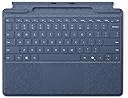
⌨️🖊️ Elevate your Surface Pro game — type, write, and conquer with style!
The Microsoft Surface Pro Keyboard in Sapphire combines a full mechanical keyset with backlit keys and a large trackpad, delivering a premium typing experience. It features integrated storage for the Surface Slim Pen (sold separately) and a dedicated Copilot key for instant productivity boosts. Lightweight and portable at 281g, it’s compatible with Surface Pro Copilot +, Surface Pro 9, and Surface Pro 8, making it the ultimate accessory for professionals seeking seamless workflow and sleek design.
| ASIN | B0D22QSLDV |
| Brand | Microsoft |
| Colour | Sapphire |
| Customer Reviews | 4.2 4.2 out of 5 stars (39) |
| Date First Available | 21 May 2024 |
| Delivery information | We cannot deliver certain products outside mainland UK ( Details ). We will only be able to confirm if this product can be delivered to your chosen address when you enter your delivery address at checkout. |
| Guaranteed software updates until | unknown |
| Item Weight | 281 g |
| Item model number | 8XA-00217 |
| Manufacturer | Microsoft |
| Operating System | Windows 10 |
| Power Source | Wired |
| Product Dimensions | 28.9 x 22.6 x 0.49 cm; 281 g |
| Series | Keyboard |
A**R
Perfect Keyboard for Seamless Surface Pro Experience
I recently bought the Microsoft Surface Pro Keyboard with the Copilot key in black, and I’m thoroughly impressed! As someone who uses their Surface Pro for both work and casual use, this keyboard has significantly enhanced my experience. The Copilot key is a fantastic addition. It provides easy access to productivity features, making navigating through tasks and switching between apps much quicker. It’s intuitive and truly makes using the Surface Pro feel like a full-fledged laptop. The keys are responsive, with great travel, making typing smooth and comfortable. I’ve used it for hours of work and haven’t experienced any discomfort, which is a big plus for me. The black color looks sleek and professional, while the Alcantara fabric feels luxurious yet durable. The backlit keys are perfect for low-light environments, and the magnetic attachment keeps everything secure. The keyboard also folds flat for portability, and the kickstand allows for adjustable viewing angles. Overall, this keyboard is a game-changer for anyone who wants to enhance their Surface Pro experience, especially with the Copilot key making multitasking and productivity a breeze. It's a little on the pricey side, but totally worth it for the added convenience and functionality.
C**T
Works well
Works really well, no issues
S**K
Not a bad keyboard.
Keyboard was good and working. Was not badly priced and would recommend.
T**O
Nice while it lasts...
The last one lasted just beyond the warranty period. The problem with these is that they have a ribbon cable that runs through the hinge and after you open and close the cover a few times, the wire inside the ribbon cable fractures and the keyboard stops working.... so you have you buy a new one. It would have been better if they had designed it as a bluetooth keyboard.
A**D
Cheap keyboards can’t hold a candle to the real thing
I had bought a cheap Chinese Surface Pro keyboard, but I soon got fed up with the following foibles: Required separate charging Did not charge my Slim Pen 2 Had several key illumination colours, but you could only really see it under the keys, it didn’t really shine through the key caps The touchpad frequently mistook two finger scrolling for the “expand” gesture, even when the fingers were touching. The genuine Surface Pro keyboard has absolutely none of these vices. The only reason I docked a star is that it is somewhat bendy.
P**.
Excellent keyboard and great design
Excellent keyboard, little bit pricey, however, I would highly recommend this keyboard over any other keyboard for the surface,
C**A
Beautiful
Very good product
D**D
Slim pen storage disrupts connectivity with Surface
There seems to be a fairly common issue with this specific model of surface pro keyboard that stops it from correctly working with the Surface Pro 8. It may be software/driver related, but it seems to simply be the pen storage space getting in the way of connectivity. The version without a slim pen storage works completely fine.
M**R
Great
M**E
I bought this surface keyboard for my computer but it started to malfunction such as not working, I've tried forced resets and even though Type cover detected it still won't respond. I have even reinstalled the driver but it still wouldn't work.
Trustpilot
2 months ago
3 weeks ago