
🚀 Elevate your workspace with power, speed, and pro-level expandability!
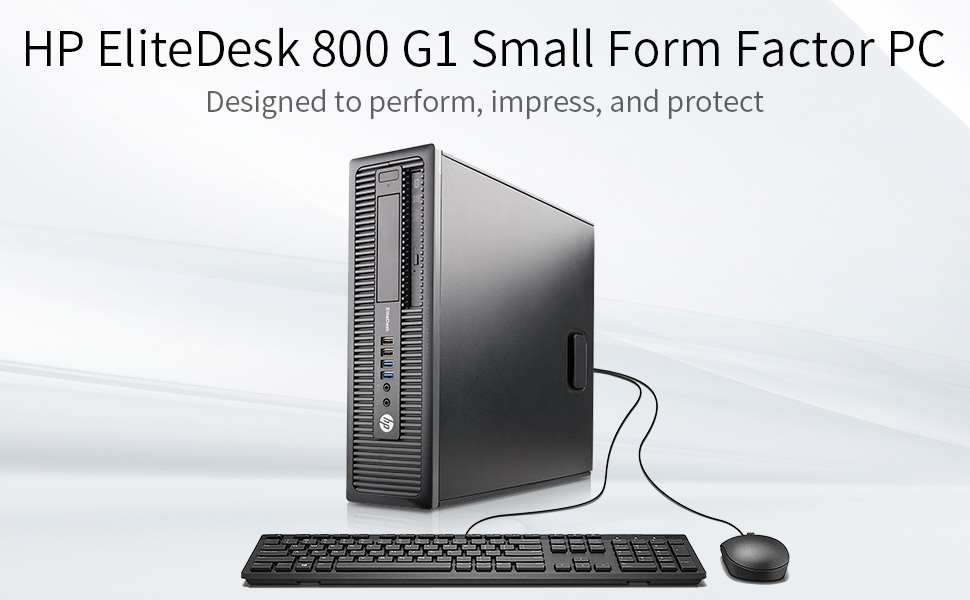
The HP EliteDesk 800 G1 SFF is a certified refurbished business desktop featuring an Intel Core i5-4590 quad-core processor up to 3.7GHz, 16GB DDR3 RAM, and dual storage with a 256GB SSD and 1TB HDD. It supports dual 4K displays, runs Windows 11 Pro, and offers extensive connectivity including 10 USB ports and RS-232. Perfect for professionals seeking reliable performance and future-proof expandability at an economical price.


| ASIN | B07NL4CT8L |
| Additional Features | Optical Drive |
| Aspect Ratio | 16:9 |
| Best Sellers Rank | #5,768 in Computers & Accessories ( See Top 100 in Computers & Accessories ) #158 in Tower Computers #525 in Renewed Computers & Accessories |
| Brand | HP |
| Built-In Media | Keyboard, Mouse |
| CPU Model | Core i5 |
| CPU Model Number | i5-4590 |
| CPU Model Speed Maximum | 3.7 GHz |
| CPU Speed | 3.2 GHz |
| Cache Memory Installed Size | 16 GB |
| Cache Size | 16 GB |
| Color | Black |
| Compatible Devices | Keyboard, Mouse |
| Connectivity Technology | Bluetooth, LAN, USB, Wi-Fi |
| Cooling Method | Air |
| Customer Reviews | 4.1 out of 5 stars 2,941 Reviews |
| Display Resolution Maximum | 3840x2160 Pixels |
| Display Type | LCD |
| EU Spare Part Availability Duration | 91 Days |
| Global Trade Identification Number | 00760625132813 |
| Graphics Card Description | Integrated |
| Graphics Card Interface | Integrated |
| Graphics Coprocessor | Intel HD Graphics 4600 |
| Graphics Description | Integrated |
| Graphics Ram Type | DDR3 SDRAM |
| Hard Disk Description | 1TB HDD |
| Hard Disk Interface | Serial ATA |
| Hardware Interface | USB |
| Human-Interface Input | Keyboard, Mouse |
| Item Dimensions | 14.9 x 13.3 x 3.9 inches |
| Item Height | 3.9 inches |
| Item Weight | 14 Pounds |
| Keyboard Description | USB Full Size Keyboard |
| Keyboard Layout | QWERTY |
| Manufacturer | HP |
| Memory Slots Available | 4 |
| Memory Speed | 3.7 GHz |
| Memory Storage Capacity | 256 GB |
| Model Name | EliteDesk |
| Model Number | HP 800 G1 |
| Model Year | 2021 |
| Native Resolution | 3840 x 2160 |
| Number of Component Outputs | 2 |
| Operating System | Windows 11 Pro |
| Optical Storage Device | DVD-ROM |
| Personal Computer Design Type | Computer Tower |
| Power Plug Type | Type B - 3 pin (North American & Japanese) |
| Processor Brand | Intel |
| Processor Count | 4 |
| Processor Series | Core i5 |
| Processor Socket | LGA 1150 |
| Processor Speed | 3.2 GHz |
| RAM Memory Installed | 16 GB |
| RAM Memory Technology | DDR3 |
| RAM Type | DDR3 SDRAM |
| Ram Memory Maximum Size | 32 GB |
| Resolution | 3840 x 2160 |
| Screen Size | 0.01 |
| Security Features | Standard security features |
| Speaker Type | External |
| Specific Uses For Product | Personal |
| Specification Met | True |
| Style Name | i5 |
| Total Expansion Slots Quantity | 4 |
| Total Number of HDMI Ports | 1 |
| Total Usb Ports | 10 |
| UPC | 760625132813 |
| Video Output | HDMI |
| Video Output Interface | HDMI |
| Video Processor | Intel |
| Warranty Description | 1 |
| Wireless Compability | 802.11n |
| Wireless Network Technology | Wi-Fi |
| Wireless Technology | Wi-Fi |
A**R
Perfectly functioning, well packed, super clean, very expandable, and completely reliable!
What I needed: I needed a computer for my electronics lab. It didn't need to be immensely powerful, but I wanted something that would be easy to expand as needed. This PC met my needs almost perfectly, and at a very economical price. I purchased this 6 months ago (almost to the day), so this is not an "out of the box" impression, but one based on months of experience. It has been powered on (or sleeping) continuously, so I can remote access it when needed. My uses are primarily centered around my lab work: Electronic Design, PCB Layout, and 3D Rendering of PCBs, along with Design of small enclosures and modest software development. I also have several PC connected pieces of bench equipment: Digital Scope, Power Supplies, Function Generator, and whatever thing I'm creating. Most of these connect via USB, and one via RS-232. This PC: You can see in the pictures that the front panel has 4 USB ports - 2 are SuperSpeed. These have already proven valuable for quick attachments. The rear panel is loaded up with 6 more USB ports (2 of which are SuperSpeed), and I've used most of them. If I had to, I could easily dig out an old PS2 Keyboard to free up another USB port - but with 4 empty ports on the front I'm ok for now. As noted above, I needed RS-232, and this PC had one - which is a bonus. Of course, I could have plugged in a USB to RS-232 adapter. Beneath the back-panel RS-232 port (the gray plug in the picture) is a VGA connector, which I don't expect to use. To the left of those are a couple of Display Ports - one connected to my big screen (3440 x 1440). The specs say that each can support a 4K monitor, but my bench doesn't have space (and the screen resolution works for my eyeballs and needs). The host processor in the unit I purchased is an i5-4590 quad core running at 3.3 GHz. The motherboard memory slots are full, loaded with 16 GB of RAM. The motherboard has 3 SATA ports, but they are fully occupied, connected to a 240 GB SSD hosting Win10 Pro, a 1GB spinning HDD, and a DVD drive. The graphics is served with an integrated Intel HD 4600. For further expansion, there are 4 PCIe slots: 2 x X1, 1 x X4 and 1 x X16. Other Discoveries: * The BIOS still had the name of the prior "owner" (a company), which is probably where many of these came from. It was simple to change, so now is hosts a name appropriate for my lab. * This PC is not for gaming, so I didn't rate that since I've never run a game on it. With my single high-resolution monitor connected, spinning a 3D model of a modestly complex circuit board is fast - it more than meets my needs. * And I had no need for Tech Support, so I didn't rate that either. My Expansion: * In the pictures you'll see one of the PCI slots is occupied - with the 4-channel SATA adapter that I added. The 3 on the motherboard were occupied but I needed one more for an external HD dock. * I expect to add a Webcam soon. * I also expect to add one more PCI card to it, to add USB-C connectors. My newest gear (Laptop, Phone, etc.) all have USB-C, so this will be necessary. My Summary: This was the right PC for my needs. It was also relatively inexpensive. It has been running close to non-stop since my unboxing. It "seems" quiet enough for most any location, but my lab isn't the best place to judge that. It didn't have support for every interface I needed but was more than expandable enough to add to it. I do wish the overall unit was a bit smaller (for my lab space), and in years prior I had a large tower PC, but tired of crawling under the desk to swap cables around.
S**K
Fast and easy setup family computer.
Super simple and fast computer. Works perfect for a basic family computer and is plenty fast for all uses. Economical option with plenty of speed and storage space. This PC didn’t have wifi installed but bought I a simple wifi usb thumb drive and it works well. Looks and works like new.
A**.
Great Choice
Overall I'm very happy with this computer, though I would caution computer novices before considering this. The computer arrived on time and packed very well in a strong bubble wrap cocoon and overall was quite clean. Included in the Amazon box were two brand new-in-box Chinese items as described: keyboard and mouse. There was a power plug. There was also a USB wifi adapter plugged into one of the many USB ports in the back. One of the tabs covering unused card ports in the back was missing, indicating the prior owner had some sort of additional item removed before shipping to me. No problem. The front of the unit has two USB 3.0 ports and two prior generation ports. The rear also has two USB 3.0 ports and four more prior generation ports. There are two display ports in the rear, along with ethernet port, headphone/mic, and two of the older types: serial/vga? The front also has headhpone and mic jacks. There is no HDMI port. I hooked everything up: two monitors, keyboard, and mouse and fired it up. Windows 10 led me through their setup process including wifi networking. Nice. The machine immediately recognized (I think...) the two monitor setup; I didn't have to do anything (display port to HDMI). I've been using generally low-end laptops for years, so perhaps my expectations are low, but this machine is a significant improvement for me. I don't do much on my computers; I run Office, Quicken, Chrome and various google apps like google play music, stream movies, do some photo editing and that's about it. No gaming. This machine, with the solid state primary drive, boots up VERY fast. I've encountered no lag whatsoever with multiple programs running. My laptops on the other hand... I encountered no fatal problems with this unit, though as I began installing software, transferring files etc, I learned a few things that prompts my caution against computer novices: 1) The included Chinese mouse/keyboard should probably be tossed. My mouse was defective out of the box. Don't count on these in any way. 2) The included USB wifi adapter is S L O W and essentially garbage. Obtain a better one first or just use ethernet. 3) My CD/DVD drive was not plugged in; I had to open the box during my troubleshooting to fix. I had solutions for all of these items and figured them all out pretty quickly, so in the end I got a great machine at a great price and am very happy. For those that want a plug it in and turn it on product, refurb options like this are probably not for you. I'm not even close to a 'computer guy' though, and I figured everything out just fine. I knocked one star off due to the CD/DVD drive not being plugged in... the useless USB wifi adapter and mouse, in my opinion, aren't really an issue, but the CD/DVD drive should have been plugged in. Now, how long will this work flawlessly? To be determined!
J**S
Above expectations very happy with this HP EliteDesk 800 G1 SFF
It was delivered on time and was in like-new condition as advertised. It has a smaller footprint than a full-size desktop which I had concerns about before I got it. However, once I opened the access panel, I was impressed. It has a recessed latched pull handle that removes the whole access panel exposing everything and no screws to unscrew or lose. Inside, not a speck of dust, literally, like a new computer, you can't tell that it's renewed/upgraded. Even though it's smaller everything is easy to see and get to so if you need or want to do anything inside it's awesome. You can see everything and get to it with ease. You don't have to be a contortionist or have tiny hands and fingers. The drives and optical reader (DVD) are contained within a rack that you just pivot upward to release and you have full easy access to them. Additional expansion slots to add what you like. If you should want to increase RAM from 16 to 32 GB there is nothing around them so removing and replacing them in the slots would be effortless. I was surprised how cool this computer runs even when using multiple high resource software at the same time with no lag. As for the USB Keyboard and Mouse, USB WiFi Adapter. These are low cost and just so you have something. As low cost as keyboard and mouse are I really like them. If you use something else don't throw them out as others have said. Save them as an emergency back up or give them to someone. I have a Logitech wireless keyboard and mouse but still using the ones that came with this computer. USB WiFi Adapter isn't the best it's not real fast and not great for long-distance so I did buy a better one at the same time. There are a lot of cheap USB WiFi Adapters that stop working after 2-3 months but here is a low-cost $17 good one I use so can avoid the hassle. Just search amazon for - TP-Link AC600 USB WiFi Adapter for PC (Archer T2U Plus)- Wireless Network Adapter for Desktop with 2.4GHz, 5GHz High Gain Dual Band 5dBi Antenna, Supports Windows 10/8.1/8/7/XP, Mac OS 10.9-10.14 It increased my transfer speed from 300 Mbps or less and 3 bars signal strength to a transfer speed of 433 to 490 Mbps and 5 bars signal strength. All you have to do is connect a monitor, the keyboard, mouse, and USB wifi adapter and power up. You do need to set up you user account like any new computer. This is Microsoft so it wants you to use a Microsoft account to have a better "online experience". But all you need to do is enter your login for a Microsoft email account or create one during set up. That step requires connecting to the internet and entering the password. Or you can create an offline user account like the old days. The rest of the setup questions are about your preferences and you're ready to go. Windows 10 Pro works perfectly. My daughter got one of these a while ago and wouldn't stop praising it so I got one. She gave me a heads up about the USB WiFi Adapter solution too. I couldn't be happier with this purchase.
S**S
Be Careful!
EDIT - after doing some research apparently this computer came with a virus installed on it! Returning this computer tower for a refund. The listing said Amazon Certified Refurbished, but I have a hard time believing that. Now when I click on the link to the product it takes me to a completely different one from a different seller - I purchased from RefurbChoice through Amazon. I've gotten an Amazon Certified Refurbished computer before and have had no issues with it. This one? A complete disappointment. It started great. Booted up just fine, connected to the internet easy, and I was able to start downloading programs and setting it up for my coworker. Then the mouse started to lag. I figured it was the batteries because it had been left on without being used for a while. Nope! System crash - Blue Screen of Death (unexpected_store_exception) then the screen went black and I got a message that said Erased by Killdisk (see photo for details). Powered computer off. When I turned it back on it took me to a boot menu, said IDE device failed, press F1 to boot. I did and it took me to the log in screen, then the desktop, like nothing had happened - except after waiting a minute nothing would respond to being clicked on by the mouse. Then another crash and blue screen (critical_process_died), then to the black screen with the message about being erased by Killdisk. Repeated multiple times. Not sure what they did to this computer but I can't even get it to function long enough to undo everything I've done before I return it.
R**P
nice refurbished small proofile desktop computer.
Purchased one to replace a dead PC at a remote ham radio communications site. When unboxed It had a defective DVD drive so I contacted support, after exchanging the requested information a replacement was shipped that day and received in 3 days. The specialist was knowledgeable and friendly focused on resolving my problem. While awaiting the replacement I configured and performed updates. I loaded and tested with the remote software and various interface programs for equipment on site. When the replacement drive was installed and tested I performed a full system test under remote conditions. The system worked smother and has better graphics on the remote software than the last PC. The unit has a rugged metal case, ideal for my location with a lot of RF floating around the shelter. For those interested it is whisper quiet. I would buy again.
A**R
Faulty HDD, support was quick!... to replace it with another faulty hdd
When I first got this computer there were a few things I noticed. Firstly, the side panel was loose and there was no screw in the back to (rather uselessly) keep it in place. Okay, its refurbished. Slight problem. The other being the dented in heat sink for the CPU fan. Again, refurbished. The last post-opening issue is the PSU's cord is way to small but that's easily rectified. Of course, mine was a pro-desk instead of an elite-desk but considering I dont know the actual differences, I don't know how much a cheat that is. On to launching the pc, of which it started fast! And straight to the setup for Windows 10. It's nice and straightforward, with a digital key activation at the end. Keep in mind that you'll need an ethernet cable to have access to the internet until you can download the necessary Windows updates to use either the built in wifi or an adapter (I personally used the latter). Checking the pc components, everything is as promised. The cpu is indeed an i5- 4th generation, 16gb ram, 256 (a slight bit lower but that's expected) ssd, 1tb(again, a bit lower) hdd, and everything ran fine the first day. In terms of using graphics heavy programs, such as modeling programs or recent video games, this pc will definitely not be for you *unless* you spend an additional 300 or so dollars for a dedicated low profile gpu. It should excel at doing pretty much anything else, however. Enough of the good stuff, heres the bad. Yesterday, when I received the product, the computer ran as expected and was as quiet as a sleeping baby. However, when I started it today, a thumping noise could be heard from the case. After putting my ear to it and feeling where the thumping was coming from, it became increasingly clear that it was the hdd. It generates a loud thump whenever it writes or reads files. I've had a pc do this in the past right before the hdd failed and became a useless piece of metal so the one that I got is likely going to end up being the same way. In terms of support I've contacted skytech, USA llc, the company that appeared on the box and this store page as I purchased it. They've stated they dont even know what this computer is. I've contacted astsys, the company that has their support stickers on the computer. There hasn't been a peep yet, but I suspect they're closed at the moment so I'll wait until tomorrow to get a response. Lastly, Amazon tech support suggested a return and refund. I was hoping for a replaced hdd instead, but if astsys doesnt respond, I'll take their advice. I'll update this review once I take either option. TL;DR Great when it works, but remember that its refurbished and something might go wrong the very next day or 3 months out. Play smart and get the additional warranty and hope for the best if you're going to purchase this. EDIT 1: Maybe my edit will save this time. Anyway, Astsys answered back and offered a pre-paid replacement for the faulty HDD the very next day at 6:00 AM. They were quick and understood the situation immediately, answering every query I threw at them along the way. I'm hoping the new hard drive will work, but the support is definitely admirable! Because of this, I'll up my review score accordingly. EDIT 2: Got the new hdd. Right off the bat, I'm disappointed to see yet *another* Seagate Constellation. But I gave it a chance, slid it into the tray nice and easy, booted the computer and! *drumroll* it had the same thumping noise the old one had, only slightly quieter now. Is this a Seagate classic? It's still loud enough and constant enough to be greatly annoying. I'm going to contact support once again with images of the innards to see if they cant find anything wrong with the chassis. If they suggest another replacement hdd, I'm going to refuse and just buy some other one to throw in there instead. I'll be deducting the review score for now. I'm sure the Amazon review verification team love me by now with all the edits I'm throwing here.
E**E
Really Impressive Computer
I got this product for a friend whose old desktop died and she didn't have the money for a new one. She is non-technical, and uses it for basic web surfing, printing the occasional document, and storing pictures and videos from her phone. I needed to set it up for her and transport data over from old pc to the new one. This desktop is actually nicer than I was expecting. The specifications are really impressive, the amount of storage is excellent, and it was easy to set it up and get things going. As others have mentioned, you might want to use your old mouse and keyboard, or buy new ones, because the one included is not very high quality. Since that was disclosed in others comments, and we had her old ones, which still worked, this wasn't an issue. It is a small footprint PC, also, and can actually fit on top of a desk, making it much easier to work with the DVD player. I assume it can be used horizontal, or sitting up vertical, but it would be much less likely to fall over being situated horizontal, and it is fairly small, so that is what we did. The included DVD drive was the type that can operate sideways, because you have to click in the CD or DVD into a holder in the drive, so you can choose to sit the computer vertical like a small tower, which gives flexibility. There are plenty of USB ports, and the WI FI adapter was included, but it is a small little USB plug in, so don't lose it! The power supply cord was a bit short, but we used the longer one from her old PC. The short power cord was honestly the only thing about it that I didn't like. SPECCY gave some warnings on some Sector Reallocation issues on the extra 1 TB hard drive, but my friend probably will never use the second hard drive, so I am just keeping an eye on it. It works so far, and it may work forever. My friend has plenty of space for her pictures and occasional documents on the C: drive. So, this wasn't an issue, or worth returning the unit. Especially given the price paid for the unit. A power user might have issues with a questionable hard drive, though. Something to check if you buy one of these. Everything else seems great so far! I was actually kind of jealous, and for about a microsecond, thought about getting another one for me! This was a perfect solution for my friend. I am very happy with this purchase, so far! I hope it lasts a long time!
Trustpilot
1 week ago
2 weeks ago



