Desert Online General Trading LLC
Dubai, United Arab Emirates
Desert Online General Trading LLC
Dubai, United Arab Emirates


⚡ Power your rig with speed and style — don’t get left behind!
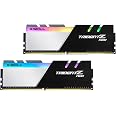
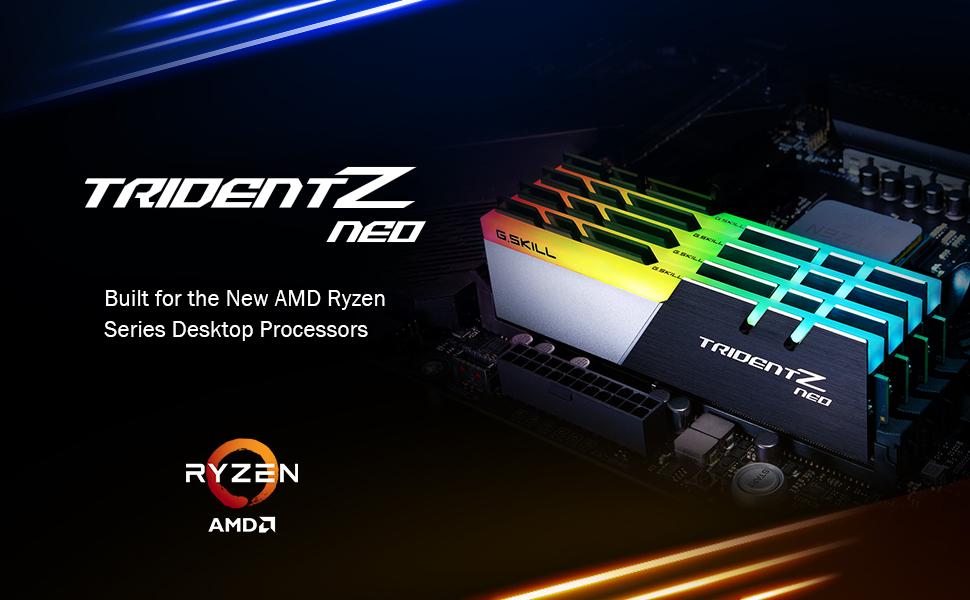
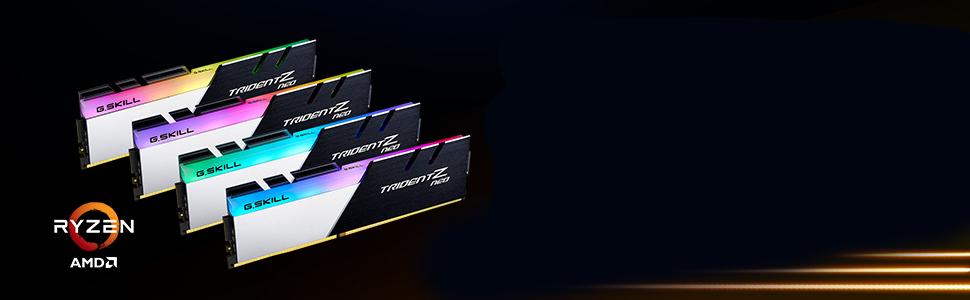
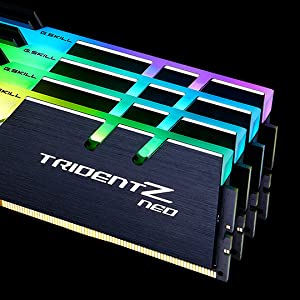
The G.SKILL Trident Z Neo Series DDR4 RAM kit offers 16GB (2x8GB) of high-performance memory running at 3600MT/s with CL16 latency at an efficient 1.35V. Designed for desktop PCs and gaming rigs, it supports Intel XMP profiles for easy overclocking and comes in a sleek multicolor design to complement modern builds.


| RAM | 16 GB DDR4 |
| Brand | G.SKILL |
| Series | Trident Z NEO |
| Item model number | F4-3600C16D-16GTZNC_SML |
| Item Weight | 4.8 ounces |
| Product Dimensions | 5.2 x 0.67 x 1.7 inches |
| Item Dimensions LxWxH | 5.2 x 0.67 x 1.7 inches |
| Color | Multicolor |
| Computer Memory Type | DDR4 SDRAM |
| Voltage | 1.35 Volts |
| Manufacturer | G.SKILL |
| ASIN | B07WVT8SGF |
| Date First Available | August 29, 2019 |
K**N
Decent for the price
Cheap, and good enough for a budget PC build. Gaming seems fine as it was a budget build using an older 1070ti GPU I had lying around. Looks good and works good.
C**A
Great RAM
The G.Skill Trident RAM is a high-performance memory module that I have been using for a few years now and decided to add more to my system. This RAM is designed to provide blazing-fast speeds, exceptional stability, and unmatched reliability, making it an excellent choice for demanding applicationsOne of the key features of this RAM is its high frequency and low latency. Additionally, the low latency of this RAM ensures that your system can quickly respond to requests and execute instructions, resulting in a smoother and more responsive computing experience.Another great feature of this RAM is its unique design. The heat spreader on this RAM is made of high-quality materials and features a stylish and eye-catching design that looks great in any build. Furthermore, the heat spreader is designed to efficiently dissipate heat, ensuring that your system stays cool and stable even under heavy loads.Overall, the G.Skill Trident RAM is an excellent choice for anyone looking to upgrade their PC's performance. With its exceptional speed, stability, and reliability, this RAM is sure to take your system to the next level. Whether you're a gamer, a content creator, or a professional, the G.Skill RAM is an investment that you won't regret.
F**E
Looks great, runs great.
Next time I need ram I'm getting G.Skill again. I bought these to replace Corsair Vengeance 3200mhz C16 Hynix ram, thinking my problems with posting after cold boot lie there. They don't, unfortunately, so I returned these. They look fabulous though. My board only supports up to 3466 so I cranked them up and they were a bit unstable but rock solid at 3200. Admittedly I didn't play with the timings at all at 3466 because by then I'd found out it wasn't the ram but my mobo, so with fiddling I bet they could've gotten there.I got them to work with Aura Sync just fine. The G.Skill lighting software did absolutely nothing, though. One thing I will mention is I couldn't get the whole stick to be one color at a time unless it was set to static. Instead when I had all my lights set to color changing the color flows down the stick, which I ended up liking a lot.The heatsinks look white and black in the photo but it's actually a bright brushed aluminum color.
A**E
Finally 4 sticks!!!
Everything works perfectly. Extremely happy with my purchase.
T**R
They look good and seem to run fast.
I used these for my new build with a ryzen 5 3600 and gigabyte x570 aorus elite motherboard. I kept having crashes that showed kernal power error event 41 and the sound would pop and crackle, when I was playing any intensive games. I tried a bunch of different stuff trying to find the problem and eventually turned the xmp profile off and found that I didn't have any crashes, turned xmp back on and the crashes came back. Found a review on newegg and someone had a similar issue and they underclocked em just below the stock xmp profile frequency and it fixed the issue. I did the same and this fixed the issue for me too, I think mine are 3526mhz or 1763 ea stick. I tried upping the soc voltage and that didn't stop the crashes, but to be fair I've never really been big into overclocking and I didn't want to damage anything so I didn't go very much more than stock. I checked gigabytes website on supported ram sticks for my motherboard and cpu combo and they weren't listed (this is after I'd already found out I was having issues with them), I think eventually a new bios update with make them 100% compatible tho and honestly I don't mind running just under 3600mhz on my ram since its still better than 3200mhz. They look good and I like lights but i'd prolly gone with a different model that was listed as compatible with my mobo and cpu combo.TL;DR - Good ram, Nice lights, Check your motherboard companies cpu and ram compatibility info or you may have to do a little more work.
T**R
Great ram from a great company
Ok first off this is hynix die and it will reach 3600 but mine would crash so I turned mine down to 3533 and is stable at that frequency. I do wish it was stable at 3600 but not that big of a deal as it would be very minimal gains to reach that. I did have 3200 ram installed by the same company and was running 32 gigs. So my take on this, is if you have 3200 and is stable save your money and keep what ya have as I feel it not worth the extra 400 mhz to get the top speed. The only reason I did this was I have the AMD 12 core Ryzen and wanted to know if I could reach 4.5 ghz with my cpu.Update as I went into the bios I did a few tweaks to the settings and getting the ram stable at 3600 even in gaming and stress testing. I manually had to set the timing to 16 19 19 38. and voltage at 1.35 volts, hope this help others for some weird reason my asus motherboard wanted to auto to 16 18 18 38, and thats why in would crash as these timings are a bit too tight.Update 2, As I've been working with this ram I have to say I really love it so well I bought another kit to add to my set up. It boots right up with the modded timing in the bios with no crashes with 32 gigs installed.
Trustpilot
1 day ago
2 weeks ago