We remain fully operational. Our teams are working around the clock to ensure your deliveries continue safely.

DOWNLOAD THE APP


Customer Services
Copyright © 2025 Desertcart Holdings Limited
DOWNLOAD THE APP

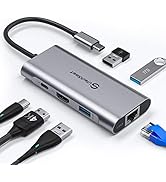
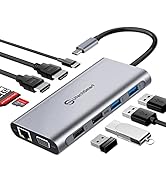
🚀 Triple your screens, not your clutter — the ultimate 12-in-1 hub for the modern multitasker!
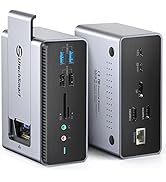
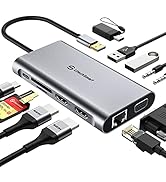
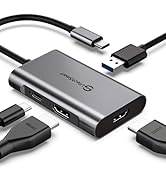
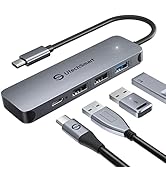
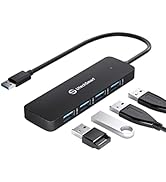
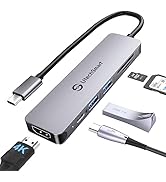
The UtechSmart USB C Hub is a compact 12-in-1 docking station featuring three 4K HDMI outputs, 100W USB-C Power Delivery charging, and a 1Gbps Ethernet port. Designed for professionals using MacBook Pro/Air, M1/M2, and Windows laptops, it offers extensive connectivity with multiple USB ports and SD/TF card readers. Its sleek, portable design and plug-and-play functionality make it ideal for hybrid work setups, boosting productivity with triple display support and fast data transfer.





| ASIN | B07TXTF2WR |
| Best Sellers Rank | #101,650 in Electronics ( See Top 100 in Electronics ) #1,074 in Laptop Docking Stations |
| Customer Reviews | 4.0 4.0 out of 5 stars (2,464) |
| Date First Available | July 3, 2019 |
| Item Weight | 3.99 ounces |
| Item model number | UCN3278 |
| Manufacturer | UtechSmart |
| Product Dimensions | 5 x 2 x 1 inches |
V**M
Gets pretty hot and it wasn't clear what the USB-C input was about, but saved me $200
The one year edit: This device has continued to perform flawlessly, to the point where I recommended this to another team member in Ireland. She loves it to the point where she's telling her team about it. Accidental out-of-box failures aside, if you need a reasonably priced docking station, absolutely get this - just know that you can only have a maximum of 3 screens. Like many of those who were fortunate enough to work remotely during the pandemic, I worked from home for over a year. While working remotely, my laptop was upgraded and I was given an amazing docking station (charged the laptop, just had to plug in the USB-C port, plenty of monitor port options, a good number of USB ports). We're now entering a hybrid phase, which means I'm working Tuesdays and Thursdays in the office. Management announced that no new equipment purchases would be approved. I'm not complaining at all! My amazing job let me work from home forever, I saved on gas and insurance, I got to KEEP MY JOB. But dragging that docking station back and forth, well, that was kind of extra. A coworker gave me this listing and I decided to give it a shot. This was around Prime day, the device cost me $70. An actual second docking station would have cost me $250-$300 (I looked). Yeah, I kept my job and all, but I don't have like TESLA money or anything to be buying a docking station like that. I'll go with the bad first, detracts nothing from the rating, but I hope that telling you this will help you be prepared: It gets hot. Not like setting things on fire hot, but after a 10 hour day, I began to get worried. My home didn't burn down though, and I have a monitor base to rest it on the corner of for a little extra airflow, so yay for not dying of immolation in my sleep. The USB-C port that you can plug a charger into, as far as I can see, is worthless. There isn't a lot of documentation or information in the Q&A section, but from what I can tell, plugging the USB-C in to a power port does 2 things: Gives a little 'oomph' to charging anything except your laptop, and makes the device even hotter. I abandoned this connection after 2 hours and just plugged my laptop's mobile charger in. Not a huge issue for me personally, as I don't use this device to charge devices, and it's still just one plug for the laptop charger. HDMI only. If you have a monitor with DisplayPort, you'll either need an HDMI cable, or a DP > HDMI adapter. You've been warned. It has 3 HDMI ports, but max monitor support is 3. So you can't have 3 HDMI monitors plus your laptop screen. You can have 2 monitors and the laptop screen, or 3 monitors and no laptop screen. I've grown so accustomed to 3 screens (2 monitors and a laptop) that I've been mulling over a 4th screen. Not happening with this device. All minor gripes. Now for the good part: SO TINY!!!! My OEM docking station is a 6x6x4 cuboid with its own power cable and a big rectangular whatever-it-is that lets you then plug into an outlet. This thing is smaller than a lot of TV remotes (not including smart TV remotes) I've had. TINY!!! Ports for days! I think this device has more ports than the OEM dock (maybe like 1 more USB port, but more is more). I like knowing the ports are there even though I only use 1 for the wireless dongle for my mouse and keyboard. Because some might say less is more, but in this case, more is more, am I right?? HDMI Ports: You have 2 right next to each other and one on the small end. Depending on your end connector, you won't have to try to wedge 2 of them in right next to each other. All in all, between the money I saved and the functionality I preserved, there are 0 regrets with this purchase. There were some birth pangs when I first got it, and yeah, I have to plug in 2 things to the laptop rather than just 1, but if anything, that adds another star to this device and detracts a half star from my employer.
S**S
Great features, great instructions, great company
I'm an architect gearing up for Work From Home. I looked at a hundred similar products before purchasing this one. There was always something missing, a feature or display limitation. I was looking for a USB-C hub that wouldn't have a huge footprint on my desk. Wanted at least 2 monitors plus the laptop screen, with all 3 unique desktops. Having 4K for versatility and future proofing was nice too. Didn't need any legacy plugs, I've got adapters for all my old monitors. This product fit the bill. So many others had limits on using three separate monitors. Check! Needed six USB ports for keyboard (with 4 blue USB-3), mouse, and things like web cam, external drives, and random USB devices. Check! I wasn't worried about charging my laptop through the hub. It is lightweight, and that's a plus. This is small and light, can take it with me on trips just as a USB hub if nothing else. I wanted to be certain of was that it was true Plug and Play, no drivers needed. I don't have admin rights on the company laptop so installing drivers can be an ordeal. This one needs no drivers. Check! Housing of this device is metal. Attractive but simple design. Comes with a simple cloth travel case. The happy surprise inside the box is this plastic card that says "Watch the video". It took me a minute to figure out it was a USB card, the tab flips out and it opens the product video on YouTube. From that video I got a sense of the personality of this company. They told me how it would work, what to do if anything went wrong, and assured me they provide full refunds and more. It is rare to feel like you are doing business with actual people, but I am an instant fan of UtechSmart. When I ordered the product, I missed that it does not have a speaker/headset jack. I am glad I didn't cancel the order because I love this product and I just don't need more than the one jack already on the laptop. It is hard to find the right headphone jack on these hub/dock products, whether you want split jacks or a unified headset jack. In the end, UtechSmart decided to leave this off and keep the product a little more compact. I think that was a great decision. Too soon to speak to durability of the connectors and plugs, so I didn't rate that. But they boast a lifetime warranty if you register the product in 7 days. If these are the features you want, this is a great product.
E**E
Great Product...but my luck sucks.
Like a lot of people during the pandemic I found myself scrambling to set up a home office to work remotely for the first time ever. New laptop, desk, USB mouse & keyboard, and of course, two computer screens. A friend of mine is a IT nerd for a living and he did some research for me and recommended this product based on the features and price. I did my own research and I agreed with him, it was a great balance of ports and cost. The product feels like it is made of quality materials and it connects all my devices. However, my luck continues. My luck unfortunately consists of something being wrong with the product is likely not to happen to someone else. For example, my new desk came with a chip on the surface. The two identical monitors I bought? One of them wobbles like one of those hula girl toys that people use to put on their dashboards of their cars (not me though) because the base is loose. For this docking station? Good question. everything works great except the designated port for the USB connection of my wireless keyboard. All of a sudden, after a days of it working, it tends to stop working and then only works intermittently. At first I thought it was the keyboard USB connection failing, but when I plugged in the USB connection directly into my laptop's USB port it works without fail. So it looks like I have a faulty port. I have no idea if this is a common issue but with my luck I am not surprised if I am the only one who has this issue. Still recommend. Hope everyone else has better luck.
K**D
Using it very effectively to connect two HDMI external monitors, USB printer, keyboard, etc. Very versatile.
S**I
Absolute trash. Checking the speeds of the USB3 ports, one was 35mb/2, so effectively being only a USB2.0 One of the HDMI did not work, as well as the VGA. I did not bother to try the rest. Absolute trash for the price I was expecting not having to worry about such things.
T**D
worked ok but haven't fully go it it working as my computer isnt up to speed
Trustpilot
2 weeks ago
4 days ago