We remain fully operational. Our teams are working around the clock to ensure your deliveries continue safely.

DOWNLOAD THE APP


Customer Services
Copyright © 2025 Desertcart Holdings Limited
DOWNLOAD THE APP

🌐 Upgrade your WiFi game — because buffering is so last decade!
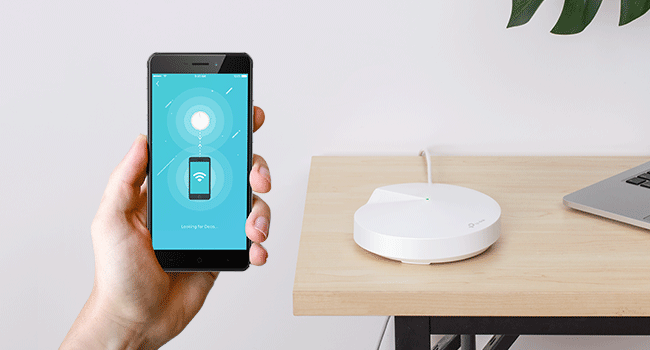
The TP-Link Deco M5 Mesh WiFi System delivers seamless, whole-home wireless coverage up to 3,800 sq.ft., supporting over 60 devices simultaneously. Featuring advanced mesh technology with MU-MIMO, auto path selection, and beamforming, it ensures stable, high-speed dual-band WiFi (400 Mbps on 2.4 GHz and 867 Mbps on 5 GHz). The system includes robust security with a free lifetime subscription to TP-Link HomeCare, offering antivirus and parental controls. Easy to set up via the Deco app, this 2-pack replaces traditional routers and extenders for a smarter, faster home network.










| ASIN | B0797D6853 |
| Are Batteries Included | No |
| Batteries | 1 Lithium Ion batteries required. |
| Best Sellers Rank | #2,444 in Computers ( See Top 100 in Computers ) #48 in Routers |
| Brand | TP-Link |
| Color | 2 Pack |
| Connectivity Type | Wi-Fi |
| Customer Reviews | 4.5 4.5 out of 5 stars (48,445) |
| Date First Available | 22 March 2018 |
| Item Weight | 454 g |
| Item model number | Deco M5 2-Pack |
| Lithium Battery Energy Content | 4 Watt Hours |
| Lithium Battery Packaging | Batteries contained in equipment |
| Lithium Battery Weight | 0.85 Grams |
| Manufacturer | TP-Link |
| Number Of Lithium Ion Cells | 3 |
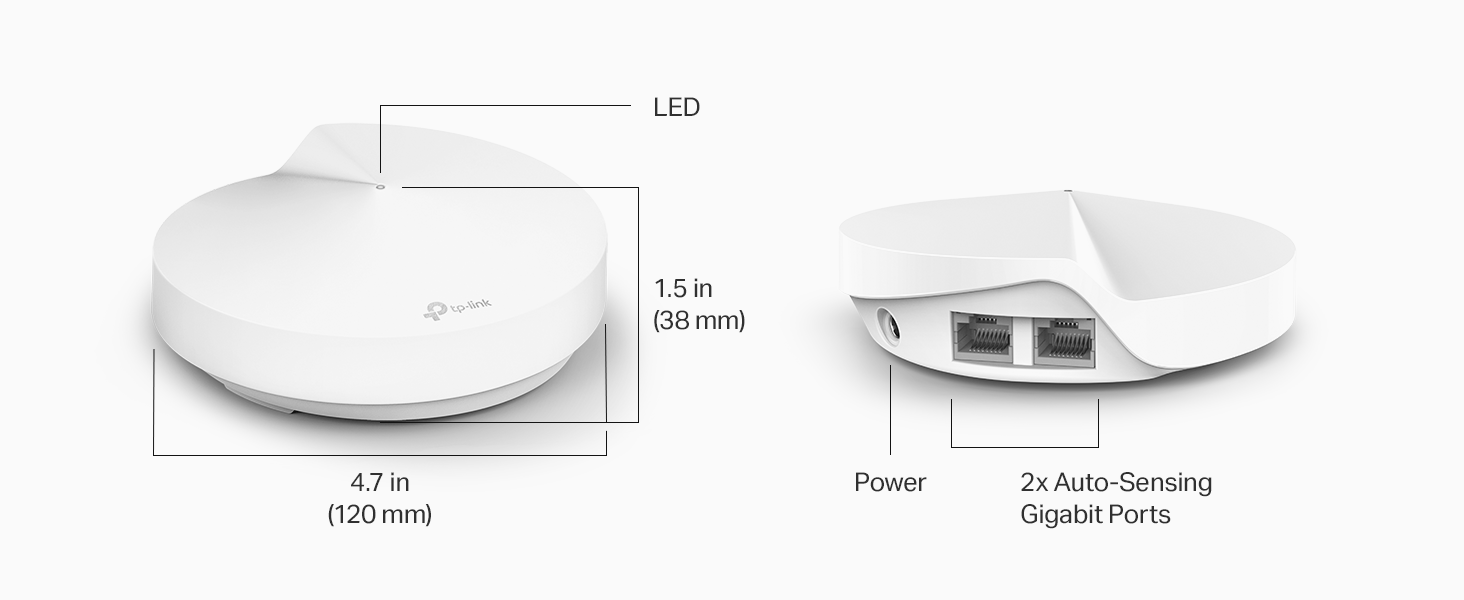
| Number of Ethernet Ports | 5 |
| Operating System | Linux |
| Product Dimensions | 11.99 x 11.99 x 3.81 cm; 453.59 g |
| Series | Deco M5 |
| Voltage | 12 Volts |
| Wireless Type | 802.11ax |
M**I
This is it
Very powerful, gives the exact internet speed and more if connected via Ethernet. I have also integrated my old deco routers as expanders with this one with no effort (just reset old routers) and use the app. The deco app is amazing and easy to use.
S**K
it really works!!
In one room we got 1 bar on our wifi and now it is full bars - i was sceptical but it really works.. excellent product
A**Q
Reliable product
Fantastic performance and the net al around the house. Furthur, the its application is so cool and easy to follow. Weldone tp link
F**P
Works Very Well - no setup support
Using in UAE: Once you get it up and running, it will work well. The application is often delayed in reflecting which units are up and running, but eventually gets it right. There is no support to speak of; emails go unanswered. One note: If you have ethernet wiring throughout your villa or home, and plug one of mesh units into a wall jack and it goes red, there may be a short in the wall which affects this particular unit. Try a different wall jack. I lost a couple days because of this issue.
A**H
Excellent Coverage, easy set up
This has worked out really well for us. We live in a good sized 4 bed villa and had lots of places with weak or no wifi. We now get good coverage everywhere and in the garden too. It was pretty easy to set up using the app, I just haven't worked out how to switch my Alexa and Sonos over to the new network, I'll fix that when I have some time.
K**S
As easy as pie
To set up the Mesh WiFi, just connect one of the units to the ISP Router and turn everything on. The Deco App is very easy to use. The signal is strong and consistent.
D**S
Convenient and reliable
Simple to install and use. It just works.
J**N
Extremely bad purchase
Terrible!!! Do not buy it!!!! Permanent disconnections, unstable speed and the customers service is a joke! If I could i would give zero starts.
L**P
Produto muito bom. Notamos a diferença na velocidade na hora! O app deles é super completo! Foi caro mas valeu
A**D
Love the product and reliability of TP Link. Have had our other units running for over 2 years without issue.
M**P
Got the Deco X95 (AX7800) to replace an Amplifi Alien mesh setup that had started frequently rebooting. So far, Im really happy. Im not a home networking expert, but Im also not a novice - somewhere inbetween. Ive set up many of these in the past (from Orbi to Eero and Amplifi), and use some of the customization features. Setup was simple. Took me less than 5 minutes to have the entire mesh network set up. Every device connected (except one, Sonos), and I have about 60 devices in the house including all the IoT stuff. The app was easy to use and pointed me in the right direction, step by step. After a full week, I have had zero devices drop or have connection issue in a 4k sqft house. Stability is probably the #1 requirement for me, both my wife and I work from home. As mentioned, Sonos didnt work within the 1st hour I had set up the Deco. Sonos is notoriously bad with mesh networks, which is unfortunate because I love their products otherwise. I fiddled with some security settings (set it to WPA2/WPA3), rebooted my sonos devices...and decided to work on it the next day. Im not sure if it was the security setting or the reboot - but miraculously the next day all of my sonos devices appeared on the network map and were working (I have 8 of them). So, I know it can be frustrating, but I at least wanted to share one experience of sonos working with Deco, since I saw a few comments about it in other reviews. Edit 2/15/23: Just wanted to share that this has been 100% rock solid and stable for a month now. Very happy with performance, range, stability. Even though the unit is not as fancy as my Amplifi Alien, it was an upgrade in performance and range which matters more than the cool on screen display the Alien had.
S**H
I have not had any issues with this mesh since initial set up. The set up is easy to follow and straight forward. I did have a minor issue, but that was on my end and my service provider was able to give me the correct information needed to set up. It has been running now for about 4 months and we have had steady connection across all devices - computers, TVs, gaming systems, smart home and surveillance systems. The back room that was often a dead zone now gets a good strong signal. I like that I am able to hard wire certain devices into each unit if I want to. We currently have the main home computer connected to the second unit, and the Xbox and smart TV on the third unit. Not that any of these devices were experiencing any lag or connection issues on wifi. It also has the option to set specific devices to priority on wifi or to set a device to only connect to one unit rather than the mesh to maintain a steady connection on items that are stationary. The parental controls are also a great feature. You do need to pay to unlock everything, but the free features are enough for my needs. It allows to filter content, block websites, and set up screen limits. The only inconvenience on the free side is that you cant set multiple time limits for differentdays of the week. While I can set a bed time daily, if I want to give extra time on the weekend I do need to manually reset it every week. However, it is not a big deal with the app. Wifi to all devices you set to your child's profile will be turned off at the time you set, and not turn back on until a time you set. Bedtime routines have gotten smoother as they quickly learned there is no "just a minute". They now take note of the time and hurry to finish, save their progress and say goodbye to friends before the time runs out.
P**O
Excelente roteador. Trabalha perfeitamente, também, como redistribuidor, mas, nos pontos mais distantes, com uma redução de velocidade, mesmo assim é muito estável....
Trustpilot
2 weeks ago
2 weeks ago