Some deliveries may take a little longer than usual due to regional shipping conditions.

DOWNLOAD THE APP


Customer Services
Copyright © 2025 Desertcart Holdings Limited
DOWNLOAD THE APP

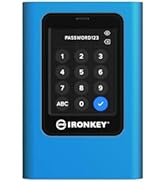
🔐 Unlock elite data security with a tap — because your privacy deserves the vault treatment.
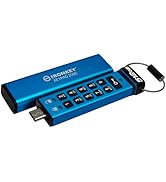
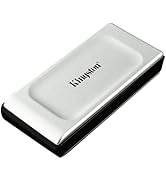
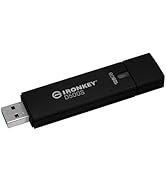
The IronKey Vault Privacy 80 is a 1.92TB external SSD combining FIPS 197 certified XTS-AES 256-bit hardware encryption with a user-friendly touchscreen interface. Designed for professionals demanding uncompromising data protection, it features multi-password modes, configurable password rules, and dual read-only malware protection. Its brute force attack defense auto-erases data after repeated failed attempts, making it a top-tier secure storage solution that’s OS-independent and TAA compliant.











| ASIN | B0B1W53S3X |
| Are Batteries Included | No |
| Best Sellers Rank | #15,623 in Computers ( See Top 100 in Computers ) #92 in External Solid State Drives |
| Brand | Kingston |
| Color | Black |
| Computer Memory Type | DIMM |
| Customer Reviews | 4.0 4.0 out of 5 stars (37) |
| Date First Available | 27 May 2022 |
| Form Factor | 2.5-inch |
| Hard Disk Description | Solid State Drive |
| Hard Drive Interface | USB 1.1 |
| Hard Drive Size | 1920 GB |
| Item Weight | 290 g |
| Item model number | IKVP80ES/1920G |
| Lithium Battery Weight | 1 Kilograms |
| Manufacturer | Kingston Digital, Inc. |
| Product Dimensions | 12.25 x 8.42 x 1.85 cm; 289.5 g |
| Series | IKVP80ES |
L**G
The Product did not work out of the box, customer service was useless, don't even know their product I finally got it working with the help of a techno .
R**N
Un producto bien diseñado, similar al pendrive que comparte la misma linea de producto IronKey, funciona perfectamente y es muy rápido, lo único que se le hecha en falta que sí tiene el IronKey KeyPad 200C es una batería interna, para poder arrancar sin alimentarse del puerto usb. Personalmente tengo los dos y han sido las mejores compras de memorias externas que he realizado, si no costaran tanto dinero, que no digo que no lo valgan, solo tendría almacenamiento externo con esta tecnología. Personalmente después de comprarlos y probarlos me han quedado impresionado lo bien que funcionan. Solo queda esperar que realmente proteja la información y no haya puertas traseras.
A**S
Petit jeu de mots qui résume bien le produit, facile d'emploi et sécurisant
E**S
I've bought one Kingston IronKey Vault Privacy 80 and one DataLocker DL4 Encrypt Disks. They seem to share software/firmware as the features are basically the same, while menus and operations are exactly the same. The only differences I could notice are SafeConsole and support for symbols on DataLocker drive (Kingston Ironkey does not allow for symbols on password). Which comes as no surprise as the IronKey seems to target end-users while DataLocker is Enterprise-driven. Other than that, and casing, the drivers are very very similar. I've seen some negative reviews on Kingston due to frequent disconnections. Well, it's not caused by the drive but Windows energy management on notebooks. It does not happen on PCs (yes, I've tested it). Nor on Linux or Mac. That's why most negative reviews seem to be about using the drive on Windows while many positive reviews come from Mac/Linux users. The User Guide does mention steps to prevent it, but for Windows 10. No mention to Windows 11. Turns out, the solution is simple and mentioned in the User Guide. Credit to EmbeddedFlyer's review for pointing me to the right direction. Despite the fact it does not mention Win11, the same steps on page 10, under "Disabling Windows Power Save", will work on Win11 and fix the frequent disconnection issues. It worked for me. I've let the drive with no activity for 30min and no disconnection. Should Kingston Support read this, I'd suggest you to update the User Guide and create a KBA/FAQ article to explicitly tell users how to fix it on Windows 11. It's something simple, but as per negative reviews, it's hurting the product reputation. One more thing to mention is performance. One should not expect the drive to achieve native SSD speeds. For a simple reason: it's an encrypted drive. The encryption/decryption process requires processing, which means the drive will perform additional (and cpu intensive) tasks that a regular drive won't. Some could say "use a better processor"... Well, true. But there would be trade-offs: higher price, higher energy consumption (which could froce the manufacturer to add external source) and heat generation. So it's about balancing requirements, features and performance. And I'd say Kingston has a good product.
S**Y
Good product , only one thing: the time out (au disconnect) is too short
Trustpilot
2 weeks ago
5 days ago