We remain fully operational. Our teams are working around the clock to ensure your deliveries continue safely.

DOWNLOAD THE APP


Customer Services
Copyright © 2025 Desertcart Holdings Limited
DOWNLOAD THE APP
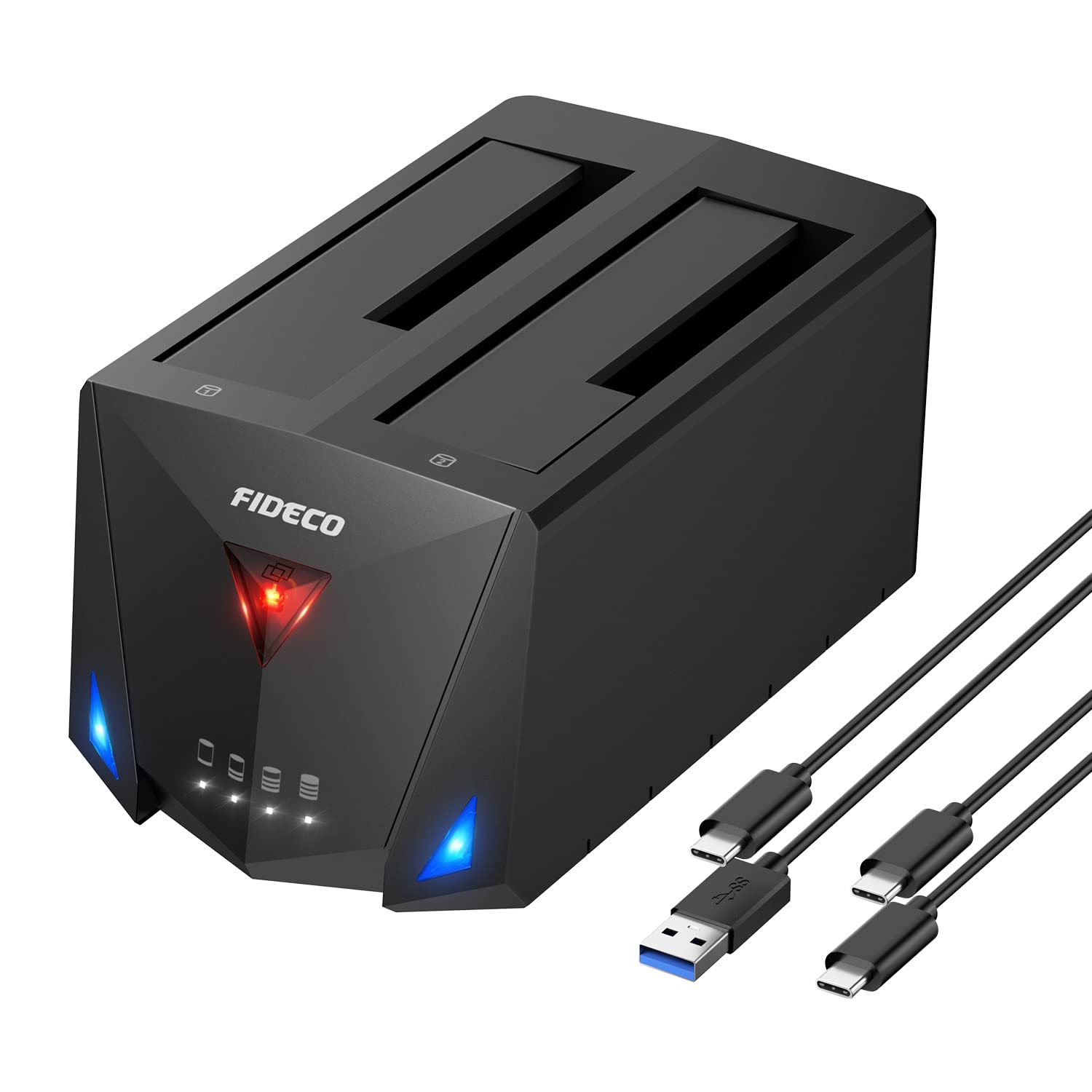
🚀 Dual-Bay Docking Powerhouse: Speed, Versatility & Clone Magic in One!
The FIDECO Hard Drive Docking Station is a versatile dual-bay hub supporting 2.5" and 3.5" SATA HDDs and SSDs with universal OS compatibility. Featuring USB 3.2 Gen 1 for blazing 5Gbps transfer speeds, a future-proof Type-C port, and an innovative offline clone function, it empowers professionals to manage, backup, and migrate data effortlessly without a PC. Its plug-and-play design, intuitive LED indicators, and included cables make it an essential tool for tech-savvy millennials seeking efficient, reliable storage solutions.


| ASIN | B09X9WN96L |
| Best Sellers Rank | 23,910 in Computers & Accessories ( See Top 100 in Computers & Accessories ) 33 in Hard Drive Docking Stations |
| Box Contents | 1* 12V Power Adapter, 1* Hard Drive Docking Station, 1* USB C to USB A Cable, 1* USB C to USB C Cable, 1* User Manual |
| Brand | FIDECO |
| Brand Name | FIDECO |
| Colour | Black |
| Compatible Devices | Computers and devices with USB 3.2 Gen 1 port or higher sold in Germany |
| Country of Origin | China |
| Customer Reviews | 4.5 out of 5 stars 1,397 Reviews |
| Data Transfer Rate | 5 Gigabits Per Second |
| Enclosure Material | Plastic |
| Hardware Interface | USB 3.2 Gen 1 |
| Hardware Platform | Universal |
| Hardware interface | USB 3.2 Gen 1 |
| Hardware platform | Universal |
| Manufacturer | FIDECO |
| Material | Plastic |
| Memory Storage Capacity | 20 TB |
| Memory storage capacity | 20 TB |
| Product Warranty | One-year Warranty |
| Supported Devices Quantity | 2 |
| The Standard Size of the Hard Drive or the Bay the Hard Drive Is Compatible With (in inches) | 2.5 Inches |
W**Y
It works just fine
I bought this unit to replace a failing caddy. I have a selection of drives and this device is ideal, saving me from having a separate caddy for each one, or having to undo a load of screws to exchange drives. It also has the advantage being able to use 3.5" and 2.5" drives, without modification or extra carriers. So far I've only used the unit on a Windows 10 laptop, but I've no doubt that it will work just as well on my MacBook Pro. Easy to use - just plug in the PSU and the USB cable, insert a HDD and switch it on. Windows partition manager recognises it straight away, making it easy to setup partitions and format drives. The two blue activity LEDs are useful in knowing that it's actually doing something and communicating with the PC. I've only had the unit a couple of days and it's been in constant use, running tests on 6Tb drives. Good value for money and a useful addition to my setup.
Y**N
Larger than expected and a bit quirky, but does what it's supposed to
I bought this to use as a multi-SSD holder, so can't comment on its cloning capability; but as a multi-drive station it works just fine. The first thing you notice is that it's quite big, but it's mostly plastic so it doesn't weigh a lot - which could be an issue if you're putting a chunky 3.5-inch drive in it, especially on only one side. It's also, I suspect, designed for gamers, so the 3 lights - power (red), left and right (blue) - have a slightly "evil" look to them, but otherwise they work as you would expect. I'm running it on a Linux system, and it has no problem mounting the drives, whether you have 2 inserted or just one on either the left or right. 2.5-inch SSD disks slot in and 'bed' very naturally, without having to search for the entry point, and the whole process feels very reassuring. Another nice feature is that the station as a whole has its own 'on/off' switch. Copy speeds from the outside seem to run at about 110-120 megabtyes/sec on the USB A port for a 250Gb test copy, which is slightly faster than my old external hard disks, but definitely slower than the ports are capable of. Happily, it's fast enough for me, but gamers might want to test for themselves. One oddity is that, once mounted, a "pair" of drives seems to work together. If you try to unmount one of them using the "Safely Remove Drive" option, you get a warning message saying "Unable to stop drive" even though the drive disappears from your desktop. When you do the same thing to the remaining drive, it also disappears, and you get *two* system beeps to indicate that it has successfully dismounted both drives. I would definitely advise doing this before turning the unit off if you don't plan to use it. So: a decent 2-drive disk station for less than 30 quid. I've only owned it for 48 hours, but so far so good. And this is the 2nd Fideco product I've bought that seems to do its job. I'll be keeping an eye out for them.
J**I
Good dual dock.
The dual hdd Dock worked well for 3.5" hdd's allowing them both to run at full speed, not the case with ssd's tho. The connectivity was fine although the 2 supplied USB cables were a little short. The build quality was ok altho made out of plastic. It did allow the vibration of my hdd's to pass through to the desk, causing quite a bit of noise, so some extra sound dampening probably required.
E**S
5 out of 5 – Does the job perfectly for my backup setup
My G-RAID enclosure packed it in, so I grabbed this SATA dock as a quick replacement. Set up two 4TB drives in RAID 0 using Mac Disk Utility (Jade Zero), no issues at all – works seamlessly as an 8TB backup drive. No major complaints. It does get warm since there’s no fan, so I wouldn’t recommend leaving it plugged in and spinning 24/7. I use it when needed, then power it down – keeps the heat in check. Build quality isn’t premium, but it’s sturdy enough and sits nicely on the desk. LEDs are clear and easy to see. USB-C connection is solid. Power switch is on the back and easy to reach. Ideal for quick access or general backups. Not something I’d run all day, every day, but for my use case it’s perfect. Would happily recommend.
B**E
Do you have spare hard drives use them?
Well made and allows me to plug and play spare hard drives and even works with a Windows 11 PC 2025 O/S
D**A
You pay a little more for USB 3.2 but well worth it.
Unit is well designed and feels well made. The drives sit very securely in it and it's small enough to be kept well out the way. It's very simple to set-up and use and the bit of extra bandwidth with USB 3.2 is very welcome when you're backing up data. It does make a difference. It doesn't have all the bells and whistles of a NAS drive but I got it to back-up and share data between two pc's and it's been great for that. I just need to swap the usb-C cable from one to the other now and again.
K**R
Decent price and quality docking station
Great value for a USB3.2 HDD reader. I've only had it for a short while but so far it seems much faster than my previous docking station (USB 3.0). Please bear in mind that you need to have USB 3.2 architecture in the PC to take advantage of this USB 3.2 device. Basically, it will work at the speed of the slowest component, so the dock, cable and port all need to be USB 3.2 capable.
G**I
Could be better!
I try this product and looks working. I suppose the problem that is not universal accepted. I used with my Windows laptop and eve the hard drive spinning and all connection are good, it does not see inside my drivers. So I detect the HD BAY In the system but the docking bay did not make the drivers available to me. I suppose is only matters of firmware or drivers. I update the drivers same story... I returned the item to the seller, maybe in the future I will try again if they upgrade it.
Trustpilot
1 week ago
5 days ago