
DOWNLOAD THE APP


Customer Services
Copyright © 2025 Desertcart Holdings Limited
DOWNLOAD THE APP
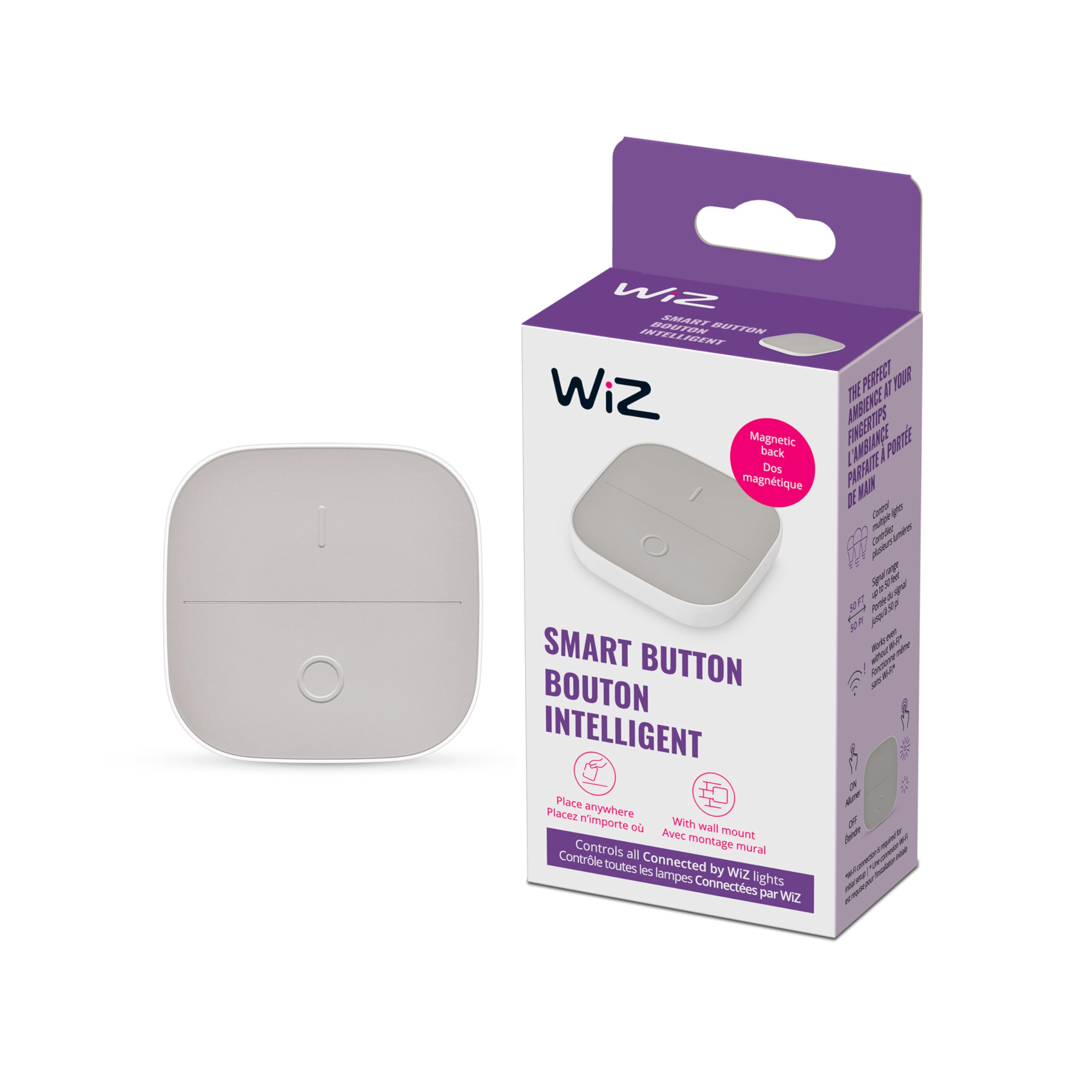
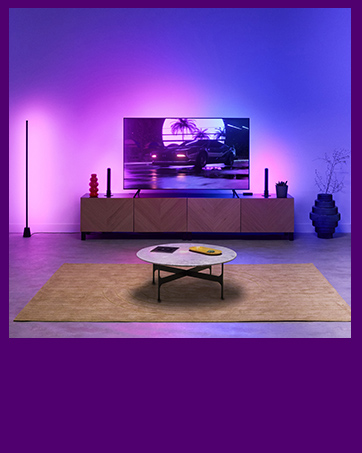
💡 Light control that moves with you—smart, simple, unstoppable.
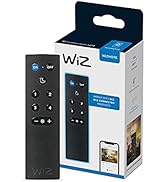
The WiZ Connected Portable Smart Button is a compact, battery-powered wireless switch that controls WiZ smart lights up to 50 feet away. Featuring four intuitive modes—on, off, dim up, and dim down—it offers flexible placement without screws and works even when Wi-Fi is down, making smart lighting effortless and reliable.











| Battery Description | Alkaline |
| Brand | WiZ Connected |
| Color | White |
| Item Weight | 0.07 Kilograms |
| Mounting Type | Wall Mount |
| Power Source | Battery Powered |
M**E
Great simple solution
Very simple setup to control Wiz bulbs in my daughter’s room.
R**O
Great smart button
Very responsive. Easy to connect and very useful.
J**M
Worked as advertised and easy to connect to my Wiz Smart Bulb.
I ordered this switch to control my Wiz Connected Smart Bulb. The switch was easy to connect to the Bulb using the Wiz app. Switch works perfectly. Also love that holding the On (I) brightens the bulb and holding the Off (0) dims the bulb.
J**Y
The wireless lighting control switch I've been waiting for!
Quick review: This button does exactly what you hope it would do. It's easy to install via the 3M sticky tape on the back of the wall mount, so no need for drilling or holes! Programming it in the Wiz app (v2) was straight forward and took less than 2 minutes. A bit of technical knowledge is useful when programing, but if you're adding physical buttons to your smart home, you [probably] already know that. It also functions as a dimmer switch, as well as full-on, full-off single button presses. You can link this button to a single lightbulb, rooms, or even multiple rooms full of lights. It's nice that you can remove the button from the wall mount and use it as a mobile remote. Just place it back in the mount when you're done and the magnets will hold it in place until the next time you need it. Longer Review: If you're like me, you love the concept of smart home automation. And if you're even more like me, you refuse to pay Philips Hue pricing for lightbulbs and peripherals. This lead me to buying multiple Amazon deals and sale items over the years, which meant I had to have 3-4 different apps on my phone to run them all. Yes, these apps can all be managed in groups by Alexa, Google Home, etc., but the fact is, there was no overall device that can send a lighting cue to multiple different brands of lights via Google or Alexa (that I found, anyways). It's also a drag when people who are visiting, and perhaps a bit less tech savvy, want to turn lights on and off with no physical switch in the room. It's unreasonable to expect my 65 year old father-in-law to bust out his phone, which he barely uses, to open an app and fumble around looking for the proper lighting groups in the house. That's where Wiz has changed the game. They sell plenty of different lighting and outlet options that all link to a single app (a very well designed, user-friendly app, might I add), that you then link to your Smart Home service of choice. They are affordably priced and the build quality seems on par with what you'd expect. The colors of the lights are accurate enough, although not as rich as Hue lights. But I can buy 8 Wiz bulbs for the price of 3 Hue bulbs, so I can live with that. We have since converted nearly all of our smart bulbs throughout the house over to Wiz and it's been a dream. We use this particular wireless button to control 4 bulbs in our living room (see the video review), and some of their wireless remotes throughout other rooms in the house to control different sections as needed. I was initially shocked at how simple these were to pair and setup via the Wiz V2 app. As mentioned before, programming and setting these up isn't for everybody, but chances are you will find their instructions easy enough to follow along. It runs off of 2 AAA batteries, which I haven't had to change yet (purchased this about 3 months ago). And stays connected to my wifi with 0 issues. If it has any weaknesses at all, I would say that the magnets in the button and wall mount could be a tad bit stronger. I have knocked it out of it's mount by mistake, but that falls under "user error", in my opinion. Under general use with proper care, this switch should last a long time. All in all, my family and guests have been very happy to have a physical button to press when they need lighting control, and I would recommend to anyone who's invested in the Wiz line of smart bulbs in their home or business.
B**S
good idea ,works almost as expected
first of all pairing instructions inside are misleading. to pair the wireless button in the Wiz app you need to address it as a remote control, this little thing is not written in the instruction and i had to reach to Wiz support. the button is working as expected ,it has a built in magnet so it can be placed on the refrigerator\main door\etc which is great, however, i wanted it to control the 5 blubs i have in the kitchen, not sure why when i first installed it ,it managed to control only 1 bulb , and than removed and added again from the app and i was able to control 3, did same thing again and now i can control 4 out of 5 , hopefully some day it will turn on and off all the 5 bulbs :D .
K**K
Not sure- Second button.
I have two of these. The first one connected just fine and has been working fine since. The second one would connect/pair but then wouldn't control the light at all. I did everything directions asked, I even tried to call support. Unfortunately with support, the language difference made it impossible to understand what they were asking from me. Ultimately, I gave up and returned it. It just wasn't worth the headache for me. I may try again another day in hopes it was just a bad button sent.
E**S
Functional and Easy Set Up
Easy set up to connect and works great
T**.
Gets the job done
I installed this to control some Wiz lights I put into an overhead fan in my office. I used a 3M Command Strip instead of the sticky pad to mount to my wall, as I was afraid it would damage the paint if I wanted to move it. Beyond that, it synced right up and does exactly what it should. It's not customizable beyond which room lights it controls, so don't expect anything more than on/off and you should be happy. I can now more easily make use of my fan lights and don't have to fumble around with my phone or tablet anymore.
Trustpilot
2 weeks ago
3 weeks ago