Some deliveries may take a little longer than usual due to regional shipping conditions.

DOWNLOAD THE APP


Customer Services
Copyright © 2025 Desertcart Holdings Limited
DOWNLOAD THE APP

🎮 Elevate your game with precision, power, and style — the ROG Keris Wireless is your ultimate weapon.
The ASUS ROG Keris Wireless Aimpoint is a right-handed ergonomic gaming mouse weighing only 75g, featuring a cutting-edge 36,000 DPI optical sensor, tri-mode connectivity (2.4 GHz RF, Bluetooth, wired USB), and an impressive battery life of up to 119 hours. Designed for both PC and Mac, it offers customizable mechanical switches and a sleek white finish, combining high performance with long-lasting comfort for gamers and professionals alike.




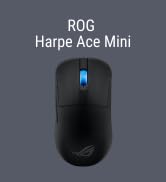
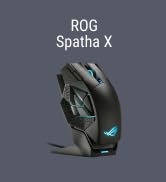
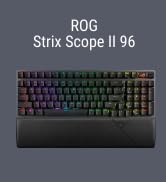

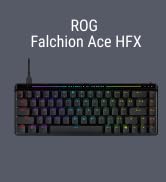















| ASIN | B0BRTF2PGP |
| Average Battery Life (in hours) | 50 Hours |
| Batteries | 1 Lithium Ion batteries required. (included) |
| Best Sellers Rank | #1,338 in Video Games ( See Top 100 in Video Games ) #79 in PC Gaming Mice |
| Brand | ASUS |
| Color | White |
| Customer Reviews | 4.5 4.5 out of 5 stars (462) |
| Date First Available | January 10, 2023 |
| Hardware Platform | Mac, PC |
| Item Dimensions LxWxH | 4.65 x 2.44 x 0.1 inches |
| Item Weight | 4.3 ounces |
| Item model number | P709 ROG Keris WL AimPoint/WHT |
| Manufacturer | ASUS |
| Operating System | Windows, macOS |
| Power Source | Battery Powered |
| Product Dimensions | 4.65 x 2.44 x 0.1 inches |
| Series | P709 ROG Keris WL AimPoint/WHT |
B**N
Best Mouse I've Used
I've been a Logitech mouse user for a long time, and through that time it's been primarily the G502 series. My lightspeed version had starting to act up on me a bit so I tried looking at different brands for a change. I spotted ths Asus Keris 2 in "Used - Like New" condition for $72.42 and decided to give it a try. The box the mouse came it was beat up and torn, but the mouse inside was flawless and still contained all of the accessories all wrapped up like new, well worth the discount from the new version. Pros * Lightweight - I never thought having a lightweight mouse would be any better, however since I've been using it I have converted. This mouse feels like I'm holding nothing in comparison to my old one and is a pleasure to use. * Materials - One of the downsides for logitech is they always use ABS plastic for their peripherals, any that have used any for a long period of time can note that the buttons get an ugly shine to them that make them look greasy, even after cleaning. The buttons for this mouse are made out of PBT so that should help, it also came with grip tapes for the sides and the buttons to help preserve the look for longer. The rest of the body of the mouse is made out of a nylon material that has a good feel and part of what makes it so stupid light while still feeling surprisingly solid. * No Holes - The weird trend with some lightweight mice is that there are holes in the body. True that it can make the mouse a bit lighter, but the holes can have a weird feeling when using the mouse as well as it lets more dust into the internals, making them impossible to keep clean. I appreciate the fact that Asus made this light as possible without these holes in the body. * Gaming/Wireless Performance - I've had no hiccups with the wireless nor have I had any issues while playing games. The sensor seems plenty accurate and I've had no issues with the buttons nor latency. I've been using the 2000 hz pulling rate since it's better on battery life while still helping a bit. The mouse feet that it came with feel smooth and of good quality, definitely better than the Logitech. * Useful RGB - RGB on a mouse for the most part seems pointless to me. You hand is covering it during use so all it really does is drain the battery faster. Asus seems to have seen that and only seem to use a single LED within the mouse wheel. This is nice because it can be used to also let you know once you need to charge and sips power compared to others, the battery life on this mouse is quite good. * Ergonomic - I know some people prefer symmetrical mice, especially us lefties, but nothing beats with the mouse has all the right curves which this one has. I have a medium size hand and this one fits it like a glove in my opinion, don't think I could think of any way to improve the way the shape feels. Cons * Slick Without Grips - I had to put the grips on mine because it would just slided from my fingers without. The coating is pretty slick to me so I'm glad that they included grips. The included grips may be a little cheesy looking but they have enough grip and texture without feeling "sticky". They filled in for this con, but I think it would be nice to include grips that match the mouse without the graphics. * No Hyper Scroll - This is the feature I miss most from my G502, the ability to click a button underneath and switch to an ultra smooth scroll which is great for large spreadsheets for work and nice for navigating other files/websites. Don't get me wrong, this mouse wheel feels great as the wheel is grippy and the scroll feel/click is excellent. I would just love a version of this mouse with hyperscroll! In the end I'm glad I decided to move away from Logitech, I've been very happy with the Keris II. Even though the mouse had cons for me, they made up for one by including the grip tape and the other was just functionality that I miss. Overall I would highly recommend this mouse to anybody that's looking!
S**S
Great performance and Ergonomic
I couldn’t be happier with this mouse. The ASUS ROG Keris Wireless Aimpoint is incredibly lightweight at just 75g, yet it feels solid and well‑built. The ergonomic design fits perfectly in my right hand, making long gaming sessions comfortable and strain‑free. The Aimpoint sensor is extremely accurate and responsive, and the wireless connection has been flawless with no lag. Battery life has been excellent, and the customizable buttons and RGB lighting give it that premium ROG touch. Overall, this mouse delivers everything I want in a gaming mouse — comfort, performance, and reliability — five stars all the way.
J**Z
A lot of tech for $100
I own the wired Keris (3389 version) and love it although I thought it was a bit overpriced at the time (bought it for $70). When the Keris Aimpoint was announced, I was excited to get hold of a copy and try it out. So far, I have really enjoyed my time with it. Pros -Tuned 3395 sensor. -Push-Fit Switch Socket II which allows you to swap out your 3 pin mehcanical switches without soldering. It can also take 5-pin optical switches. -Extra set of switches (Japanese Omron). -Easy access to the internals, no need to take the skates off. -PBT MB 1/2. -Extra set of skates that, for stock skates, offer a very good glide. -Stylish grips. -Fits my hand well (8.5" x 3.5"). I can comfortably use claw grip with the Keris AP. -No creaking when squeezed or rattling when shaken. -Good weight (75g). Doesn't feel heavy although I prefer mice in the 60-70g range. -Improved side buttons from the previous version. Buttons protrude a bit more which is a plus. -Steps on the scroll wheel feel nice and is relatively quiet when scrolling quickly. -Battery life. My first 2 days (about 8hrs/day) with the mouse saw only a 6% drop in battery life. Charges quick, too. -Included cable is nice (USB Type C). A little too stiff for my liking, but since I'll only use it for charging the Keris, it's not a big deal. -Dongle adapter is without a doubt the nicest I've seen. It's very well made and comes with a metal clip. -Tri-Mode connectivity (wireless, bluetooth, and wired). Cons -Only 1k polling rate. For the price, it would have been nice to have at least 2k. The Chakram X and Origin both have 8k polling rate with the same sensor so I'm not sure why Asus opted for 1k with the Keris AP and Gladius III. Final thoughts: For $100 you do get a lot of tech. Push-Fit sockets effectively give the Keris AP an indefinite lifespan. Having the ability to bounce between mechanical and optical switches is a huge plus and adds a certain personal feel to the mouse. I opted to put a set of Huano blue shell/pink dots and am very satisfied. While I thought the wired Keris (3389 version) was overpriced, the Keris AP is definitely not. Definitely worth the price and the best mouse in the AP lineup. $160 for the Chakram X is ridiculous unless you're willing to pay an extra $60 for 8K polling rate and wireless charging. I can't give the Keris AP 5 stars because I feel it should have come with a higher polling rate than 1k, but I don't feel it's enough to take a whole star off. 4.5 stars for me. Thanks for taking the time to read my review.
A**I
Que les puedo decir se nota la calidad del producto, tiene una duración de 90 hrs aprox ya que nunca supe como se apagaba jajaja le puedes cambiar los trigers por otros, se puede conectar a 3 laptops diferentes por Bluetooth lo cual te ahorra ponerle el usb y estarlo cuidando, desde su programa puedes modificar todos los botones asignarles otras funciones,cambiar el color rgb etc me costo 900mxn
C**R
Outstanding ! Love it. Best Rog mouse I've used yet, n better than my cyborg ratt wireless!
I**O
Its a great mouse, especially if you like to play valorant or any fps heavy games that require high polling rate, its is great. It has 4k polling rate on the wireless mode or 8k wired which both are about 4 to 8 times higher than a normal gaming mouse that usually stays at 1k hz. However you can still face problems with the scroll wheel. 9/10
O**E
De verdad no imaginé que fuera tan pero tan ligeo y cómodo. El cable es extremadamente suave y se agradece. Su dongle es compatible con el teclado Azoth, de modo que solo con un dongle conecto teclado y mouse.
M**Y
One of the most comfortable mouse that I have used in a while, I like how lightweight it is and plus I feel I am better using this guy because of reduced strain on my hand and wrist. Battery life is pretty good too. Overall I recommend this mouse to anyone who is looking proper ergonomic gaming mouse.
Trustpilot
1 week ago
2 months ago