Some deliveries may take a little longer than usual due to regional shipping conditions.

DOWNLOAD THE APP


Customer Services
Copyright © 2025 Desertcart Holdings Limited
DOWNLOAD THE APP
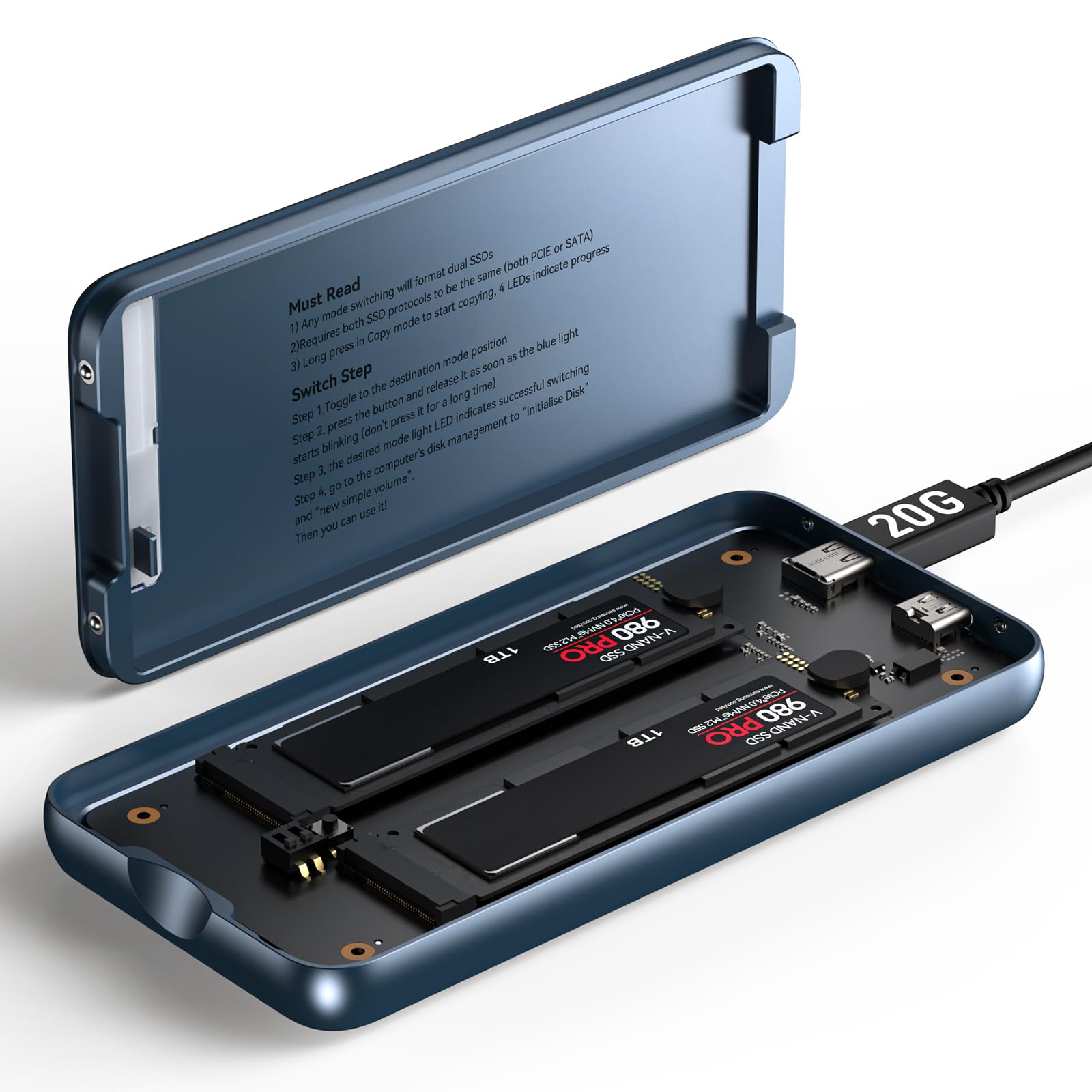
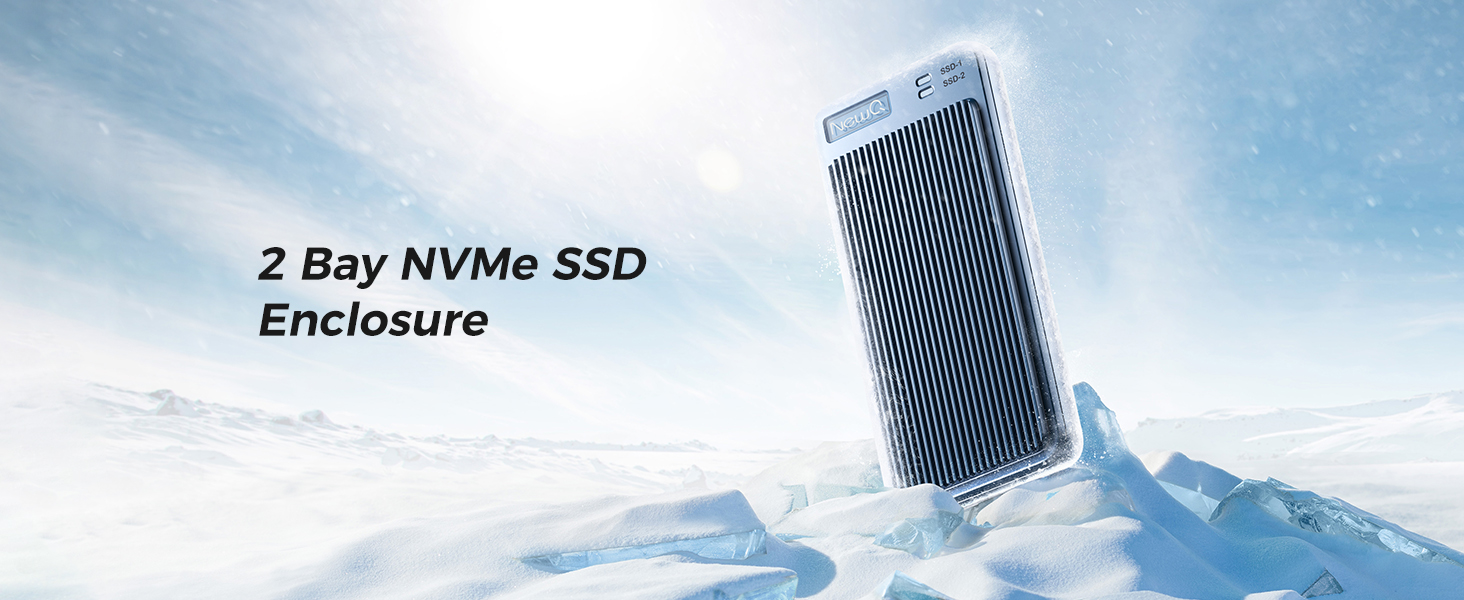
🚀 Dual-Bay Powerhouse: Speed, Security & Simplicity in One Sleek Enclosure
The Dual Bay RAID SSD Enclosure is a professional-grade storage solution supporting M.2 2280 PCIe NVMe SSDs with versatile RAID 0/1, JBOD, and Clone modes. It delivers up to 20Gbps transfer speeds, tool-free installation, and a durable aluminum case for optimal heat dissipation. External USB-C power support enables reliable operation with high-capacity drives up to 16TB, making it ideal for data-intensive tasks, backups, and secure redundancy.




| ASIN | B0DNRZLRMK |
| Are Batteries Included | Yes |
| Batteries | 1 CR5 batteries required. (included) |
| Best Sellers Rank | 162,678 in Computers & Accessories ( See Top 100 in Computers & Accessories ) 737 in Enclosures |
| Compatible devices | M.2 2280 Ssd, Nvme Ssd |
| Customer Reviews | 4.0 4.0 out of 5 stars (37) |
| Data transfer rate | 20 Gigabits Per Second |
| Date First Available | 12 Dec. 2024 |
| Guaranteed software updates until | unknown |
| Hard disk form factor | 2.5 Inches |
| Item Weight | 460 g |
| Item model number | NQ-RD-01 |
| Item weight | 0.46 Kilograms |
| Lithium Battery Energy Content | 18.5 Watt Hours |
| Lithium Battery Packaging | Batteries contained in equipment |
| Manufacturer | NEWQ |
| Max number of supported devices | 2 |
| Memory storage capacity | 16 TB |
| Number Of Lithium Ion Cells | 1 |
| Package Dimensions | 20.09 x 11.99 x 5.41 cm; 460 g |
B**E
Very disappointing! Far from the claimed 20 Gbps claimed it barely hits 7 Gps on a high powered MacBook Pro. Its very sluggish reading photos let alone video editing. Tested with a Samsung 990 Pro 4 TB SSD which hits 35 Gbps in an Acasis USB4 enclosure.
F**8
The reality is there really are not a lot of choices in a compact, light, dual bay, high transfer rate, RAID NVME enclosure, so don't expect the world. This device does have some quirks, but judging the product as a whole and for this price I find it to be quite good. Setup is fairly straightforward. Set the switches where you want them for the mode you want, plug it in, press the button. How long you press the button is tricky. Too short, it won't do anything. Too long, it won't do anything. You have to press it just long enough for one of the blue lights to blink and then you must let the button go immediately. Once you get that timing right, it will very quickly do its thing and confirm that the mode is now set by steadily lighting up the appropriate blue light next to the RAID you selected (printed on the circuit card). Then you must go to disk management and initialize the disk, create your volume, etc. I choose RAID 1 (mirror), so my review is based entirely on that mode only. I am using two different budget model/brand leftover 1TB drives from yesteryear. One is a Gen 3x4 and the other is a Gen 4x4, with both claiming 3500MB/s+ reads an 3000MB/s+ writes. As for powering the device, sometimes it will work with just the data cable and sometimes you will need both data and power cable. It depends on the computer's ports. My 2025 ultra light laptop with TB4/USB4 and USB3.2 2x2 ports only needs the data cable. My 2018 desktop with its single USB3.2 2x2 port via a PCIE add on card cannot power the device, so I need to use a data cable and a power cable for that one to work. However, if you want the maximum speed out of this thing, you must use both the data and power cable regardless. The manual makes no mention of this, so I can see lots of folks being disappointed because they never had to try the power cable and therefore never saw those faster speeds. The power cable draws 2-5W under load. No power cable: CrystalDiskMark - 1050MB/s reads and 1020MB/s writes Actual transfers (large video files) - 900-1000MB/s reads and 550-650MB/s writes Yes power cable: CrystalDiskMark - 1750MB/s reads and 1200MB/s writes Actual transfers (large video files) - 1200-1500MB/s reads and 600-750MB/s writes. Oddly, cutting files from the enclosure (as opposed to copying from) are slower to transfer. You are actually better off copying and then deleting vs cutting on all ports I tried. The ports matter. Not all TB3/4/5 ports support 2x2 lane; some manufactures do implement it and others do not, its not required for them to do so. I do believe all USB4 supports 2x2 lane, and obviously USB3.2 2x2 supports it. MacBook TB ports do not support 2x2 lane, so just be aware on that computer you'll likely be limited to 10Gbps speeds. I ran CrystalDiskMark on a loop with max file size and max iterations for about 20 minutes straight as a stress test. I measured a max temperature of 106F on the top side and 104F on the bottom side, but found the temps did evenly distribute around the whole surface of the case quite well. After the stress test I let it idle (but still plugged in) for 10 minutes and measured about 100F all around the case. I find the cooling performance to be excellent. Four thermal pads are included. Overall, I find this to be a solid performer within certain limitations and quirks as mentioned above. While it can work on some computer ports with only the data cable, you must also use the power cable if you want the faster transfer speeds. You must have a port that has implemented 2x2 lane feature to get the best speeds out of this enclosure, but it will still be decently fast if you don't. I do wish there was rubber feet or cover available for this. If these went on sale in the future, I might pick up a second one.
T**S
Just used it to upgrade my laptops storage from 1tb to 8tb. Just make sure to keep the instructions and follow them and not throw them away, do not flip the switches for no reason because that could wipe your drives. So yeah it's not the most beginner friendly cloning devices like others but it's compact enough (size of a smartphone) and it has RAID1 which not many enclosures have, so you can have your own tiny NAS with you anywhere you go, without needing internet.
R**.
This is an effective enclosure. I like it so much that I'm buying another. It is truly tool-less and when assembled feels comfortably solid; the provided USB cables fit well and maintain the claimed data rates. Using this as a RAID 1 drive enclosure with a pair of new NVMe SSDs, I have found the enclosure works well powered only by the data transfer cable plugged into my laptop's USB-C port; I have not had to use the (also included) power cable. Read and write speeds can be measured out (see photos in other reviews); my results with CrystalDiskMark in Windows 11 are consistent with the claimed specs and other reviews here. The reality is that your real-world speeds are likely to be considerably lower than the ideal specs published, depending on what drives you put inside and what the USB ports on your PC are able to achieve and maintain. Instructions are skimpy but adequate. Inserting the drives and configuring RAID mode was easy and straightforward; just follow the directions and it takes maybe five minutes (then of course you need to format the drive). Don't worry about whether you push the button long or short changing drive mode; the instructions tell you to hold it until the LEDs blink rapidly ... do that and release when the lights blink; then everything works just as described. Only one try needed. This case is solid-state, with no cooling fans or other moving parts. That makes it as small as possible, quiet, and perfect for use on the road. I wondered about cooling effectiveness but need not have been concerned; this case kept the drives inside at no more than 59 degrees C though several hours of continuous writing to copy terrabytes of data onto the drive and also run Windows bitlocker encryption on the whole drive (including unused space). The case did get hot to the touch (like it is supposed to do, distributing the heat from the drives inside) but not hot enough to scorch or burn people, wooden desk surface, or papers in contact. Meanwhile, the drives never got even close to the drives' published max temperature of 70-80 C. That cooling performance makes the lack of a fan an advantage -- the case works well without added bulk, noise, and moving parts that will eventually fail. So far, this is an excellent choice. Now I'm taking my little RAID enclosure on the road for daily use over several weeks; I'll return here to update if I encounter any issues.
A**I
Device is good, its working. But controller in it is 10G not 20G as stated in pictures. lsusb -d 0bda:9220 → Realtek NQ-RD-01. bmSublinkSpeedAttr[0] 0x000a4030 Speed Attribute ID: 0 10Gb/s Symmetric RX SuperSpeedPlus bmSublinkSpeedAttr[1] 0x000a40b0 Speed Attribute ID: 0 10Gb/s Symmetric TX SuperSpeedPlus
Trustpilot
3 weeks ago
1 month ago